
Become a MacRumors Supporter for $50/year with no ads, ability to filter front page stories, and private forums.

scouser75

macrumors 68040
Original poster
Hi guys, I'm having major issues with Ios 26 and need to do a clean install yet again.

The last time I done this, some of my current settings cut across such as IOS 26 installed after the clean install rather than ios 18. Other settings

How can I install with Ios 18 rather than 26?

The reason for the install is this. I cannot see what I'm typing without pressing the tick on the right. And then when I go back to type again, I can't see properly the text. Very odd!
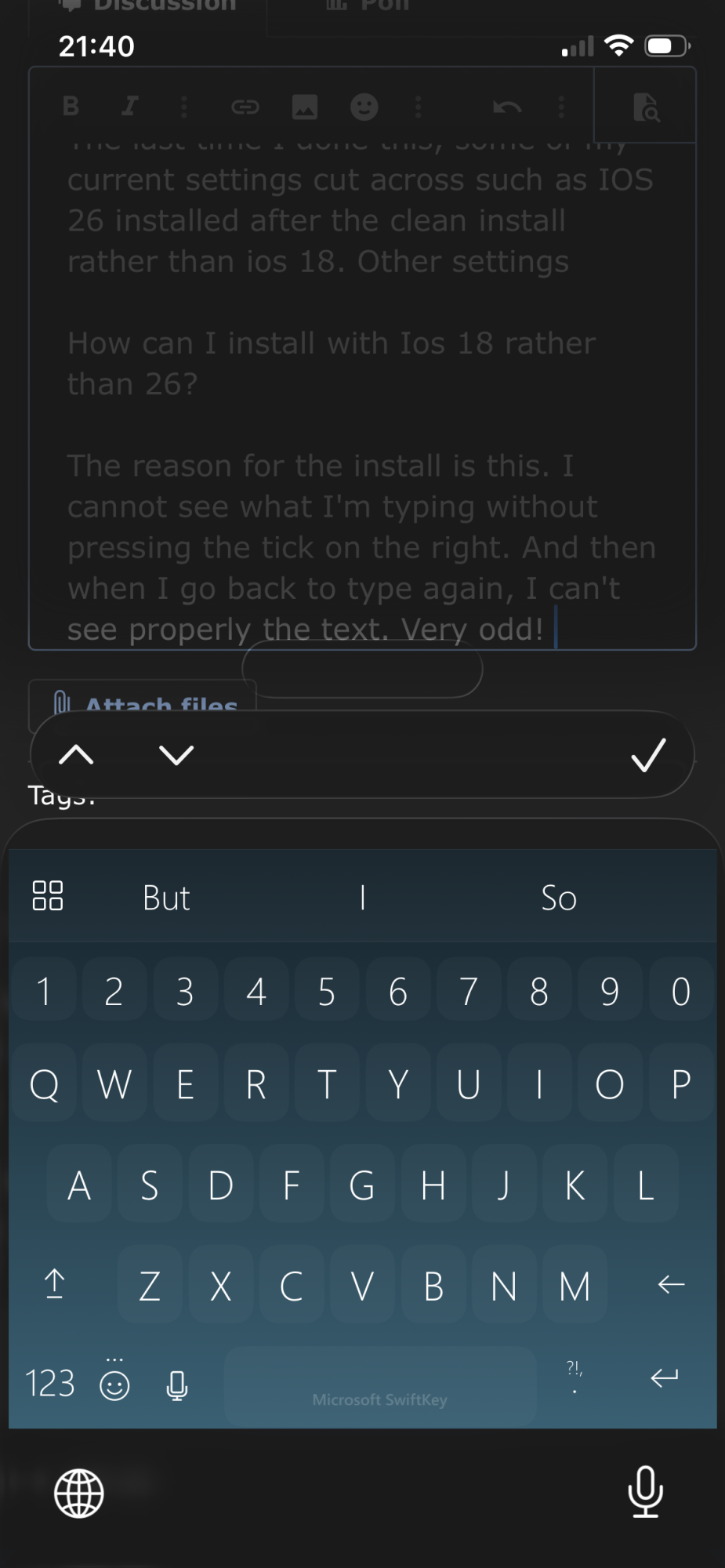
IMG_0173.png
 
Thanks guys. After all the kerfuffle, it seems this may not be an iOS issue, rather a SwiftKey issue. So I'm going to hold tight on going through the tortuous re-install process for now and will wait and see if SwiftKey finally releases an update.

In the meantime, can anyone please tell me what the purpose is for that bar above the keypad with the up and down arrows and tick??? No one I've spoken to knows this 😆
 
In the meantime, can anyone please tell me what the purpose is for that bar above the keypad with the up and down arrows and tick??? No one I've spoken to knows this 😆
We've already told you in your other thread. It's useful when filling out web forms in the browser. The up/down arrow buttons moves the text cursor to the previous/next text field. The tick mark hides the keyboard.
 
  • Like
Reactions: scouser75
Whoops! Sorry. My memory honestly is absolute mush these days. I watch films I’ve watched before because I don’t remember having watched them at all 😱
 
PS just had a thought - should this box then not only appear when filling out a form rather than appearing all the tinge in all text boxes?
 
  • Haha
Reactions: TNman
Register on MacRumors! This sidebar will go away, and you'll see fewer ads.