Become a MacRumors Supporter for $50/year with no ads, ability to filter front page stories, and private forums.

dimme

macrumors 68040
Original poster
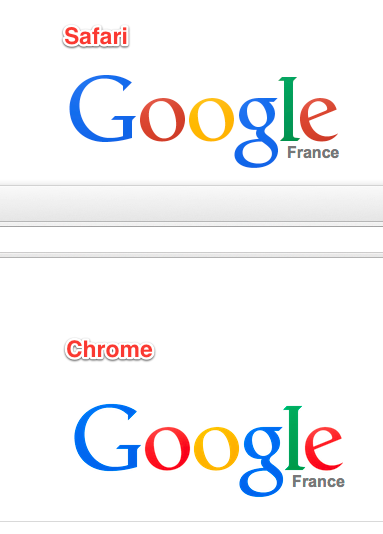
Why are my color not correct in chrome. I check and doubled cheated every thing and tried different color profiles still no change. I even tried a different external display and still not change. Firefox acts like chrome also.
15"MacBook Pro late 2013 NVIDIA GeForce GT 750M 2048 MB

Help Please!
 

Attachments

  • Safari.jpg
    Safari.jpg
    728.2 KB · Views: 213
  • Chrome.jpg
    Chrome.jpg
    222.1 KB · Views: 160
A little update.
I traced the problem to my custom icc profiles. If I use the factory icc profiles that came with the computer all is well in chrome, except for the color in Photoshop & Lightroom are not as accurate as the custom profiles that I made.
So for now I guess I be sticking to safari, but I would sure like to figure this out.
BTW I create my profiles with the most excellent open sure program dispcalGUI and a xright dpt92
 
second update.
Right now I have the macbook pro hooked up to my Dell U2410 and I am using both screens. If I set the build in display to the factory settings and use a custom profile on the dell all is well. So the problem must come from changing the factory profile, But Why?
And why only in chrome & firefox?
Photoshop and Lightroom work fine no matter what the profile.
 
Register on MacRumors! This sidebar will go away, and you'll see fewer ads.