Become a MacRumors Supporter for $50/year with no ads, ability to filter front page stories, and private forums.

stevento

macrumors 6502
Original poster
I have a desktop PC and a MacBook connected to the same wireless router. How Can I connect the two for file sharing?
I know this is possible.
 
the mac should pick up the pc no problem

there are steps though to have the pc see the mac however. i dont know them off the top of my head though🙁
 
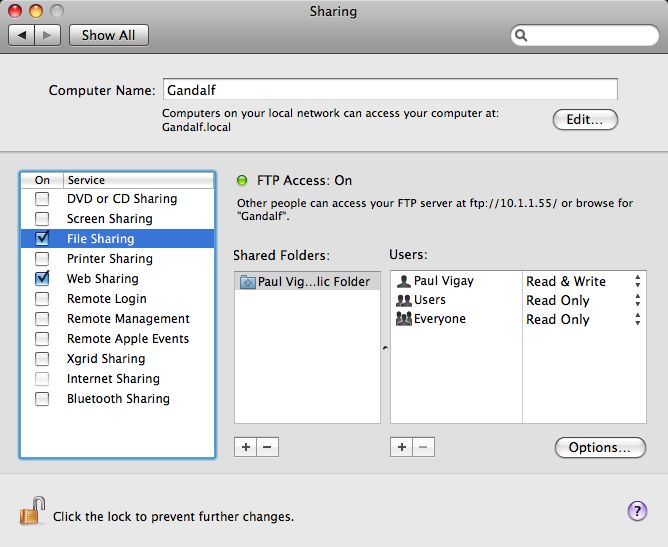
File Sharing has to be enabled on Mac OS X under System Preferences > Sharing and then the volume/drive/folder of your choice, and under Windows, the folder/drive has to be enabled via the properties window.


sharing.jpg

windows-share-folder1.png


Also there are a lot of guides available on the world wide wet. Just use a search engine of your choice.


EDIT: how to find the shared computers

PS: In Mac OS X, in Finder under Shared in the Sidebar. In Windows (XP) under Explorer > My Network Places > Your Network.
 
Register on MacRumors! This sidebar will go away, and you'll see fewer ads.