
This just might be an a short thread, but I have a question about customizing the dock using Candybar. I downloaded Mirage so that my dock would be completely transparent and then proceeded to change the default icons to Kobhen-style icons. I love the minimalist look, but I do have one question.
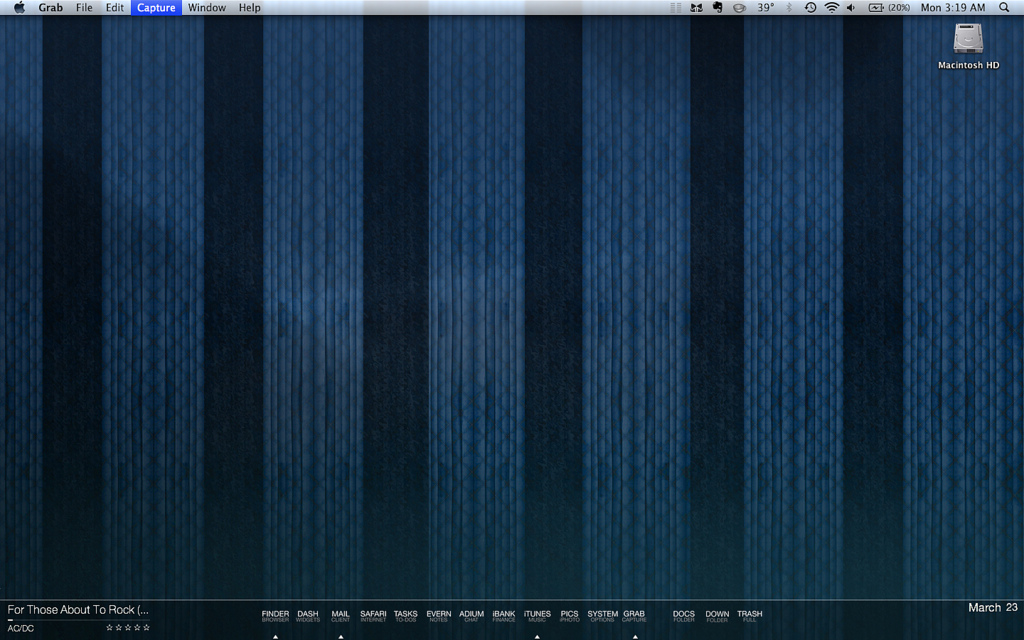
Like I said, I like the look of the new icons in the dock, but they don't look so hot in the rest of the system- the finder, etc. When I am in my applications folder they all look the same, which of course I knew would happen and knew would take a big part of the usability and intuitiveness out of the reason icons exist.. Is there anyway I can use Candybar or a similar application to change the icon ONLY when it is displayed in the dock, whilst keeping the default icons displayed everywhere else? It seems as though this is not possible, but if it is, please let me know! I have included a screenshot below if you are unsure of what Kobhens is.
Like I said, I like the look of the new icons in the dock, but they don't look so hot in the rest of the system- the finder, etc. When I am in my applications folder they all look the same, which of course I knew would happen and knew would take a big part of the usability and intuitiveness out of the reason icons exist.. Is there anyway I can use Candybar or a similar application to change the icon ONLY when it is displayed in the dock, whilst keeping the default icons displayed everywhere else? It seems as though this is not possible, but if it is, please let me know! I have included a screenshot below if you are unsure of what Kobhens is.

