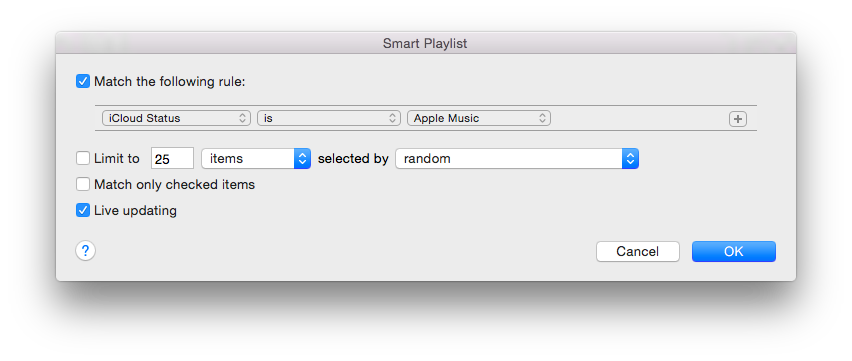
Just wondering if anyone knows whether there's a way to tell between:
a) Music I have purchased, ripped, or otherwise own.
b) Music from Apple Music that I have added to my library.
Since the new iTunes isn't out yet, I suppose this question is directed towards the iOS Music.app which I cannot find any way to make this distinction in.
I haven't seemed to find an answer about this yet. Thanks.
EDIT: It looks like in iTunes 12.2, just released, there are a few ways to differentiate, though none immediately obvious or visual. All downloaded Apple Music tracks are kept in a separate folder under iTunes, called Apple Music. Calling up Get Info on a track, or album will also tell you it's from Apple Music.
But again: no obvious visual cue or ability to sort, that I can tell.
a) Music I have purchased, ripped, or otherwise own.
b) Music from Apple Music that I have added to my library.
Since the new iTunes isn't out yet, I suppose this question is directed towards the iOS Music.app which I cannot find any way to make this distinction in.
I haven't seemed to find an answer about this yet. Thanks.
EDIT: It looks like in iTunes 12.2, just released, there are a few ways to differentiate, though none immediately obvious or visual. All downloaded Apple Music tracks are kept in a separate folder under iTunes, called Apple Music. Calling up Get Info on a track, or album will also tell you it's from Apple Music.
But again: no obvious visual cue or ability to sort, that I can tell.
Last edited: