Become a MacRumors Supporter for $50/year with no ads, ability to filter front page stories, and private forums.

MarkC426

macrumors 601
Original poster
Does anyone know how to access Discord servers using Safari?

I don't really want to download the app on my iPad, prefer to use the browser version.
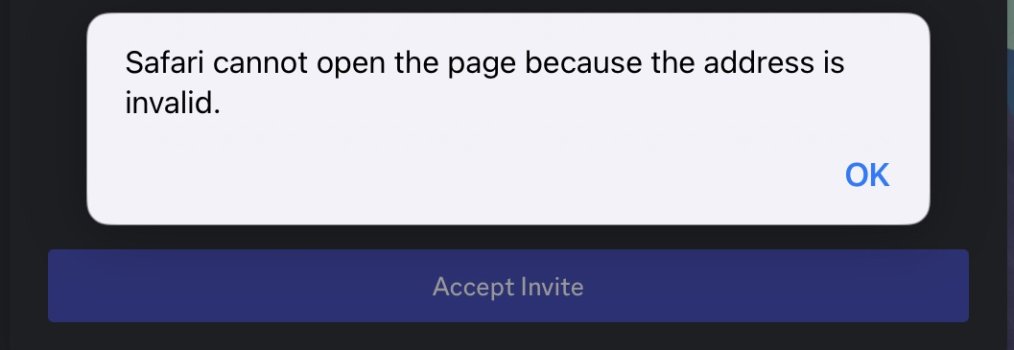
The website loads fine, but as soon as I select a server, I get an error 'Safari cannot locate'.

IMG_0165.jpeg
 
Last edited:
I didn't actually realise you could install Firefox or Chrome in iPadOS 🥴

In Firefox I get further, but pressing OK does nothing.

IMG_0167.jpeg
 
After installing the Discord app and creating an account, it works fine.
The link from Firefox opens the app.....👍
 
Just curious, does it work on Safari, too? I think they still running WebKit but disguised.
With Safari it didn't bring up the 'open in app' dialog, it just sat there.
With Firefox it did.

BUT in retrospect, I needed the app installed either way, which works fine once you setup an account.

However....it was short lived, as I don't usually do social networking. After my initial viewing of the server, I REALLY don't like Discord, so account closed.....😆
 
I ran into a similar issue trying to access Discord servers through Safari on my iPad. It was frustrating not being able to join some servers because of the 'Safari cannot locate' error. However, I found a workaround by visiting a Discord Advertising Site which listed various servers that were accessible. One of my favorites is ~Z Server MP, a survival multi-player server for Minecraft. It also covers other games like TF2 and CnCNet, providing a diverse gaming experience. The server is committed to delivering the best experience possible while maintaining a small community vibe, which I really enjoy.
 
Last edited:
Register on MacRumors! This sidebar will go away, and you'll see fewer ads.