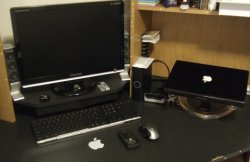
I have a MacBook Pro. I've never tried extending my desktop in this way, but as far as I know, this should work. Depending on what type of monitor you have, you may need an adapter to connect to the port on your MacBook.
By "one screen" I assume you mean desktop mirroring. Resolution differences may cause distortion, or the Mac may simply change the resolution of one (or both) screens so that they match. I've never done this before, so I don't know exactly how it works. What I do know is that once a resolution-independent user interface gets implemented in Mac OS X (probably in Leopard), these problems will simply disappear. 😀
Class assignments. Professors make their own CDs for classes and require WinXP and not compatible with OSX. I have spreadsheets/programs on one screen, the other is for eBooks/articles/journals. It's just more convenient.
I use mirroring in OSX just so I don't have neck pains looking at the MacBook screen. It's just the way the desk was built..
I have hooked up a small 15 inch monitor to my macbook and I don't run it on the mirror setting but use it as an extension of my desktop space and I have to say I love it. It allows me to work so much easier.