Hello.
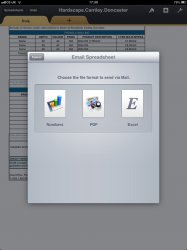
I'm trying to use my ipad for work duties, this requires a lot of emails, emails that I create through the Numbers app.
I save an attachment in to an excel file and its creates an attachment separate to the email - these are always delivered to my recipients.
The very same document can be converted in to a PDF by Numbers, and the 'attachment' kind of embeds itself onto the mail ie its there in full screen glory, not a separate file like the excel version. These hardly ever make it to the recipients.
How can I successfully send pdf created with Numbers?
Thanks.
I'm trying to use my ipad for work duties, this requires a lot of emails, emails that I create through the Numbers app.
I save an attachment in to an excel file and its creates an attachment separate to the email - these are always delivered to my recipients.
The very same document can be converted in to a PDF by Numbers, and the 'attachment' kind of embeds itself onto the mail ie its there in full screen glory, not a separate file like the excel version. These hardly ever make it to the recipients.
How can I successfully send pdf created with Numbers?
Thanks.