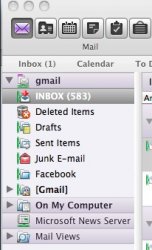
In Entourage, go to Account Settings, and double-click on your Gmail account. Click on the "Options" tab. In the "Root folder" text box, type in "[Gmail]" (without the quotes, but with the brackets). Entourage will think for a second, and then your folder list will get repainted the way you want it. 🙂
While you're in here, there's a few other prefs that you might want to update to make your Gmail experience better:
* Select "Live sync (stay connected with server)" to get all mails immediately instead of having to sync every 10 minutes.
* Under "Live sync", select "connect immediately on launch" to have Entourage automatically get all of your mail instead of waiting for you to click to your Gmail folders. (This is mostly useful if you've got other accounts in Entourage too.)
* If you've got a lot of stuff in folders, consider selecting "only connect to inbox" under "live sync". This will improve performance.
Regards,
Nadyne.