I am not an expert so please bear with me. I have a macbook pro - 2.53 GHz Core 2 Duo, 4GB men, 250GB Seagate drive, OSX 10.9.2.
I had installed a Windows partition using Bootcamp a couple of years ago, but I have never really used it since. I don't remember how many GB it had but probably 25GB. Today I got a message that my Startup disk was getting full and I needed more space. I tried to erase and remove the Windows partition using Bootcamp. It started fine and I left it for awhile. I came back and it said there had been an error in erasing the partition. (Duh - I didn't write down the error message).
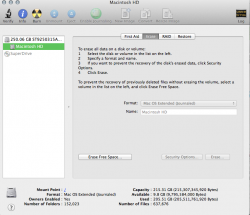
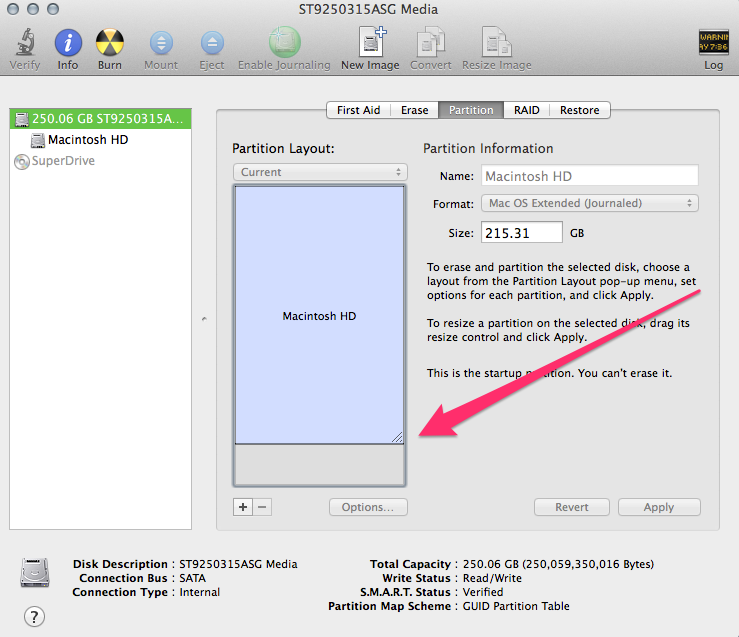
I restarted Bootcamp to redo but Bootcamp did not show a Windows partition. Neither did my Mac's Disk Utility. BUT - I didn't get any more GBs freed. DU shows 215 GB total, 203 used, and 11+ available on my 250 GB drive. Finder also does not show another partition.
I tried using Disk Utility to clean up free space and that works fine as far as I can tell but it does not give me any more GB available (and I didn't expect it too).
So Bootcamp doesn't think there is a partition, and maybe there isn't. It looks like I should have 25GB more but I don't. I got another warning to delete files to get more room on my Startup disk. What am I doing or not doing to work this out? Thanks for any help.
I had installed a Windows partition using Bootcamp a couple of years ago, but I have never really used it since. I don't remember how many GB it had but probably 25GB. Today I got a message that my Startup disk was getting full and I needed more space. I tried to erase and remove the Windows partition using Bootcamp. It started fine and I left it for awhile. I came back and it said there had been an error in erasing the partition. (Duh - I didn't write down the error message).
I restarted Bootcamp to redo but Bootcamp did not show a Windows partition. Neither did my Mac's Disk Utility. BUT - I didn't get any more GBs freed. DU shows 215 GB total, 203 used, and 11+ available on my 250 GB drive. Finder also does not show another partition.
I tried using Disk Utility to clean up free space and that works fine as far as I can tell but it does not give me any more GB available (and I didn't expect it too).
So Bootcamp doesn't think there is a partition, and maybe there isn't. It looks like I should have 25GB more but I don't. I got another warning to delete files to get more room on my Startup disk. What am I doing or not doing to work this out? Thanks for any help.