


Become a MacRumors Supporter for $50/year with no ads, ability to filter front page stories, and private forums.

MacRumors

macrumors bot
Original poster
Apr 12, 2001
70,250
41,852


Apple today provided developers with the second beta of iOS 26.2, which adds a few new features worth knowing about.
iOS-26.2-Glass-Feature.jpg

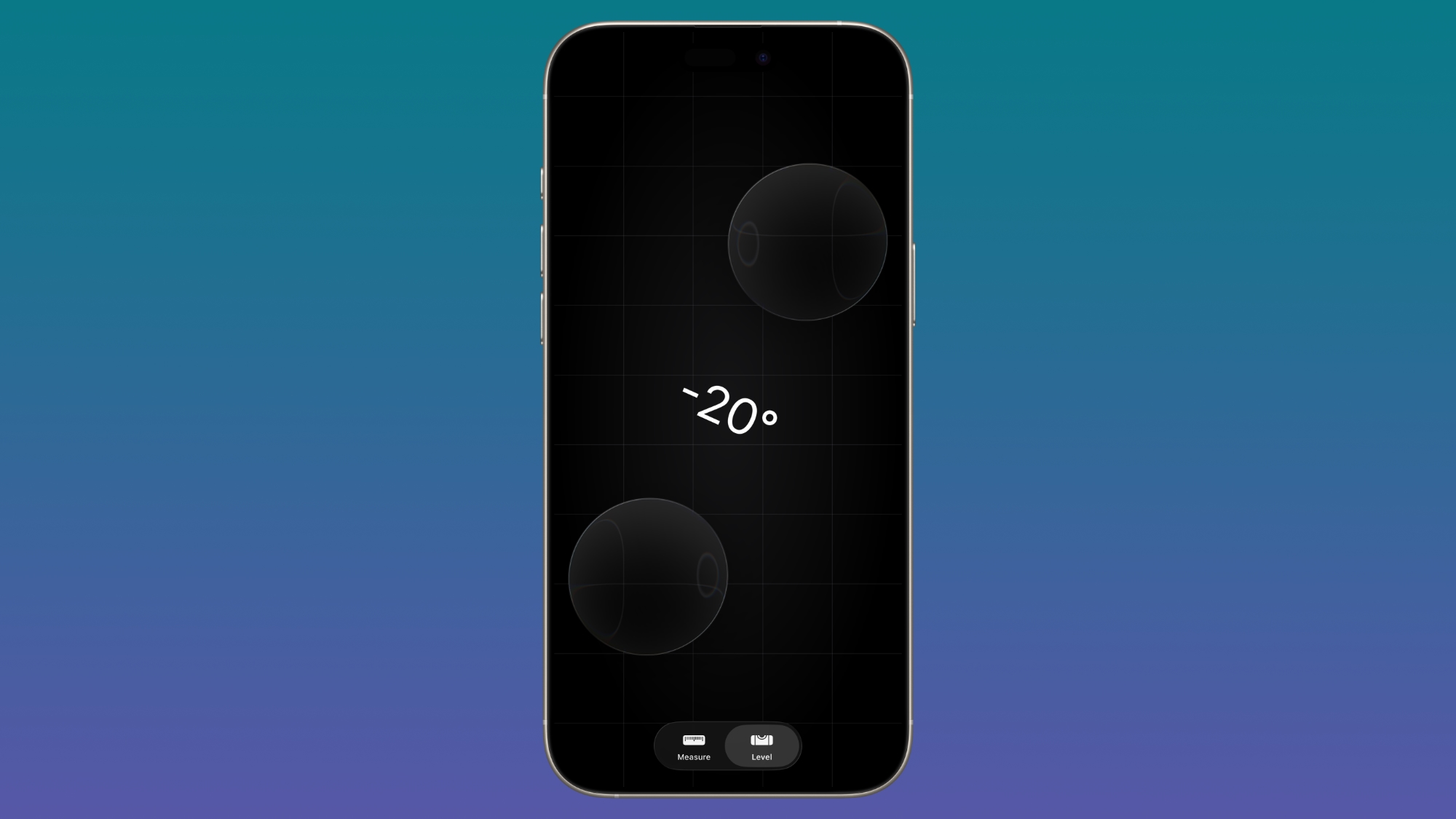
Measure App

Apple's Measure app now features a Liquid Glass design for the level, with two Liquid Glass bubbles instead of white circles.
ios-26-2-measure-app.jpg

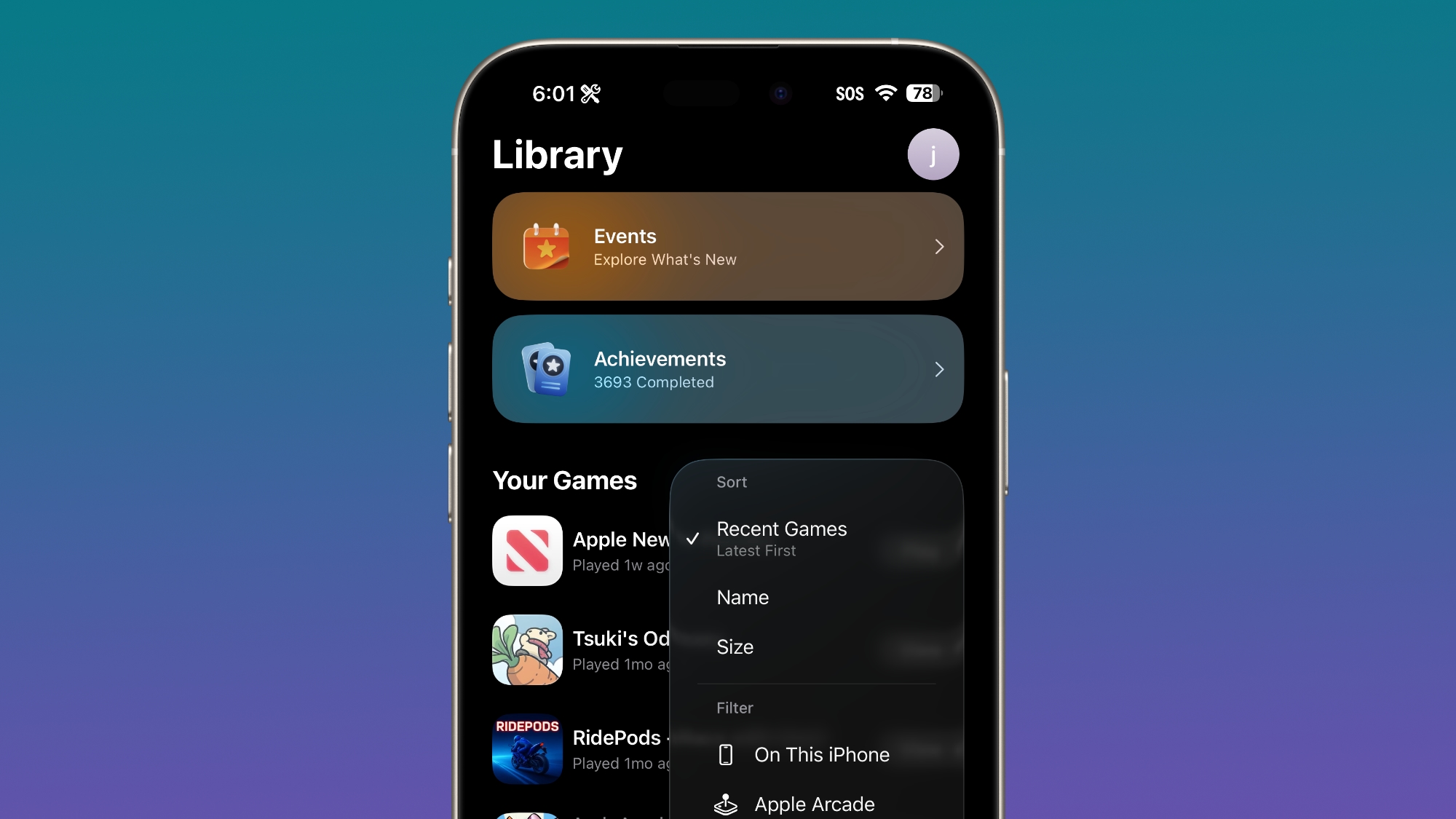
Games App

There's now an option to sort games in the Games app Library by size, in addition to Name and Recent.
ios-26-2-games-app.jpg

CarPlay

The CarPlay app supports disabling pinned messages in the Messages app.

Menu Animations

For pop-out menus that expand from a corner button, there's a quicker, bouncier animation that looks like the animation that Apple showed off at WWDC.


Alerts

Apple now provides more information on the Enhanced Safety Alerts added in the first beta.

Enhanced Safety Alerts can provide you safety alerts on your iPhone and Watch to notify you of an emergency event, such as an earthquake or flood. These alerts are sent over available connectivity, such as Wi-Fi or Bluetooth, and, when available, mobile data. Apple can deliver Enhanced Safety Alerts to your current region, which is determined using your device location. A region may be a country, or for some countries (such as the US), a region may be a group of states. Your Apple device can be associated with this region. Apple does not store information about your device location in a region.

Enhanced Safety Alerts are turned on by default. You can disable or re-enable Enhanced Safety Alerts by going to Settings > Notifications > Enhanced Alerts > Enhanced Safety Alerts, then tapping to turn one or more types of Enhanced Safety Alerts on or off. Enhanced Safety Alerts are delivered by Apple and will appear and sound different to a Government Alert sent by your local government.

Improve Alert Delivery uses your approximate location to improve the timeliness and reliability of Enhanced Safety Alerts. For example, Earthquake Alerts might be delivered quicker and more reliably when Improve Alert Delivery is turned on. Apple does not store your approximate location. You can enable Improve Alert Delivery in Settings > Notifications > Enhanced Alerts > Enhanced Safety Alerts > Improve Alert Delivery.
To receive Enhanced Alerts, you must have enabled Settings > Privacy & Security > Location Services > System Services > Alerts & Shortcuts Automation.

Other Features

There are several other new features coming in iOS 26.2, such as a Liquid Glass slider for the Lock Screen and Live Translation support for the AirPods in the European Union. More information can be found in our iOS 26.2 beta 1 guide.

Download iOS 26.2

iOS 26.2 beta 2 is available for developers right now, but a public beta is likely coming later this week. You can sign up for public beta testing by visiting Apple's beta website.

Compatibility

iOS 26.2 is available on all iPhones that support iOS 26.

Release Date

We're expecting Apple to release iOS 26.2 in December, sometime between December 9 and December 16.

Article Link: Everything New in iOS 26.2 Beta 2
 
Correction. This is NOT Beta 2 of MacOS 26.2. This is Beta 18 of MacOS 26 itself. That is if you include all 9 developer Betas of 26, the official RTM release of 26 itself, the Beta that was 26.0.1 bug fix, the 4 Betas of 26.1, the actual RTP (Release to Public) of 26.1, and as of date the 2 Betas of 26.2.

The actual true non-beta test of MacOS 26 will, hopefully, be the day Apple stops officially signing the very last 15.x.x version of MacOS sometime around or before June of 2026 before WWDC.
 
Can anyone confirm if this beta solves the CarPlay connectivity issues with the iPhone air.
Prior to updating to 26.1 my phone was able to find the car stereos Bluetooth. Now it doesn’t show up in the Bluetooth menu at all.
Prior to that update it either failed to connect, or connected and dropped out after a random amount of time passed.

Thanks =]
 
I wish they would speed up the folder opening animation on the home screen to match this, it’s pretty slow
 
  • Like
Reactions: Wx_Man
You missed the biggest feature! Digital ID (passport) for use at TSA!

You don't need to update to beta 2. It works with 26.2 beta 1.

At least, it works for me. It says it can be used to verify age online. That will probably be good for people in Texas and elsewhere as age-restriction legislation spreads. I'm wondering about the wisdom of using it in person for TSA or any type of law enforcement as it requires you to unlock your phone.
 
Correction. This is NOT Beta 2 of MacOS 26.2. This is Beta 18 of MacOS 26 itself. That is if you include all 9 developer Betas of 26, the official RTM release of 26 itself, the Beta that was 26.0.1 bug fix, the 4 Betas of 26.1, the actual RTP (Release to Public) of 26.1, and as of date the 2 Betas of 26.2.

The actual true non-beta test of MacOS 26 will, hopefully, be the day Apple stops officially signing the very last 15.x.x version of MacOS sometime around or before June of 2026 before WWDC.

First, wrong operating system. 🤓 Second, Beta 2 of "iOS 26.2", not iOS 26 as a whole.
 
What's new in iOS 26.0 ? Better UI !
What's new in iOS 26.1 ? Better UI !
What's new in iOS 26.2 ? Better UI !
I think that will come with the announcement of MacOS 27. It will go like this ….

”We’re very exited to announce today MacOS 27. There are SO many things that we think you’ll love about this insanely great new version of MacOS including having the ability to fully customize the wonderful new Glass Theme we introduced with MacOS 26. In addition to full customization of the the look and feel of Glass UI, which we know that you all LOVE and ENJOY, we’ve now taken the bold step for some of you to COMPLETELY turn off Glass UI.
First, wrong operating system. 🤓 Second, Beta 2 of "iOS 26.2", not iOS 26 as a whole.
You didn’t get my point. iOS 26, MacOS 26, iPadOS 26 and tvOS 26 are all universally not ready yet for full public rollout. They are all now and have been since the 26 RTM ( Release to Manufacture ) rollout not ready. They are all still Betas in reality.
 
I'll grant that iOS 26's animated pop-out menus that expand from a corner button are cute and bouncy, and I don't begrudge anyone for liking them.

But I don't like them, since my main OS has always been macOS, and there the popdown and popout menus appear immediately so you can see the items in them faster, and you don't get distracted by seeing the enclosing line act as if the menu is a wobbly, distracting, shape-shifting bubble.
 
Register on MacRumors! This sidebar will go away, and you'll see fewer ads.