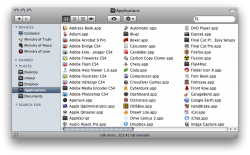
How do I stop this happening? In icon view, if I increase the size of the icons, I feel they should re-arrange to fit my window size as they do in iPhoto, but they don't and I end up with a window that's 4 times as wide as my screen.

Got a tip for us?
Let us know
Become a MacRumors Supporter for $50/year with no ads, ability to filter front page stories, and private forums.
Finder: Increase Icon size = horizontal scrollbars
- Thread starter mark88
- Start date
- Sort by reaction score