fritzzzzzz macrumors member Original poster Sep 25, 2020 #1 what is the version of t2 in 10.15.7? mine is 18P50347c. I am wondering why the firmware is different. It should start with 17PXXXXXX
what is the version of t2 in 10.15.7? mine is 18P50347c. I am wondering why the firmware is different. It should start with 17PXXXXXX
cobra521 macrumors 6502 Sep 25, 2020 #2 Fritz, On my 7,1 with 10.15.7, it is "Firmware Version: 17P6610" Tom
fritzzzzzz macrumors member Original poster Sep 25, 2020 #3 cobra521 said: Fritz, On my 7,1 with 10.15.7, it is "Firmware Version: 17P6610" Tom Click to expand... Thanks ......
cobra521 said: Fritz, On my 7,1 with 10.15.7, it is "Firmware Version: 17P6610" Tom Click to expand... Thanks ......
chrfr macrumors G5 Sep 25, 2020 #4 fritzzzzzz said: what is the version of t2 in 10.15.7? mine is 18P50347c. I am wondering why the firmware is different. It should start with 17PXXXXXX Click to expand... You must have installed an early Big Sur beta on your computer at some point.
fritzzzzzz said: what is the version of t2 in 10.15.7? mine is 18P50347c. I am wondering why the firmware is different. It should start with 17PXXXXXX Click to expand... You must have installed an early Big Sur beta on your computer at some point.
fritzzzzzz macrumors member Original poster Sep 25, 2020 #5 So now I can wait until big sur GM release ? T2 firmware cannot load back the old ones ?
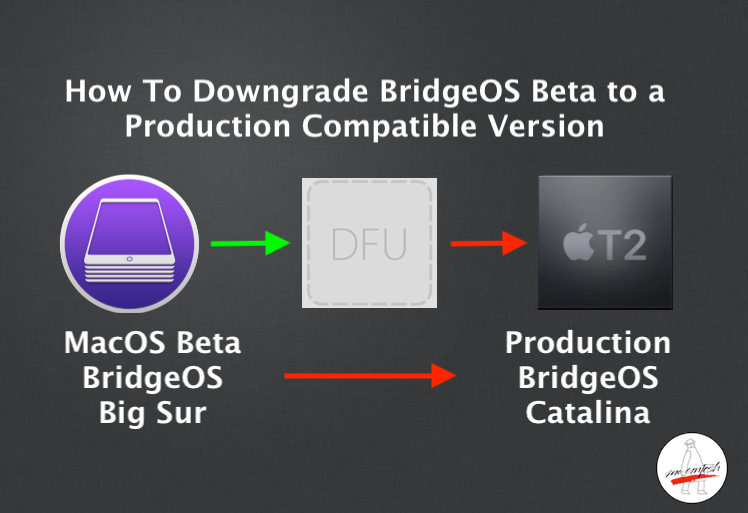
chrfr macrumors G5 Sep 25, 2020 #6 fritzzzzzz said: So now I can wait until big sur GM release ? T2 firmware cannot load back the old ones ? Click to expand... You can revert, if you have another USB-C Mac and install Apple Configurator. The process will delete all the data on your internal storage. How To Downgrade T2 BridgeOS Beta to a Production Version Use Apple Configurator 2.12.1 to downgrade Big Sur BridgeOS Beta to a Catalina Production version of if you are having problems. Info inside! mrmacintosh.com It would be easier to update to a newer Big Sur beta to at least get the beta firmware to a newer version.
fritzzzzzz said: So now I can wait until big sur GM release ? T2 firmware cannot load back the old ones ? Click to expand... You can revert, if you have another USB-C Mac and install Apple Configurator. The process will delete all the data on your internal storage. How To Downgrade T2 BridgeOS Beta to a Production Version Use Apple Configurator 2.12.1 to downgrade Big Sur BridgeOS Beta to a Catalina Production version of if you are having problems. Info inside! mrmacintosh.com It would be easier to update to a newer Big Sur beta to at least get the beta firmware to a newer version.
B bsbeamer macrumors 601 Sep 25, 2020 #7 FWIW - MBP16,1 with 10.15.7 (19H2) same firmware: Controller Information: Model Name: Apple T2 Security Chip Firmware Version: 17P6610
FWIW - MBP16,1 with 10.15.7 (19H2) same firmware: Controller Information: Model Name: Apple T2 Security Chip Firmware Version: 17P6610
fritzzzzzz macrumors member Original poster Sep 26, 2020 #8 thanks then I will wait for Big Sur to release then...