
Got a tip for us?
Let us know
Become a MacRumors Supporter for $50/year with no ads, ability to filter front page stories, and private forums.
Phones Folding phones the next frontier
- Thread starter Tulani
- Start date
- Sort by reaction score
You are using an out of date browser. It may not display this or other websites correctly.
You should upgrade or use an alternative browser.
You should upgrade or use an alternative browser.

Bkdodger
macrumors 603
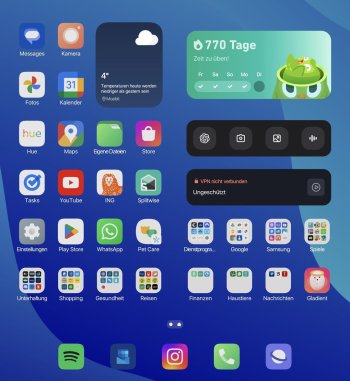
I don't think the color of the folders was updated on this last one from what I heardThere is still the issue that as soon as you use a 3rd party icon pack and a different icon shape, that isn't the default one with Theme Park, the option to change the folder background color and transparency suddenly disappears and the folder background turns white.

contacos
macrumors 604
I don't think the color of the folders was updated on this last one from what I heard
Huh? You can change the folder color to whatever you want but the issue is that it doesn't work correctly with a 3rd party icon pack and a different app icon shape. It turns to white and doesn't apply the color you pick. In my example, the folder background should be blue ish
Attachments
Bkdodger
macrumors 603
Oh yes I misunderstood, correctHuh? You can change the folder color to whatever you want but the issue is that it doesn't work correctly with a 3rd party icon pack and a different app icon shape. It turns to white and doesn't apply the color you pick. In my example, the folder background should be blue ish


hockeyfan81
macrumors 6502

Bkdodger
macrumors 603
Hmmm
 different for sure
Ludatyk
macrumors 604
Would I buy it? Nah... not interested. But I like the fact they are doing something different.Hmmmdifferent for sure
Bkdodger
macrumors 603
I'm the same it looks cool, I would like to see it in person just to get a feel of it but definitely a pass. It's nice seeing something different thoughWould I buy it? Nah... not interested. But I like the fact they are doing something different.

Ludatyk
macrumors 604


Samsung Galaxy Z Fold 6 gets a taste of S25 features with One UI 7 beta 3
Many Galaxy S25 features have made their way to the Z Fold 6 and Flip 6 with One UI 7 beta 3
 www.androidpolice.com
Ludatyk
macrumors 604
I was under the impression that the Best Face feature came to the S24 series... but I don't think that's the case which means I doubt it comes to the Fold 6.Samsung Galaxy Z Fold 6 gets a taste of S25 features with One UI 7 beta 3
Many Galaxy S25 features have made their way to the Z Fold 6 and Flip 6 with One UI 7 beta 3
But so far the beta has been solid, have some issues with the battery widget on the cover display... the numbers are overlayed on the symbols/icons.
Ludatyk
macrumors 604
Agreed! They should have redesigned it all together... instead of ONLY changing the battery icon. It was a terrible mistake on Samsung part.It will forever bother me that the battery icon is not the same size as the rest of the status bar icons and that the battery bar itself looks kind of squeezed together
Ludatyk
macrumors 604
Unrelated to the topic of this thread... but I had to share it.
Whenever I'm taking photos... images are often large and sometimes there's a need to adjust the resolution. On the Mac, this can be done using Preview... which is normally where I go to since it's straight forward and most importantly free.
But on the iPad, we have to download an app. My go-to app is called Image Size... but I don't really care for the UI and there's ads! And some forum members recommended trying out Preview Mini... which the UI is really done well, but adjusting the resolution has a cost attach to the app.
I debated on whether to pay for the app, apparently... it's 50% discount costing $10 (been that way for awhile now). And I wasn't quite sure, I'm not against paying devs for their work. But the price seems kind of steep for what I plan on using it for. So, I decide to do a quick search on the Google Play Store and found this gem of an app... Image Toolbox app. And guess what? It's free.
There's PDF Tools available in case there's a need to covert an image to PDF or vice versa. I do plan on contributing to a donation... well worth it!

Whenever I'm taking photos... images are often large and sometimes there's a need to adjust the resolution. On the Mac, this can be done using Preview... which is normally where I go to since it's straight forward and most importantly free.
But on the iPad, we have to download an app. My go-to app is called Image Size... but I don't really care for the UI and there's ads! And some forum members recommended trying out Preview Mini... which the UI is really done well, but adjusting the resolution has a cost attach to the app.
I debated on whether to pay for the app, apparently... it's 50% discount costing $10 (been that way for awhile now). And I wasn't quite sure, I'm not against paying devs for their work. But the price seems kind of steep for what I plan on using it for. So, I decide to do a quick search on the Google Play Store and found this gem of an app... Image Toolbox app. And guess what? It's free.
There's PDF Tools available in case there's a need to covert an image to PDF or vice versa. I do plan on contributing to a donation... well worth it!
Bkdodger
macrumors 603
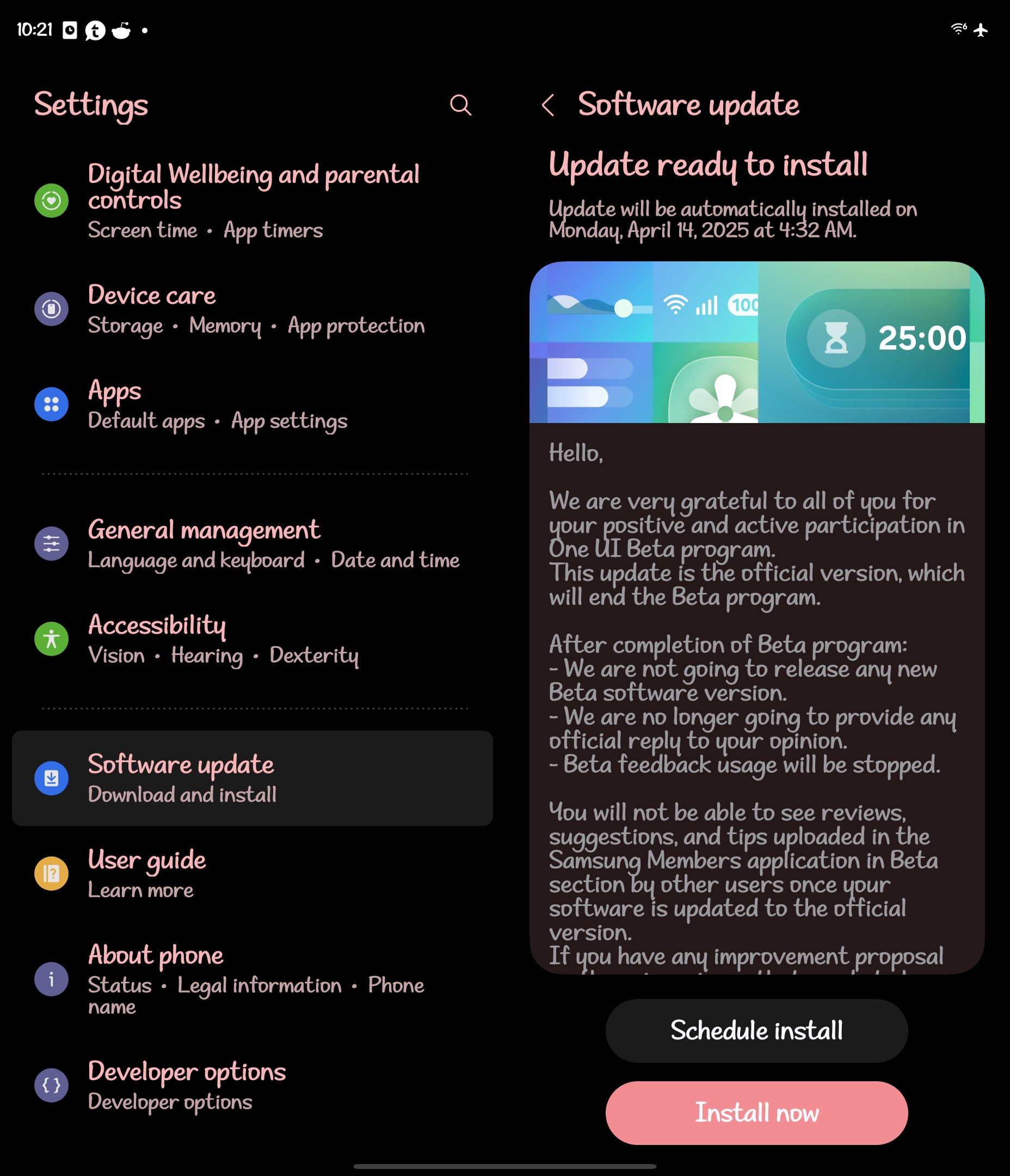
Updated to the official OneUI 7 from beta
Ludatyk
macrumors 604
Received the update too! Hopefully the Now Bar is not as buggy anymore... going to clear the cache as well. I didn't know that was a thing to do after updates.Updated to the official OneUI 7 from beta
Bkdodger
macrumors 603
Ah good ideaReceived the update too! Hopefully the Now Bar is not as buggy anymore... going to clear the cache as well. I didn't know that was a thing to do after updates.

Unrelated to the topic of this thread... but I had to share it.
Whenever I'm taking photos... images are often large and sometimes there's a need to adjust the resolution. On the Mac, this can be done using Preview... which is normally where I go to since it's straight forward and most importantly free.
But on the iPad, we have to download an app. My go-to app is called Image Size... but I don't really care for the UI and there's ads! And some forum members recommended trying out Preview Mini... which the UI is really done well, but adjusting the resolution has a cost attach to the app.
I debated on whether to pay for the app, apparently... it's 50% discount costing $10 (been that way for awhile now). And I wasn't quite sure, I'm not against paying devs for their work. But the price seems kind of steep for what I plan on using it for. So, I decide to do a quick search on the Google Play Store and found this gem of an app... Image Toolbox app. And guess what? It's free.
There's PDF Tools available in case there's a need to covert an image to PDF or vice versa. I do plan on contributing to a donation... well worth it!
View attachment 2497948
unrelated as well but worth noting

Samsung's Good Lock lands on the Play Store, just in time for One UI 7's latest delay
Samsung's finally delivered on its promise to bring Good Lock to the Play Store, but you'll need to keep waiting for One UI 7 to download it
www.androidpolice.com
Ludatyk
macrumors 604
Kind of wish more OEMs follow Samsung approach with Good Lock… it’s THE reason I don’t plan on switching to another phone.unrelated as well but worth noting
Samsung's Good Lock lands on the Play Store, just in time for One UI 7's latest delay
Samsung's finally delivered on its promise to bring Good Lock to the Play Store, but you'll need to keep waiting for One UI 7 to download it
Bkdodger
macrumors 603
Oh man do I agree with you 100%. It truly is a game changer. One of my complaints with the Pixel line is not enough customization. I know they want to keep it simple but I feel like it defeats the purpose.Kind of wish more OEMs follow Samsung approach with Good Lock… it’s THE reason I don’t plan on switching to another phone.

The Game 161
macrumors Nehalem


This color e-reader folds just like a real book, the first of its kind
The world's first folding E Ink device is finally coming to market after nine years of development
 www.androidpolice.com
Last edited: