
Got a tip for us?
Let us know
Become a MacRumors Supporter for $50/year with no ads, ability to filter front page stories, and private forums.
iPhone 12 Full-screen Youtube Videos on iPhone 12 Mini
- Thread starter Kano
- Start date
- Sort by reaction score
You are using an out of date browser. It may not display this or other websites correctly.
You should upgrade or use an alternative browser.
You should upgrade or use an alternative browser.

MrAperture
macrumors 6502a


Yes, but the opposite to where it should expand and lose the black bars...You’re using pinch to zoom right?
Edit: you're right...."zoom" and "expand" mean the same, here.
Supermallet
Cancelled
Yes, I've both closed the app and rebooted the phone to no avail.Works fine for me. Have you tried killing the app in the app switcher and re-opening it?
....also just deleted/reinstalled the app.
Last edited:

Phone Junky
macrumors 68030
Phone Junky
macrumors 68030
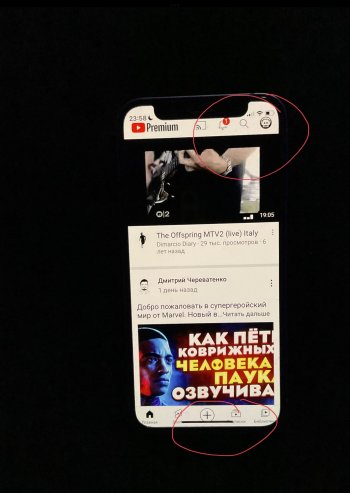
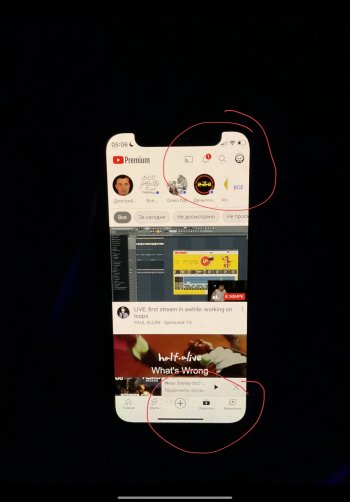
I figured out the problem. If you have your display set to zoomed under the display and brightness settings, the pinch to full screen in the YouTube App doesn't work. With standard display setting it works.
That explains it. I do have mine set to zoomed. Thanks!I figured out the problem. If you have your display set to zoomed under the display and brightness settings, the pinch to full screen in the YouTube App doesn't work. With standard display setting it works.
Yep, mine's zoomed and that's the issue. Thanks, PJ!I figured out the problem. If you have your display set to zoomed under the display and brightness settings, the pinch to full screen in the YouTube App doesn't work. With standard display setting it works.

Mau7723
macrumors newbie
Thanks alot. I have tried everything and nothing worked. This is the solution🎉🎉🎉🎉I figured out the problem. If you have your display set to zoomed under the display and brightness settings, the pinch to full screen in the YouTube App doesn't work. With standard display setting it works.

sweetyugerman
macrumors newbie
Hi,I wrote to support of YouTube, does this bug really bother anyone?Hi y'all, any way around that? I'd like to have the zoomed display set on my iphone, with the exception of youtube, in order to get full-screen videos. Maybe something can be done in the shortcuts section? Thanks in advance.
Attachments
sweetyugerman
macrumors newbie
How did you solve the problem?Waouw that is an old post... Found the problem/solution a long time ago now 🙂
sweetyugerman
macrumors newbie
I know,but i want to use enlarged view)You simply need to select the normal screen view in the iPhone settings, as opposed to the enlarged one. Too bad that can't be selected separately for each app.