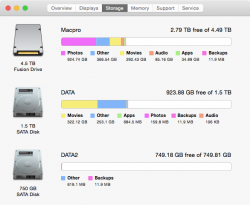
todesto macrumors regular Original poster Mar 6, 2015 #1 I saw this from other forum and was wondering why my fusion drive shows as normal HDD? Attachments fusion-icon.png 73.9 KB · Views: 379
mikeboss macrumors 68000 Mar 6, 2015 #2 this seems to be a custom icon. I've never before seen this in OS X.
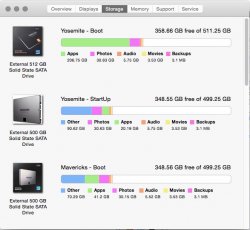
flowrider macrumors 604 Mar 6, 2015 #3 I make all 8 my drive icons custom for easier identification. Lou Attachments Drives.jpg 82.9 KB · Views: 210
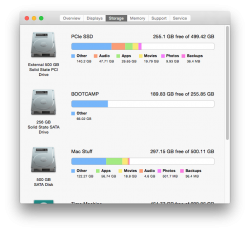
D DougTheImpaler macrumors 6502a Mar 6, 2015 #4 I actually did it the other way around - my PCIe SSD shows as external, so I copied the icon from another drive's Get Information window and pasted it over the icon on the SSD's. Attachments Screen Shot 2015-03-06 at 2.42.05 PM.png 113.3 KB · Views: 201
I actually did it the other way around - my PCIe SSD shows as external, so I copied the icon from another drive's Get Information window and pasted it over the icon on the SSD's.
todesto macrumors regular Original poster Mar 6, 2015 #5 Thank you. I thought it would change automatically if you set up a fusion thus I though I messed up something. 🙄
Thank you. I thought it would change automatically if you set up a fusion thus I though I messed up something. 🙄