

EDIT: Editing the memory ROM to report as 533 MHz (instead of 800 MHz) RAM is a purely cosmetic choice, the actual memory configuration is done before OpenFirmware even runs. PC2-6400 RAM always runs at the correct 533 MHz speed, regardless of the info in system profiler.
Hey folks,
I finally got the chance to buy 8 brand new DDR2 DIMMs to replace my old weird mix of DIMMs I found:
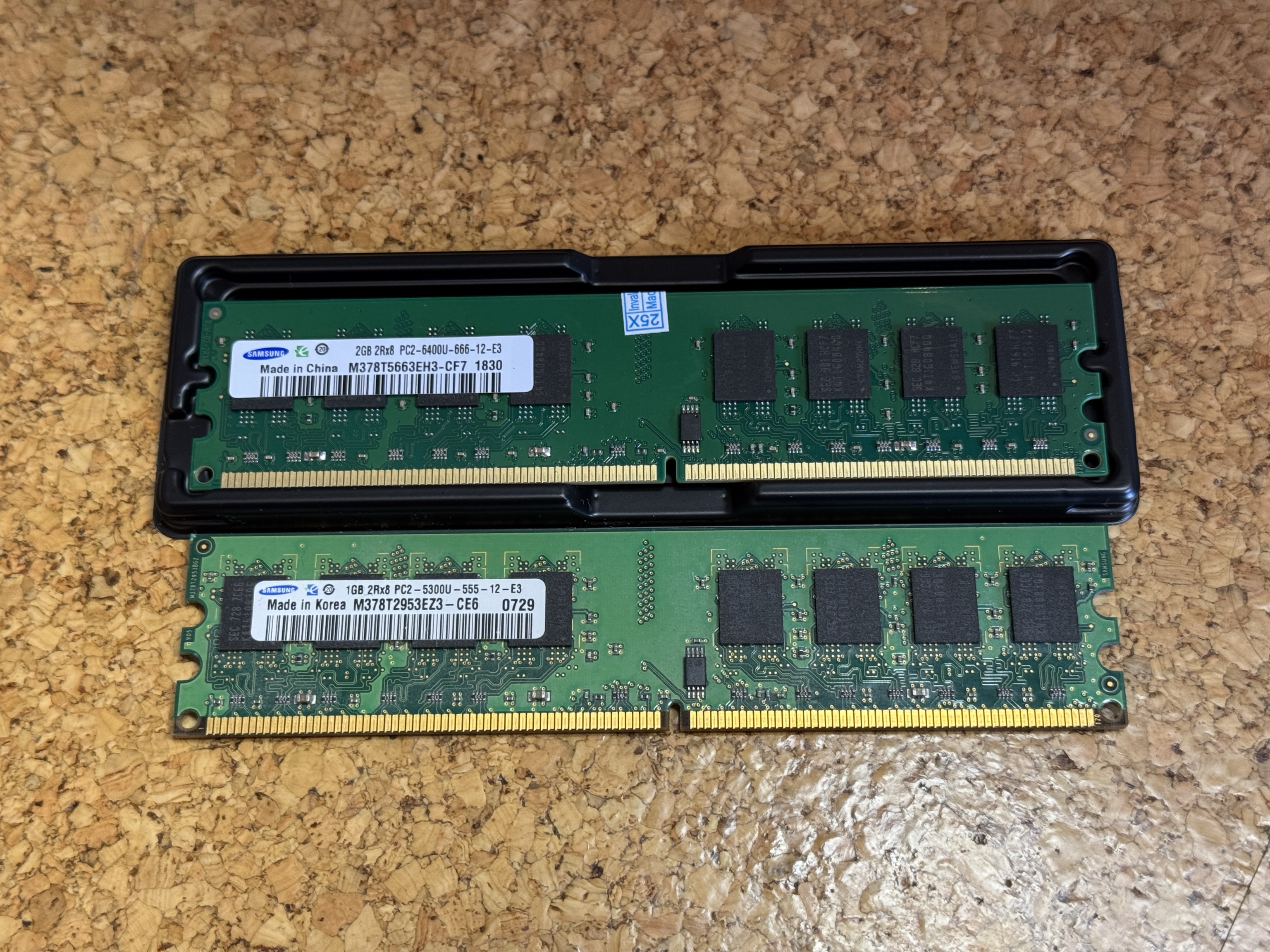
(the top module is the new one)
And while putting 8 of these gave me a beautiful 16GB of RAM, the Mac was only running them at the slow speed of PC2-3200U-288:
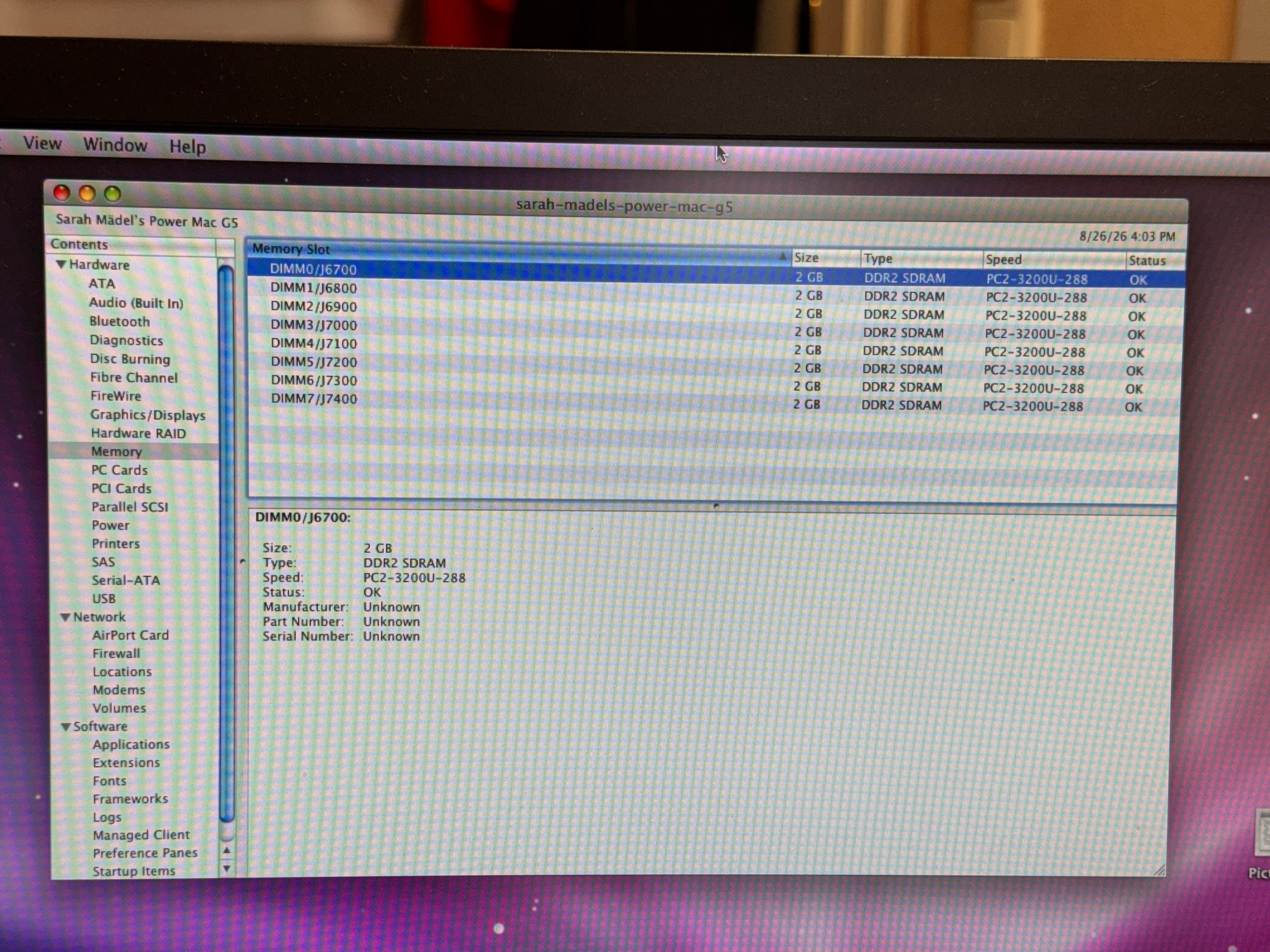
I found a dump of the OpenFirmware HwInit routine on here (https://forums.macrumors.com/thread...gans-to-18gb-and-beyond.2482947/post-34604974, thanks @joevt !) and noticed that it can't deal with PC2-6400 (800MHz) RAM, it'll default to the slowest speed of 400MHz (instead of 533MHz).
This is definitely _NOT_ a tutorial, please don't try this at home, buuut:
The SPD EEPROM on those Samsung RAM modules is writable from the system itself!
You could either use a normal PC or even the Mac itself using OF (like I did) to reprogram the SPD EEPROM.
You'll need to dump the SPD EEPROM first, change the value and then recalculate the checksum (there's tools for that online).
https://forums.macrumors.com/thread...gans-to-18gb-and-beyond.2482947/post-34617356 has the info on how to dump the SPD ROMs.
DON'T RUN THIS ON YOUR MEMORY MODULES WITHOUT CHANGING THE CHECKSUM! YOU'LL GET BRICKED MODULES BECAUSE THE CHECKSUM DOESN'T MATCH ANYMORE!
In my case, I ran:
DON'T RUN THIS ON YOUR MEMORY MODULES WITHOUT CHANGING THE CHECKSUM! YOU'LL GET BRICKED MODULES BECAUSE THE CHECKSUM DOESN'T MATCH ANYMORE!
For each of the 8 memory modules (this is way easier to do over the telnet interface, highly recommended).
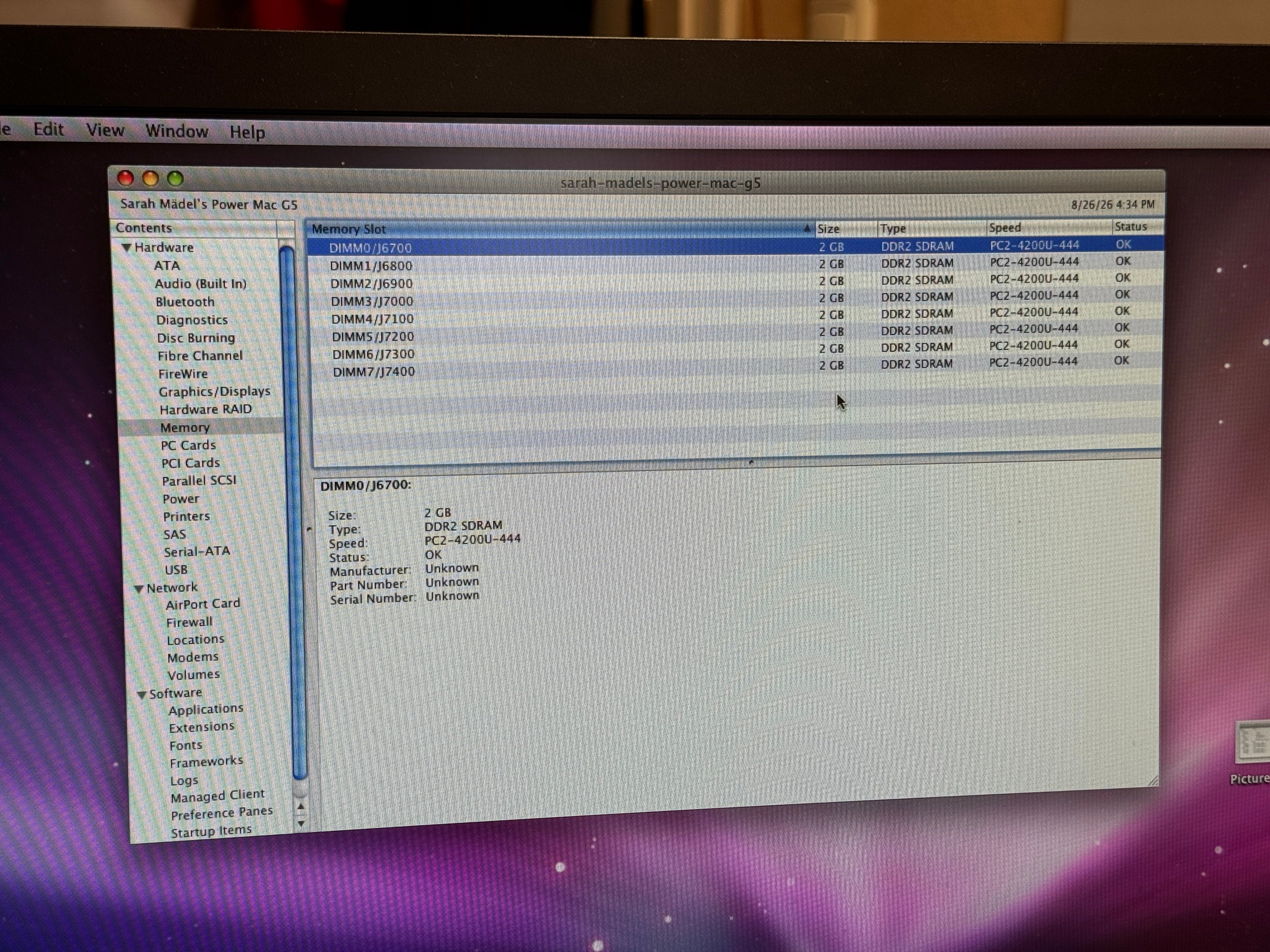
That set the tCKmin (byte 9) down from 0x25 (DDR2-800) to 0x3D (DDR2-533) and indeed, that seems to make the OpenFirmware happy now:
So yeah, not for the faint of heart, don't try this at home (unless you have the hardware hacking skills to externally reprogram/fix SPD EEPROMs) and have fun 🙂
Final result and benchmark:
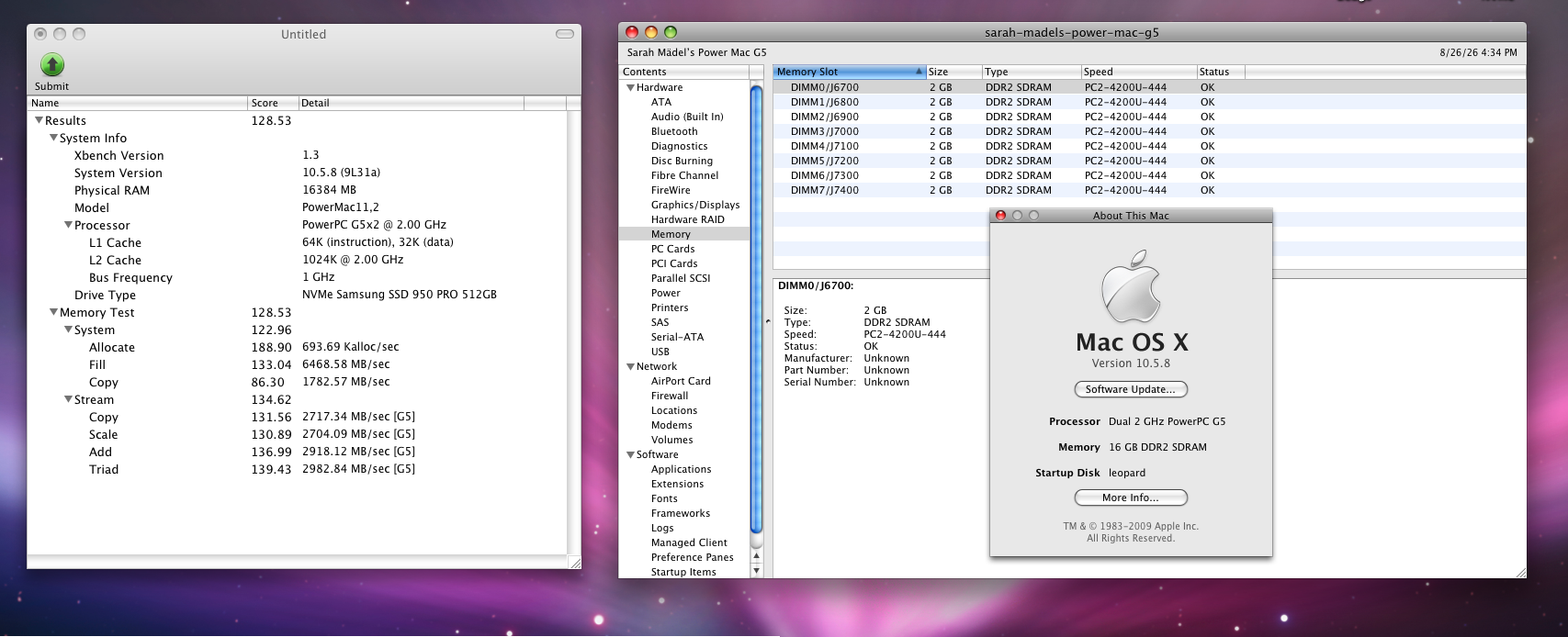
Beautiful!
I finally got the chance to buy 8 brand new DDR2 DIMMs to replace my old weird mix of DIMMs I found:
(the top module is the new one)
And while putting 8 of these gave me a beautiful 16GB of RAM, the Mac was only running them at the slow speed of PC2-3200U-288:
I found a dump of the OpenFirmware HwInit routine on here (https://forums.macrumors.com/thread...gans-to-18gb-and-beyond.2482947/post-34604974, thanks @joevt !) and noticed that it can't deal with PC2-6400 (800MHz) RAM, it'll default to the slowest speed of 400MHz (instead of 533MHz).
This is definitely _NOT_ a tutorial, please don't try this at home, buuut:
The SPD EEPROM on those Samsung RAM modules is writable from the system itself!
You could either use a normal PC or even the Mac itself using OF (like I did) to reprogram the SPD EEPROM.
You'll need to dump the SPD EEPROM first, change the value and then recalculate the checksum (there's tools for that online).
https://forums.macrumors.com/thread...gans-to-18gb-and-beyond.2482947/post-34617356 has the info on how to dump the SPD ROMs.
DON'T RUN THIS ON YOUR MEMORY MODULES WITHOUT CHANGING THE CHECKSUM! YOU'LL GET BRICKED MODULES BECAUSE THE CHECKSUM DOESN'T MATCH ANYMORE!
In my case, I ran:
Code:
" /u4@0,f8000000/i2c@f8001000" select-dev
h# 100 buffer: buf2
3d buf2 c!  buf2 1 <i2caddr> 9  write-i2c-at drop
fc buf2 c!  buf2 1 <i2caddr> 3f write-i2c-at drop
DON'T RUN THIS ON YOUR MEMORY MODULES WITHOUT CHANGING THE CHECKSUM! YOU'LL GET BRICKED MODULES BECAUSE THE CHECKSUM DOESN'T MATCH ANYMORE!
For each of the 8 memory modules (this is way easier to do over the telnet interface, highly recommended).
That set the tCKmin (byte 9) down from 0x25 (DDR2-800) to 0x3D (DDR2-533) and indeed, that seems to make the OpenFirmware happy now:
So yeah, not for the faint of heart, don't try this at home (unless you have the hardware hacking skills to externally reprogram/fix SPD EEPROMs) and have fun 🙂
Final result and benchmark:
Beautiful!
Last edited:

