

Become a MacRumors Supporter for $50/year with no ads, ability to filter front page stories, and private forums.

MacRumors

macrumors bot
Original poster


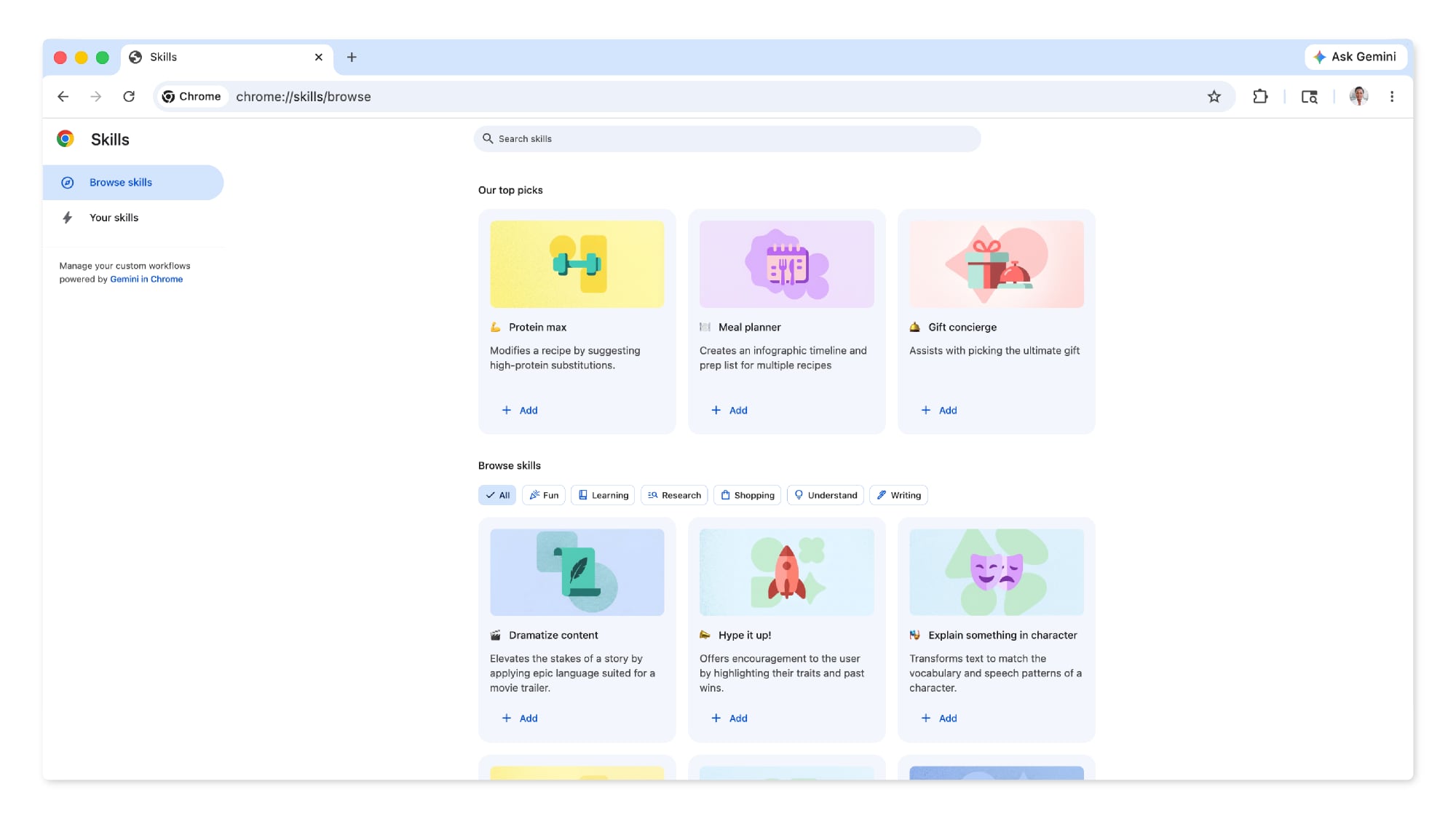
Chrome has been updated today with a Skills library that's designed to let Chrome users turn AI tasks into repeatable skills that can be used on any website.
Chrome-Feature-22.jpg

Useful prompts you create for Gemini in Chrome can be saved as a Skill that can be accessed later with a single click. If you're shopping for skincare and ask Gemini about the ingredients in a product, for example, you can save the question as a Skill and then use it again later without needing to re-type the prompt.
chrome-skills-library.jpg

Google provided the following examples of how testers have used the feature across different categories.
  • Health & Wellness: quickly calculating protein macros for any recipe
  • Shopping: generating side-by-side spec comparisons across multiple tabs
  • Productivity: scanning lengthy documents for important information
Skills can be saved directly from the chat history in Chrome (located in the side panel when Gemini is enabled), and recalled by typing a forward slash and the Skill name or clicking on the plus sign. The selected Skill will run on the page that's being viewed, along with other selected tabs.

Google is debuting the feature with a library of pre-written Skills for common tasks and workflows like viewing ingredients, finding a gift for someone, or making substitutions in a recipe. Pre-prepared Skills can be customized as needed.

When using a Skills prompt, Gemini will confirm before taking actions like adding an event to the calendar or sending an email, similar to other Gemini actions in Chrome. Skills are rolling out for Gemini in the desktop version of Chrome when the browser's language is set to U.S. English.

Article Link: Gemini in Google Chrome Gets a Skills Library for Saving Custom AI Prompts
 
Gemini in Chrome keeps getting more useful. Plus the addition of the vertical tabs and the split tab mode and I don't want to go back to Safari.

Has any site done a recent battery comparison study to show how much more optimized Safari is? Most of the comparisons I find are years old.
 
  • Like
Reactions: Premium1
Gemini in Chrome keeps getting more useful. Plus the addition of the vertical tabs and the split tab mode and I don't want to go back to Safari.

Has any site done a recent battery comparison study to show how much more optimized Safari is? Most of the comparisons I find are years old.
Yes especially given how many updates and changes these browsers have gone through, hard to take results from years ago seriously still.

I did find this user test, not the most sophisticated but does seem simple and effective: https://birchtree.me/blog/everyone-...ut-does-it-i-tested-for-36-hours-to-find-out/
 
Gemini in Chrome keeps getting more useful. Plus the addition of the vertical tabs and the split tab mode and I don't want to go back to Safari.

Has any site done a recent battery comparison study to show how much more optimized Safari is? Most of the comparisons I find are years old.
Setting aside the controversy over AI, Google is truly accelerating ahead of the efforts by Apple in the browser sector by a wide margin. While Google is primarily software and Apple hardware, with their huge staff of software engineers, one would expect Apple to at least keep pace. They love to brag about Safari, yet real world use leaves much to be desired.
 
  • Like
Reactions: HouseLannister
Setting aside the controversy over AI, Google is truly accelerating ahead of the efforts by Apple in the browser sector by a wide margin. While Google is primarily software and Apple hardware, with their huge staff of software engineers, one would expect Apple to at least keep pace. They love to brag about Safari, yet real world use leaves much to be desired.

Apple isn't going to keep pace. They don't do a lot of the browser side because they would rather you use an App, and collect that sweet App Store revenue from whatever your doing.
 
Does this work in incogento mode?

Asking for my stepsister who needs help getting her laundry out from the dryer…
 
Gemini in Chrome keeps getting more useful. Plus the addition of the vertical tabs and the split tab mode and I don't want to go back to Safari.

Has any site done a recent battery comparison study to show how much more optimized Safari is? Most of the comparisons I find are years old.

I'm pretty browser agnostic but used Safari for everything personal (forced to use Chrome for work). I notice very little difference between the two. Can you help me understand how Apple is losing here? I genuinely don't see it or get it. Is it just the addition of Gemini in-browser? What else?
 
Register on MacRumors! This sidebar will go away, and you'll see fewer ads.