

Become a MacRumors Supporter for $50/year with no ads, ability to filter front page stories, and private forums.

MacRumors

macrumors bot
Original poster


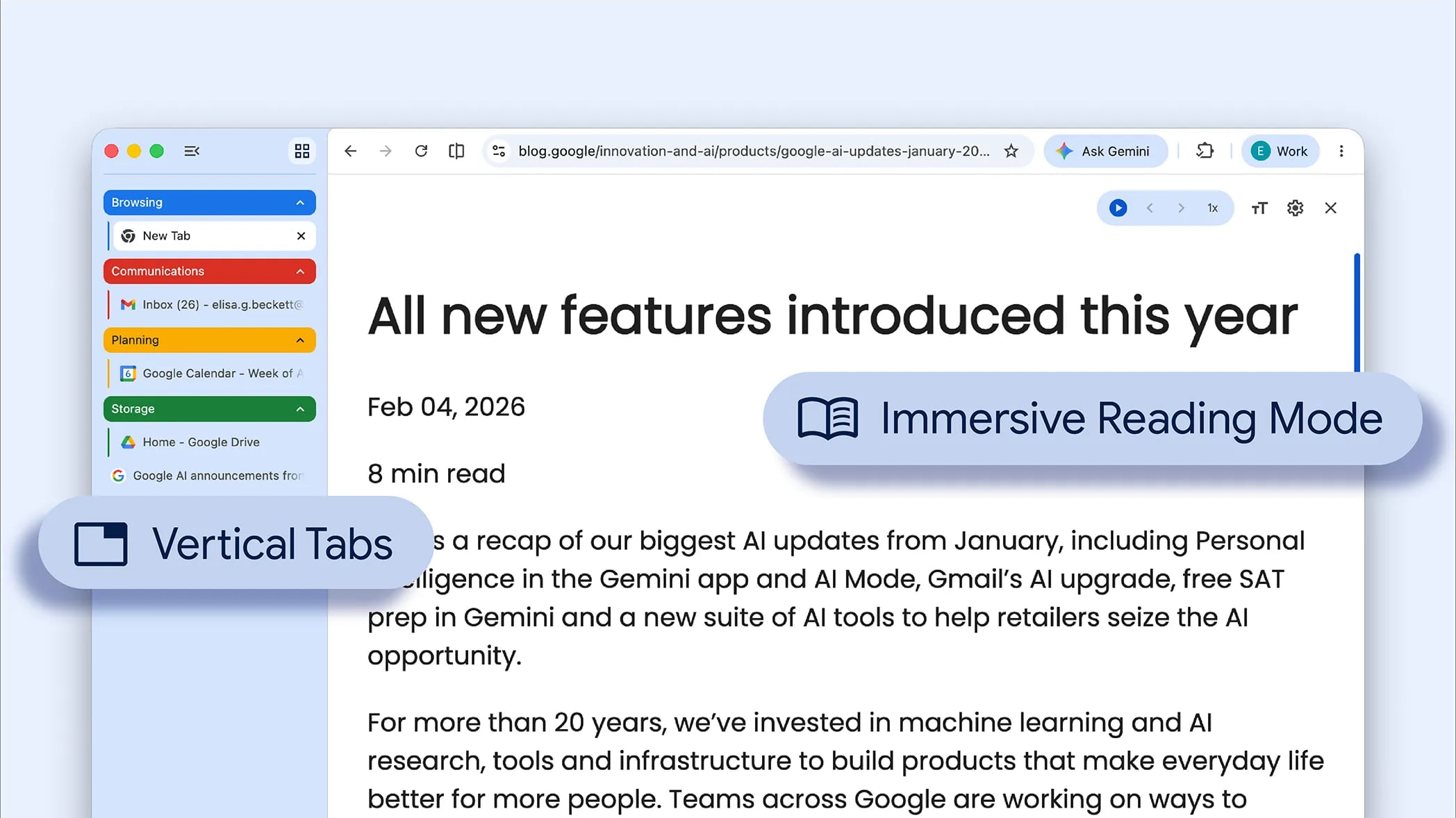
Google today updated its Chrome browser with support for vertical tabs, which are displayed in a sidebar instead of at the top of the browser.
google-chrome-vertical-tabs.jpg

The tab layout can be changed by right clicking on any Chrome window and choosing the "Show Tabs Vertically" option. Sidebar tabs feature full page titles and make it simple to organize tab groups.

Google has also added a new full-page interface for reading mode. Right clicking on a webpage and choosing the "Open in reading mode" option will remove distractions and initiate a full-page viewing experience rather than the current side panel default.

Google says the two new features are rolling out on the desktop version of Chrome starting today, so they should be available for all users soon.

Article Link: Google Brings Vertical Tabs and Improved Reading Mode to Chrome
 
  • Haha
Reactions: Z-4195
Interesting - I tried the reading mode in Chrome some time back, and laughed out loud at how bad it was to use a little sidebar for "reading mode" vs. how Safari remakes the entire window. Figured it was because Chrome wouldn't want to detract from all those ads on the original page, many of which were likely sold by Google, so I assumed they'd never do a proper reading mode.

The side tabs could be useful if they have included a way for them to expand/withdraw easily, similar to the "peekaboo" dock setting on the Mac, where it only shows when the cursor is nearby. Otherwise, you're taking a several inch wide strip out of the window's width, which mostly won't go over well.
 
I thought this had already been available for a couple of versions now. Either way, it's about time. I've been using this in Ungoogled Chromium and it's far superior, especially since Google removed the scrollable tab strip. Amazing to me that they consider tabs becoming invisible to the strip acceptable behavior. I just wish the sidebar was a more macOS-native implementation. The sidebar can be resized, but changes don't seem to persist across restarts. The scroll view is a janky mess with no elasticity, a non-native scrollbar, and sometimes leaves the currently-selected tab outside of the viewport when navigating tabs with the keyboard until you hover over the sidebar with the cursor. Hopefully it improves rapidly.
 
Last edited:
I have not used Chrome for years, I used Cent for a bit on Windows, also used brave, then started to use Firefox again, due to Manifest V3. I kept to Firefox when I changed to mac for a while until I found ZEN.

I have no reason to go back to a chromium based browser.

Zen is only vertical tabs, I love vertical tabs now, took me a bit of time to get used to them.
 
This (and the implementation in Microsoft Edge) reminds me of the sidebar in Internet Explorer 4.5 Macintosh Edition which shipped complete with actual vertical tabs.
 
Does it work like all the vertical bars in Apple ipad apps where it won’t remember your width preference.
 
Never heard of vertical tabs before, but it makes a ton of sense. If you open more than a few tabs in the horizontal, there's no space for any words on them so they become useless. I hope Safari adopts this.
 
  • Like
Reactions: Ad47uk and transpo1
Apple need to get their butts in gear with Safari and vertical tabs.

And no not the current bodged implementation
Safari is a good app, but needs help in key areas, one of which is its browser extension situation. Wish they took it more seriously and addressed all common complaints head-on.
 
Why would I want to reduce the amount of content that can be drawn on the screen, making me have to vertically scroll more?
 
Why has it taken Google so long to get a reading mode working? I can remember Apple launched its reader mode back when Steve Jobs was CEO!
Because Apple's customers are the end users who use Safari on Apple devices they have bought, while Google's customers are advertisers, who bought ads on whatever web page you're reading - ads that will presumably be hidden by reader mode.
 
Register on MacRumors! This sidebar will go away, and you'll see fewer ads.