
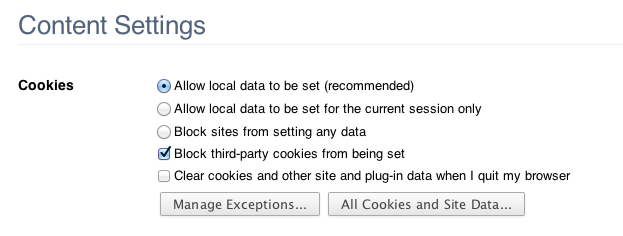
With Chrome, there is an option to 'Block 3rd party Cookies from being set' in Content settings.
With Chrome, going to 'about:flags', there is an option to enable "Block all third-party cookies - When the option to block third-party cookies from being set is enabled, also block third-party cookies from being read."

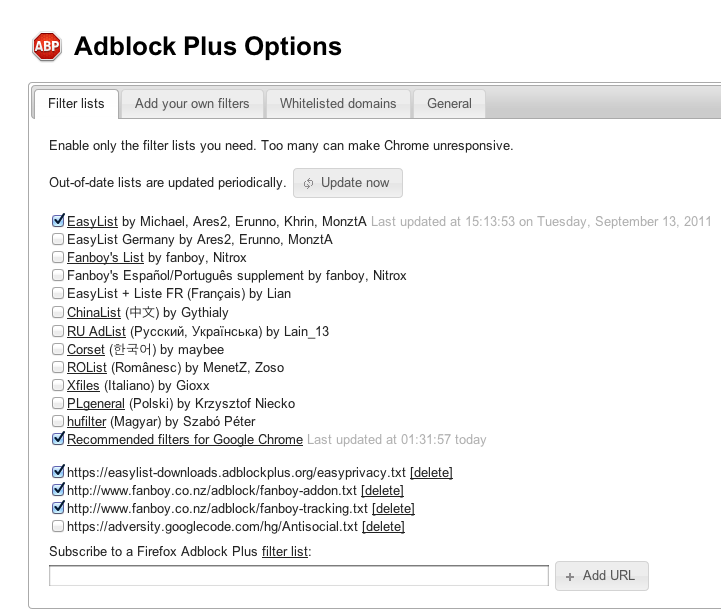
Now there is also Adblock Plus, which you can subscribe to filter lists that has anti-tracking filters such as this list : (https://easylist-downloads.adblockplus.org/easyprivacy.txt)
There is also an extension that stops tracking of your web-browsing here: (https://chrome.google.com/webstore/detail/epanfjkfahimkgomnigadpkobaefekcd?hc=search&hcp=main) as well as Google's very own Keep My Opt-outs, (https://chrome.google.com/webstore/detail/hhnjdplhmcnkiecampfdgfjilccfpfoe?hc=search&hcp=main)
I currently have set the option to 'block 3rd party cookies from being set', enabled the "block all third-party cookies" in about:flags, and have Adblock Plus with a couple of filters for anti-tracking/privacy.
Would it be overkill if I installed the two Extensions linked above?
Can anyone please explain if there is really a difference between all of these? Or do they all do basically the same thing?
With Chrome, going to 'about:flags', there is an option to enable "Block all third-party cookies - When the option to block third-party cookies from being set is enabled, also block third-party cookies from being read."
Now there is also Adblock Plus, which you can subscribe to filter lists that has anti-tracking filters such as this list : (https://easylist-downloads.adblockplus.org/easyprivacy.txt)
There is also an extension that stops tracking of your web-browsing here: (https://chrome.google.com/webstore/detail/epanfjkfahimkgomnigadpkobaefekcd?hc=search&hcp=main) as well as Google's very own Keep My Opt-outs, (https://chrome.google.com/webstore/detail/hhnjdplhmcnkiecampfdgfjilccfpfoe?hc=search&hcp=main)
I currently have set the option to 'block 3rd party cookies from being set', enabled the "block all third-party cookies" in about:flags, and have Adblock Plus with a couple of filters for anti-tracking/privacy.
Would it be overkill if I installed the two Extensions linked above?
Can anyone please explain if there is really a difference between all of these? Or do they all do basically the same thing?