
Got a tip for us?
Let us know
Become a MacRumors Supporter for $50/year with no ads, ability to filter front page stories, and private forums.
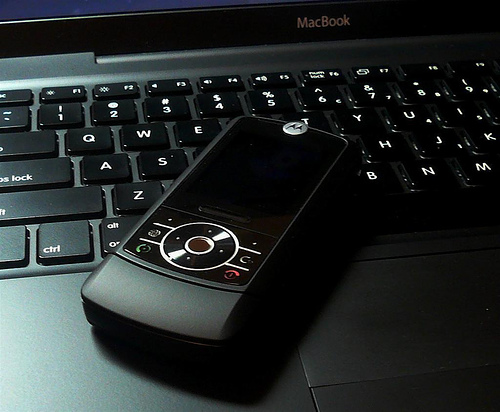
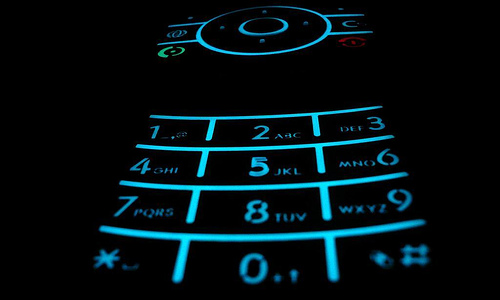
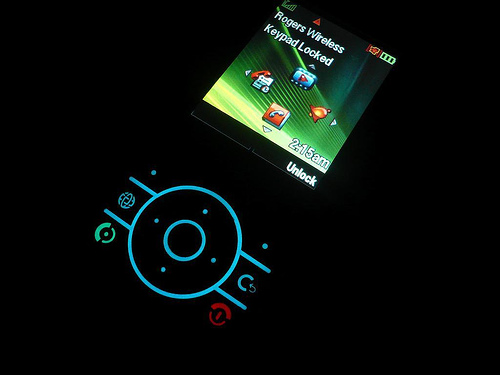
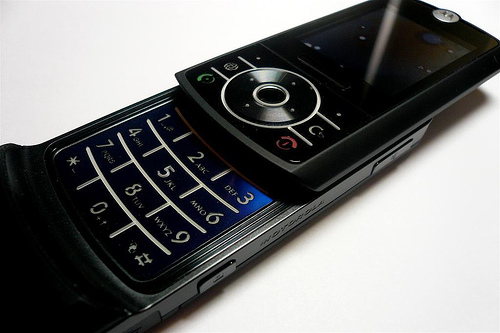
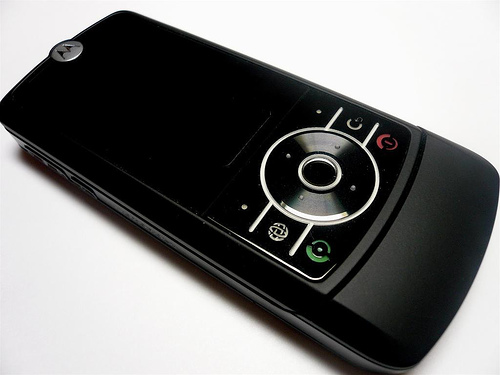
Got my RIZR yesterday!!!!!
- Thread starter BrianSalts
- Start date
- Sort by reaction score
You are using an out of date browser. It may not display this or other websites correctly.
You should upgrade or use an alternative browser.
You should upgrade or use an alternative browser.


lexus
macrumors 68000
You seriously bought a Vertu? (some of the most overpriced phones ever)
yeah so?

cycocelica
macrumors 68000

Cromulent
macrumors 604
Nice looking phone, but alas its a Moto. Worst OS for a phone
Heh, it makes calls, sends texts and takes photos. What more do you need?

Heh, it makes calls, sends texts and takes photos. What more do you need?
A Skoda gets you from Point A to Point B. But wouldn't you much rather have a Ferrari?
Cromulent
macrumors 604
A Skoda gets you from Point A to Point B. But wouldn't you much rather have a Ferrari?
Thats very true, but I would not consider comparing the Motorola phone OS to a Skoda. I find it very easy to use and stable (until I dropped my phone about 10 times but that is a different story).
Each to their own I guess.

miniConvert
macrumors 68040
Indeedy, having decent mobile phones has to be the number one reason for anyone to live outside of the USA 😀 And even then some amongst us still torture themselves!Nice looking phone. Too bad it's a Motorola 😀


pink-pony115
macrumors regular
That is really cool! Glad it hasn't been released yet in the US...if I bought that phne I would be broke.
Skoda?
Hang on a second - have you actually driven a Skoda these days? I don't mean the rear-engined beast that sounded much like a VW beetle. But practially everything else was designed with VW engineers.
The Octavia is a Jetta/Vento. The Superb is an Audi A6. The little baby one is a VW Polo. They're more reliable than their VW cousins and often have the exact same engines.
I would happily drive one of those, the deisel engines are really pretty good too. As for the sport editions - well, they're like a GTi with half the 'i' 🙂
A Skoda gets you from Point A to Point B. But wouldn't you much rather have a Ferrari?
Hang on a second - have you actually driven a Skoda these days? I don't mean the rear-engined beast that sounded much like a VW beetle. But practially everything else was designed with VW engineers.
The Octavia is a Jetta/Vento. The Superb is an Audi A6. The little baby one is a VW Polo. They're more reliable than their VW cousins and often have the exact same engines.
I would happily drive one of those, the deisel engines are really pretty good too. As for the sport editions - well, they're like a GTi with half the 'i' 🙂
Indeedy, having decent mobile phones has to be the number one reason for anyone to live outside of the USA 😀 And even then some amongst us still torture themselves!
People in the USA can still get unlocked GSM phones off eBay. I had a Sony Ericsson w810i months before it was ever "officially" for sale in the US by any carrier.
Now I have a Blackberry Pearl that I got from T-Mobile, and it's in awesome phone. So people who do their research are able to get decent phones in this country.
Hang on a second - have you actually driven a Skoda these days? I don't mean the rear-engined beast that sounded much like a VW beetle. But practially everything else was designed with VW engineers.
The Octavia is a Jetta/Vento. The Superb is an Audi A6. The little baby one is a VW Polo. They're more reliable than their VW cousins and often have the exact same engines.
I would happily drive one of those, the deisel engines are really pretty good too. As for the sport editions - well, they're like a GTi with half the 'i' 🙂
Lol, no, I forgot about how VW owns Skoda now, but you catch my drift 😀
Is it for the Ascent? Have you updated it to work with 2.4? If so will you please share?I wrote an iSync plugin for my Vertu.
OS X / RIZR Z3 sync
The plugin for OS X / RIZR Z3 syncing is available from here:
http://www.phonescoop.com/phones/p_forum.php?fm=m&ff=1008&fi=891417
To make the RIZR sync with the Address Book, you need to go to *your* user folder's /Library/ folder.
Inside that folder, create a folder called
PhonePlugins (if it doesn't already exist)
Drop the plugin (MOTZ3.phoneplugin) into the folder.
I think a restart is necessary for the plugin to be recognized.
When you're back up and running, ensure that:
(a) BlueTooth is ON (you can check in System Preferences-->Bluetooth. Also, while you're here, it's a good idea to check the box that shows the status of BlueTooth in the menu-bar, for quick access)
(b) DO NOT have Bluetooth File Exchange running when attempting to sync (i.e., don't select Browse Device from the Bluetooth menu)
(c) Open iSync and Add Device. It may take a moment, but iSync should recognize the Z3, and offer you various options.
Sync away! 🙂
Mark.
The plugin for OS X / RIZR Z3 syncing is available from here:
http://www.phonescoop.com/phones/p_forum.php?fm=m&ff=1008&fi=891417
To make the RIZR sync with the Address Book, you need to go to *your* user folder's /Library/ folder.
Inside that folder, create a folder called
PhonePlugins (if it doesn't already exist)
Drop the plugin (MOTZ3.phoneplugin) into the folder.
I think a restart is necessary for the plugin to be recognized.
When you're back up and running, ensure that:
(a) BlueTooth is ON (you can check in System Preferences-->Bluetooth. Also, while you're here, it's a good idea to check the box that shows the status of BlueTooth in the menu-bar, for quick access)
(b) DO NOT have Bluetooth File Exchange running when attempting to sync (i.e., don't select Browse Device from the Bluetooth menu)
(c) Open iSync and Add Device. It may take a moment, but iSync should recognize the Z3, and offer you various options.
Sync away! 🙂
Mark.
Vertu plugin for iSync
Can you send me Vertu plugin for Mac OS X iSync?
Can you send me Vertu plugin for Mac OS X iSync?
I wrote an iSync plugin for my Vertu.