Become a MacRumors Supporter for $50/year with no ads, ability to filter front page stories, and private forums.

Jtfab75

macrumors newbie
Original poster
After a weekend from hell trying to get the imac G4 700mhz I bought from ebay working I ordered OS X install discs.
They came this this morning, I've put them in started up Pressed C and nothing just goes to the grey screen then the flashing finder and question mark. I tried safe mode again nothing except the grey screen.

I can hear the hard drive and disc spinning but nothing coming up on the screen.

What can I do ?

Thanks
 
I've pressed the Option key when turning on it takes me to a screen with a arrow going round and a right arrow pointing right.

But nothing there I can press.
 
What are the disks you ordered? They need to have a version of OSX later than that issued with your machine or they will not be bootable.

If they are grey install disks, they need to be exactly the ones that were issued with your model or they will not be installable, either.
 
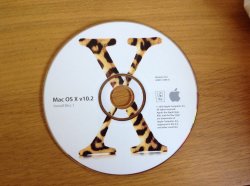
The 3 disks ( 2 install and 1 Developer Tool disk) I've bought are Jaguar 10.2 , the disks have a white back ground with a large X with a jaguar pattern inside.

The imac was manufactured 20th AUGUST 2002

Are the disks correct ?

Thanks for the help.
 
Should be Ok. Your machine came with 10.1.2 and can boot OS9.

Try booting to Open Firmware with the disc inserted. Type boot cd:,\\:tbxi at the prompt. Can you hear the drive spinning the cd and reading it?
 
I've done that but no good, I can hear it spinning and being read but nothing happens.
 
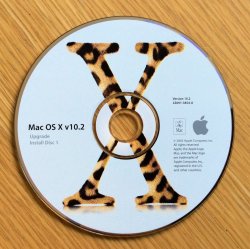
Hmm. Does disc 1 of your installation disks have the word 'Upgrade' on it as below?
 

Attachments

  • $_57.JPG
    $_57.JPG
    166.1 KB · Views: 144
The only thing I can suggest is to burn a copy of a PPC Linux distro that would be supported by your machine just to see if whether there is a problem with the optical drive.
 
Register on MacRumors! This sidebar will go away, and you'll see fewer ads.