Become a MacRumors Supporter for $50/year with no ads, ability to filter front page stories, and private forums.

Megalobyte

macrumors 6502a
Original poster
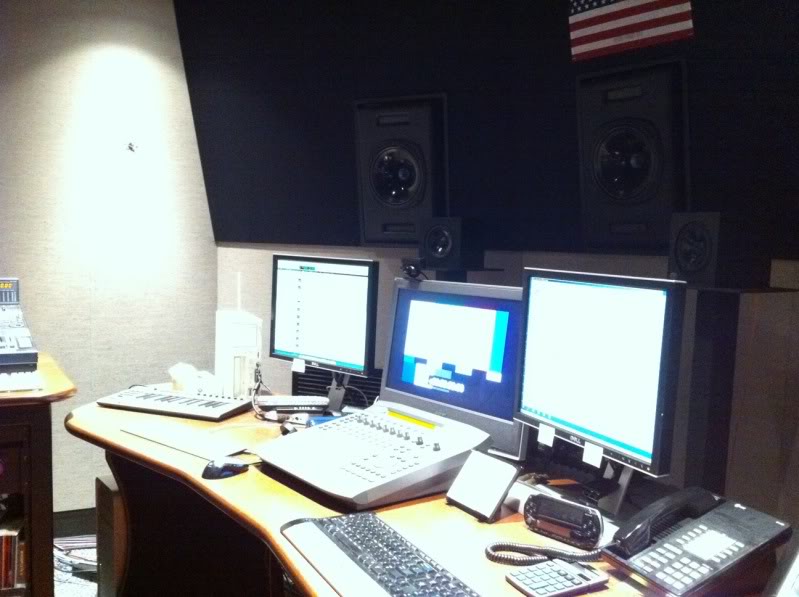
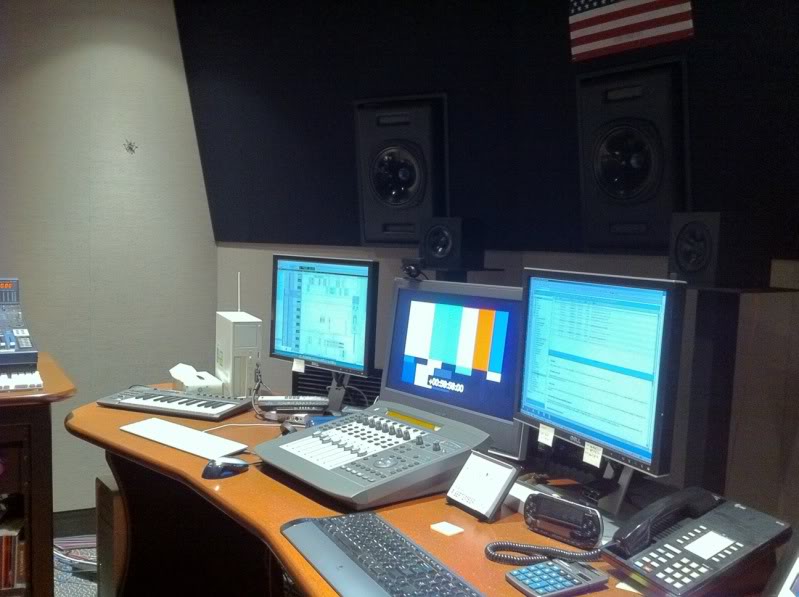
I won't debate the merits of HDR as people have different opinions. But it does seem to work very well and effortlessly, and does appear to have its uses.

Here's a pretty good example and situation where HDR can help. I'd say there's no question it improved the photo.

Anybody else have good examples, not so much the professional oriented shots, but practical everyday situations?


d386da25.jpg
237cd7d8.jpg
 
Great improvement isn't there.

Really want this but i think i'm gonna have to wait for the new JB before updating.
 
that's a good example but you'll find some shots look really bad but as long as you have the 'save original' setting on then at least you have a 'normaly taken' photo as a backup.
 
that's a good example but you'll find some shots look really bad but as long as you have the 'save original' setting on then at least you have a 'normaly taken' photo as a backup.

Well, HDR isn't meant for any photo but for the situations it's meant to it seems to work really well.
 
Fill flash might work well in that picture. Too bad that activating one de-activates the other lol
 
HDR is great but not for every image.

It's great for low light such as this photo.

But when outside and taking a picture of a tree for example, the colors of the HDR looks too light and is not as vibrant.

This photo is a perfect example of why apple included HDR.

I like to keep HDR on all the time just in case as it keeps the original photo along with an HDR photo, that way I can choose which one I want.
 
I agree. Here are my examples:

Standard:

photo1.jpg


HDR:

photo2.jpg


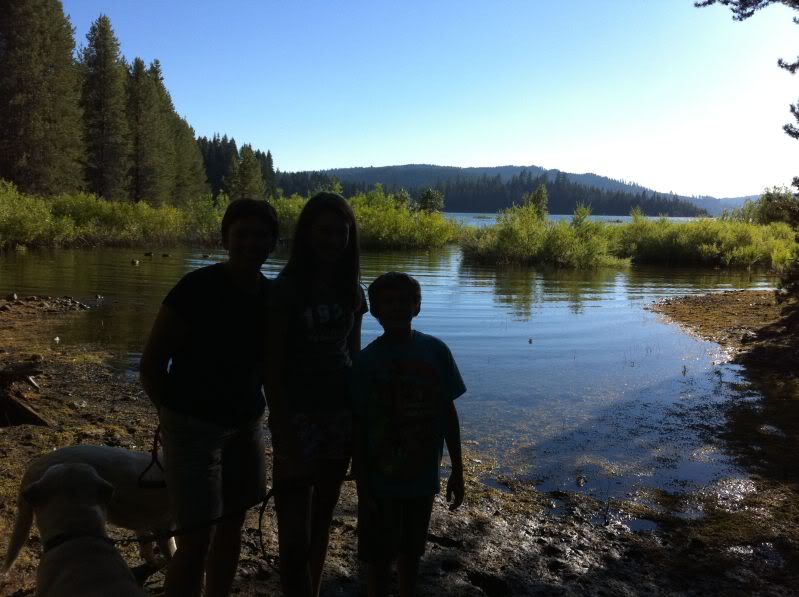
I wish I had it a few weeks ago when we went camping. It might have saved this photo because the flash couldn't do it.:

IMG_0145.jpg
 
There's no way iPhoto is going to save that image.

Actually - in a few seconds with Photoshop I was able to do the following. I believe with the hi-res image I could get MUCH better results
 

Attachments

  • corrected.png
    corrected.png
    678.9 KB · Views: 566
There's no way iPhoto is going to save that image.

All you have to do is adjust a few levels. Its amazing what you can do with a bit of practice

EDIT: hope you don't mind but i gave it a quick go
 

Attachments

  • levels changed.jpg
    levels changed.jpg
    228.5 KB · Views: 290
I won't debate the merits of HDR as people have different opinions. But it does seem to work very well and effortlessly, and does appear to have its uses.

Here's a pretty good example and situation where HDR can help. I'd say there's no question it improved the photo.

Anybody else have good examples, not so much the professional oriented shots, but practical everyday situations?

d386da25.jpg
237cd7d8.jpg

I would have to say that is a significant improvement!😉
 
All you have to do is adjust a few levels. Its amazing what you can do with a bit of practice

Neat adjustments for last ditch effort. But I agree with the OP that a using a fill in flash (or perhaps HDR) upfront would do better than after the fact maniuplations. Or, give a better starting point for PS/PSP/ etc to polish up. IMHO of course 😛
 
Register on MacRumors! This sidebar will go away, and you'll see fewer ads.