Become a MacRumors Supporter for $50/year with no ads, ability to filter front page stories, and private forums.

bds120

macrumors member
Original poster
Ok, so I used to use Caffeine to keep my old MBP. I will still use it but for work I have to download large files that takes a good amount of time and I am trying to figure out how to keep the Mac away but the screen off for a certain amount of time.

For instance...3 hours showing on download and I am ready to go to bed, how can I kill the screen but let the download still run instead of burning the screen for no reason.


I tried InsomniaX and that worked the first time but for some reason I cannot seem to get it to work again. When I come back to computer midway through the set time, it shows like InsomniaX is hung.


Any help would be greatly appreciated.
 
That works but I still would like the computer itself to turn off after a while.

Guess I would just set the timer in the Energy Saver and dim the screen... a little aggravating but I guess that would work
 
That works but I still would like the computer itself to turn off after a while.

Guess I would just set the timer in the Energy Saver and dim the screen... a little aggravating but I guess that would work

Isn't that how most computers are setup? They goto sleep when they're inactive after a while...
 
That works but I still would like the computer itself to turn off after a while.

Guess I would just set the timer in the Energy Saver and dim the screen... a little aggravating but I guess that would work
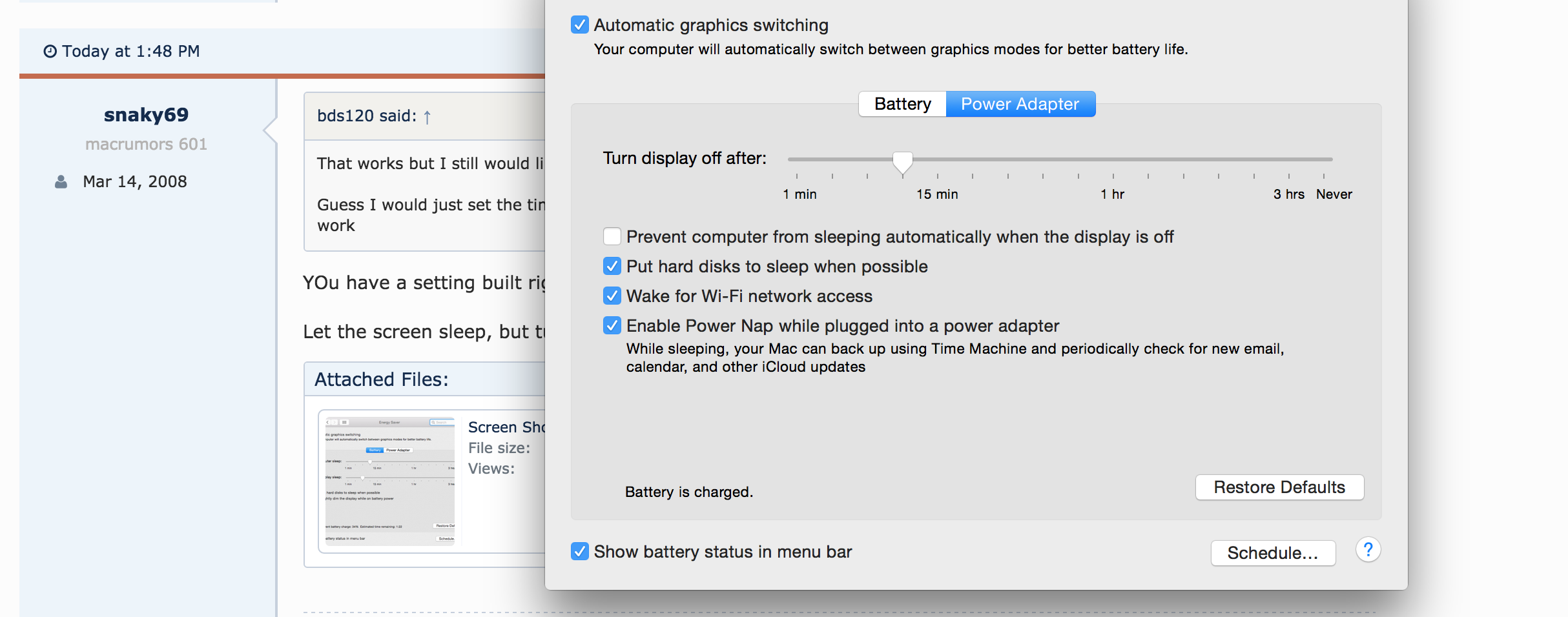
YOu have a setting built right into the computer for that. I'm not sure what more you'd want?

Let the screen sleep, but turn off sleep for the computer. Simple as that.
 

Attachments

  • Screen Shot 2015-06-05 at 1.47.40 PM.png
    Screen Shot 2015-06-05 at 1.47.40 PM.png
    73.2 KB · Views: 114
What version OS X are you running? I've been on OS X since 10.4 and that slider's always been there as far as I can remember.
 
Running latest and greatest on brand new 2015 Mid year 15" with AMD.

0Cxn11k.png
You have to check the option to prevent sleep. Then, when the display is inactive and plugged in (Ctrl+Shift+Power to deactivate the display), at least it won't go to sleep.
 
Register on MacRumors! This sidebar will go away, and you'll see fewer ads.