Become a MacRumors Supporter for $50/year with no ads, ability to filter front page stories, and private forums.

tuttifrutti

macrumors newbie
Original poster
Hi folks,
I'm down to my last 12gb of my storage on my Pro Retina 2015 Macbook Pro.

Can anyone help me free up space - I have a constantly installed 256gb Transcend Card that I can move things to, but not sure what I can find to move and where to look as i'm a bit niaive on these things.

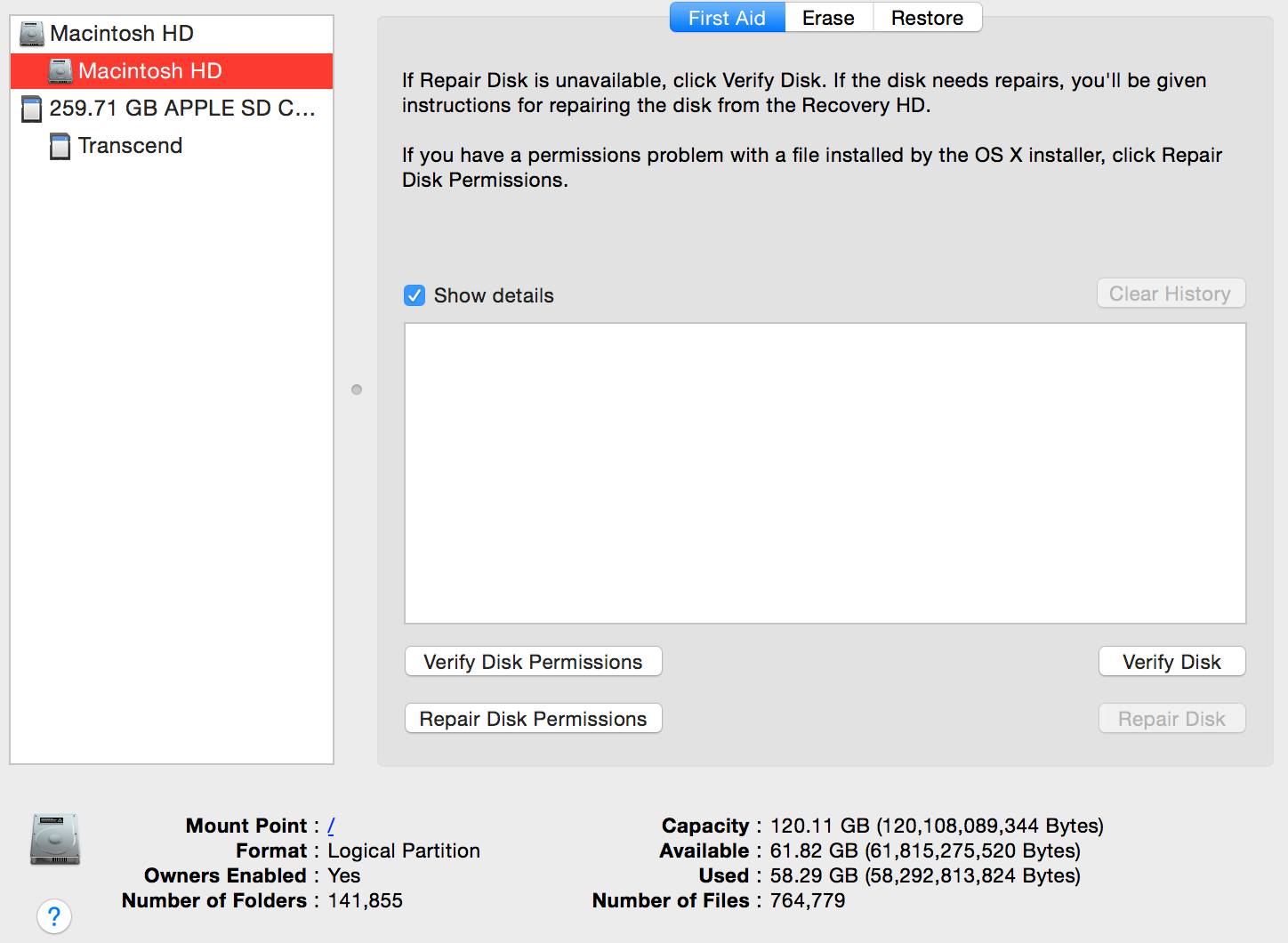
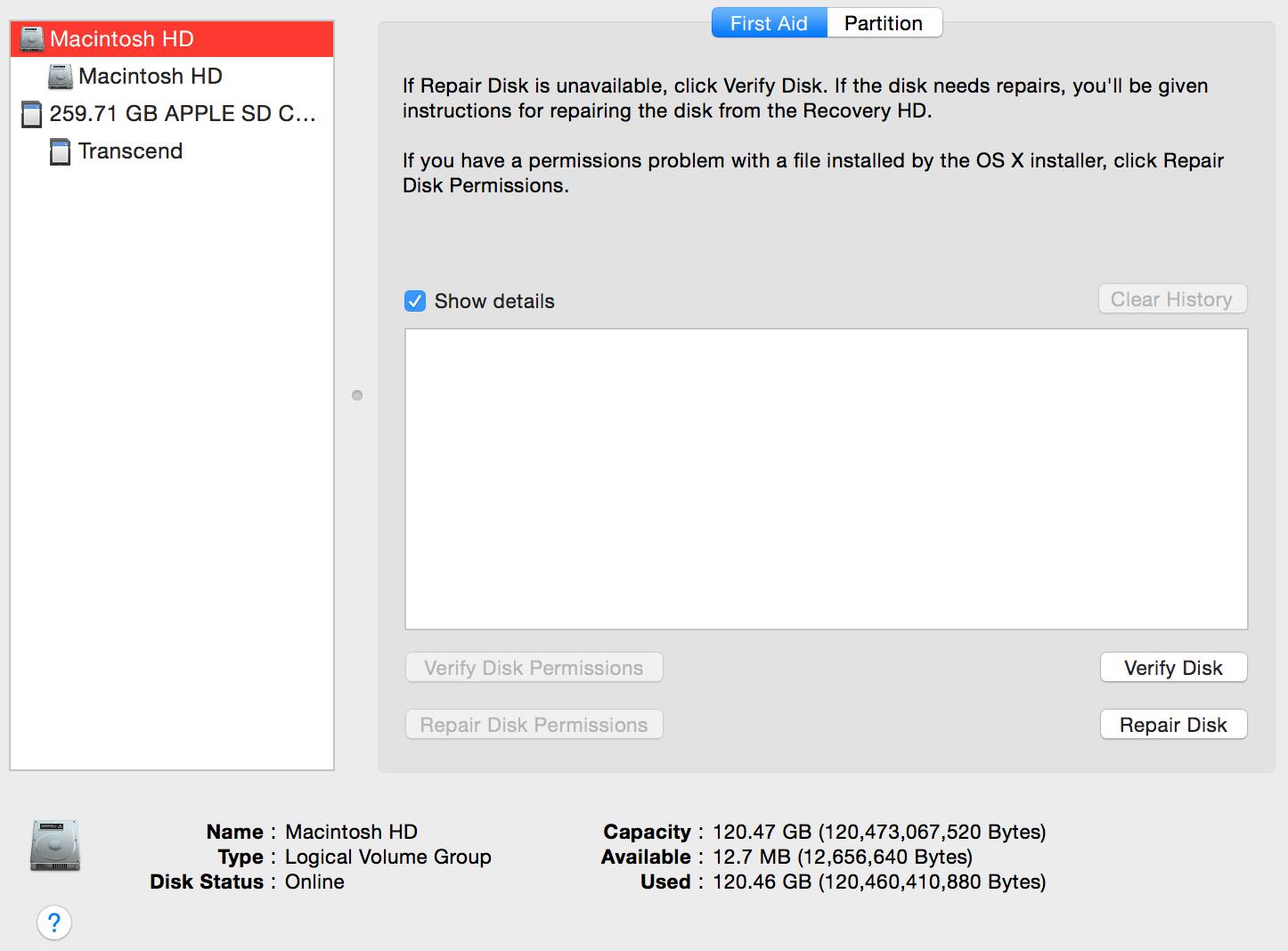
One weird thing is in the 2 images attached. If I click on one pic, it shows 12gb remaining, but if I click on the second one with exactly the same title, it shows 61gb.
no1.jpg
no2.jpg

If anyone can help, that would be great, plus I want install any new programs directly to the Transcend Card, can I also do this?

Thanks in advance
 
The top screenshot shows 12MB, not 12GB. Don’t worry about that one. It’s only the indented Macintosh HD which says how much free space your drive has as that’s the volume the OS runs on.

You have 61GB free space on your Mac. No need for concern. 🙂
 
  • Like
Reactions: Weaselboy
Thanks for the quick reply.

Ah, that's good to hear. At which point do I start getting concerned?

I've just had a look and the program I need to install only requires 345gb so thats good
 
Download and use OmniDiskSweeper. It will provide a sorted list of what's consuming your space.

If you run it with sudo (As shown below), it will include some system files that it would not normally have access to scan. That is a more accurate representation of what's consuming your drive.
Code:
sudo /Applications/OmniDiskSweeper.app/Contents/MacOS/OmniDiskSweeper
 
tuttifrutti: are you familiar with the difference between MB and GB and their correlation?
 
The first thing you need to do is find out WHAT is eating up your drive space.

Is it:
- files you've saved (such as movies, which can really consume space)
- things like time machine local backups
- garbage files created by "runaway apps" or behind-the-scenes systems processes

I suggest you download this little, free app called DiskWave:
https://diskwave.barthe.ph

Then, just open it, and you'll see what to do next.
TIP: go to the DiskWave preferences and make normally-invisible files visible.

It will show you where the largest files are, and how much space they're using.

Things like movies, music and pictures can either be "thinned out" or moved to the transcend drive.

If you move either your iTunes folder or Photos library to the backup drive, you can then set either iTunes or Photos to "reference" the relocated library when it opens.

Such is the hazard of having a small internal boot drive.
It's "manageable", but it does take some thought.

One other thing:
You should be backing up BOTH the internal drive AND the transcend drive to an external source...
 
tuttifrutti: are you familiar with the difference between MB and GB and their correlation?

Hi mj, yes I am - that was a typo above
[doublepost=1514567480][/doublepost]@Fishrrman - i'll download now and run and see what we get
[doublepost=1514567574][/doublepost]@maflynn - thanks for your reply. I'm going to try fishrrman's program first as it sounds a little bit easier for someone of such little knowledge of Macs like moi
 
@maflynn - thanks for your reply. I'm going to try fishrrman's program first as it sounds a little bit easier for someone of such little knowledge of Macs like moi
OmniDisk Sweeper is easy, just double click it and you're off. I offered an alterantive to executing to include the system files, but you run it like any other app
 
  • Like
Reactions: tuttifrutti
Right then, i've run the program and it's found a few things that i've been able to navigate to and delete.

But, there's this one for Steam (an installed program that used to let me play a football game online), that I cannot seem to find. I've tried to follow the path to it, but it's not there - any thoughts please?
Screen Shot 2017-12-29 at 17.48.43.png
 
The ~/Library is normally hidden. you should be able to delete that folder directly in the app. Its highlighted so what happens when you click the trash icon above with the Steam folder highlighted?
 
That's the problem Mike, I did manage to do a search in my computer and came across Steam itself, which I moved to the trash then deleted.

Ran the program again and these items are still showing on the Diskwave program giving me a route to plot, to find them, but when I try and find the route on the MBP, it doesn't show up at all
 
Re the Steam folder in replay 11 above:

I'd shut down (power all the way off), then reboot, then open DiskWave again.
Is the steam folder still there?

If you click on it to select it, then click the trash icon at the top, what happens?
Won't go away?

Are you able to view your /home/library folder?
If you can't see it, do this next.
Open the Terminal app (Utilities folder) and enter this (copy and paste into terminal):
chflags nohidden ~/Library
...and hit return.
Quit Terminal.
The user library folder should now be visible.

If the library folder is invisible (Apple's default), you need to MAKE IT VISIBLE, and then go inside and try to locate the steam folder and then delete it.

You probably need to get rid of other stuff, as well.
 
That's the problem Mike, I did manage to do a search in my computer and came across Steam itself, which I moved to the trash then deleted.

Ran the program again and these items are still showing on the Diskwave program giving me a route to plot, to find them, but when I try and find the route on the MBP, it doesn't show up at all
Try this... click on the Desktop then hit shift-command-g. A window will popup. Paste the line below into that window and hit return. That will take you to the correct folder and you can scroll down to the Steam folder and delete it, then empty your trash.

Code:
~/Library/Application Support/
 
Thanks for your help so far folks - thanks to Weaselboy's bit of code, I found the steam and another library and removed them.

I've run the program again and want to get familiar with various folders that are 1gb plus so need advice on whether they can be removed.

This one highlighted for instance in the screenshot
Screen Shot 2017-12-29 at 22.38.37.png

[doublepost=1514587406][/doublepost]It appears to come from a'private' folder
Screen Shot 2017-12-29 at 22.42.36.png
 
Thanks for your help so far folks - thanks to Weaselboy's bit of code, I found the steam and another library and removed them.

I've run the program again and want to get familiar with various folders that are 1gb plus so need advice on whether they can be removed.

This one highlighted for instance in the screenshotView attachment 744309
[doublepost=1514587406][/doublepost]It appears to come from a'private' folderView attachment 744311

Private>var>db shouldn’t be deleted. It’s required by the OS.

You can always Google folders you’re unsure about and find answers in past threads. 🙂
 
  • Like
Reactions: Weaselboy
Register on MacRumors! This sidebar will go away, and you'll see fewer ads.