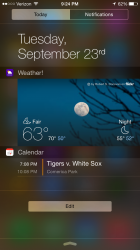
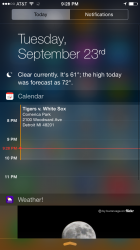
your answer is looking right at you. lol
Click the edit button
I was playing with mine too. I noticed that my iPhone didn't have the temp. It's looks like you have to open the App first and then go to the drop down window. Scroll to the bottom and click on Edit. There you will see Apps with Green and Red buttons next to them. The ones in Red are those that are included in the Drop down window. They can also be removed. The ones in Green are available to add.
Once you've added them, you can arrange them to how you want them to appear. Today is always on top and Tomorrow is always on the bottom.
So again, open the Weather app that comes with iOS 8 then it should appear in your window 😎