
I notice a glitch on my M1 MacBook Pro 2021. It doesn't matter whether it is connected to an external display, or directly using the inbuilt display, the effects are the same. I notice it almost consistently whenever I search for an application after clicking on the Apps button. Safari browser also sometimes displays the glitch although this is inconsistent and unpredictable. The effect does not recover under Safari, however, because it needs me to fully quit (cmd-q) Safari and reopen otherwise the entire web page is rendered as one complete black (sometimes pinkish) box. Affinity Photo 2 does give the glitch and so does Apple Photos. What could the issue here be? How do I remedy it?
I have attached a photo of the glitch. I wanted to attach a video but MacRumors website kept saying "We ran into a problem."
If I may attempt to describe what I see, the colourful boxes and bars keep jumping all over the place. They are not static on one position as the picture may imply. They however appear only within the bounds of the pop-up dialog in this case; they do not spread all over the screen. The same is observed whenever they appear in Safari - they appear only within the bounds of the application or dialog currently in focus.
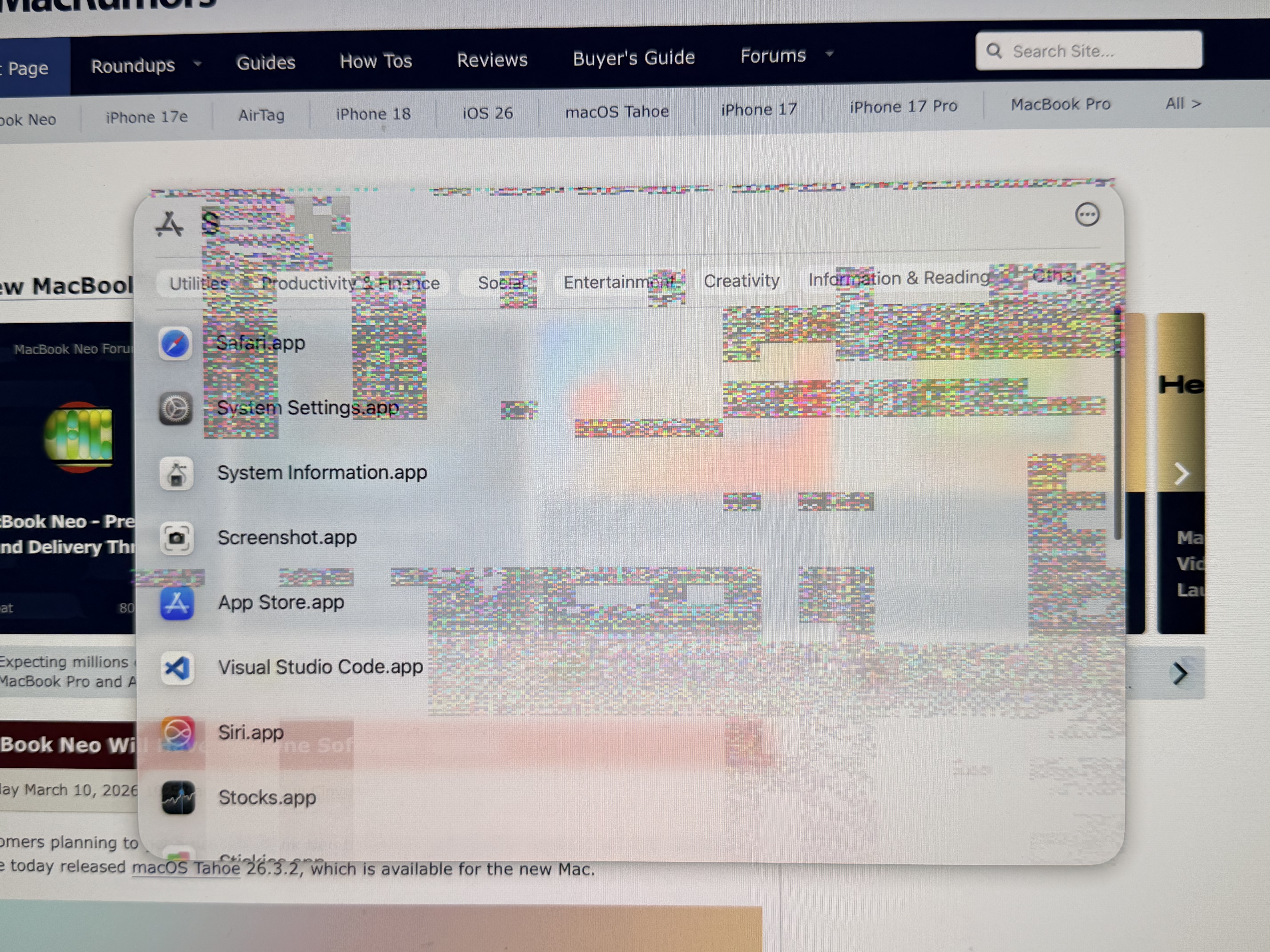
I have attached a photo of the glitch. I wanted to attach a video but MacRumors website kept saying "We ran into a problem."
If I may attempt to describe what I see, the colourful boxes and bars keep jumping all over the place. They are not static on one position as the picture may imply. They however appear only within the bounds of the pop-up dialog in this case; they do not spread all over the screen. The same is observed whenever they appear in Safari - they appear only within the bounds of the application or dialog currently in focus.


