I want to install a copy of Windows XP x64 Pro on my Mac Pro 1,1 [flashed to 2,1]
but the guide that was written back in 2006 (HERE at Mac Rumors) showing how to make the special ISO of XP x64 is full of dead links and broken defunct screenshots. The links for the drivers are DEAD and what I pieced together from shreds I got while using the Wayback Machine,
is full of blank boxes where screenshots used to be.
I downloaded some chipset drivers and baked it into a custom ISO like bits of the instructions told me, but whether I tried that custom ISO or a vanilla copy of XP x64, the result is the same.
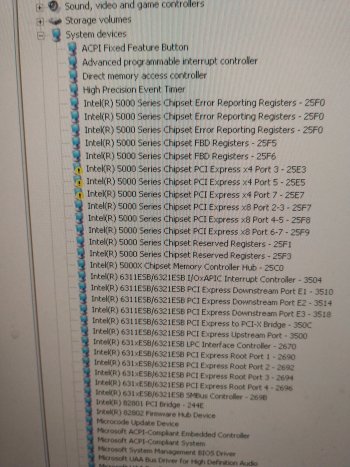
-There are three yellow exclamation marks in Device Manager for chipset components
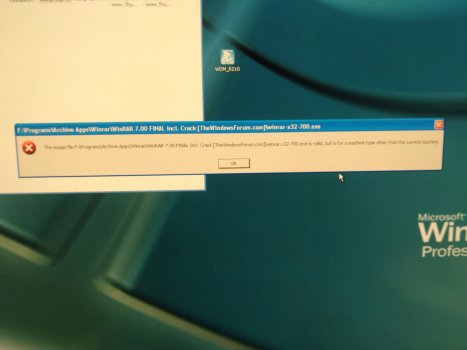
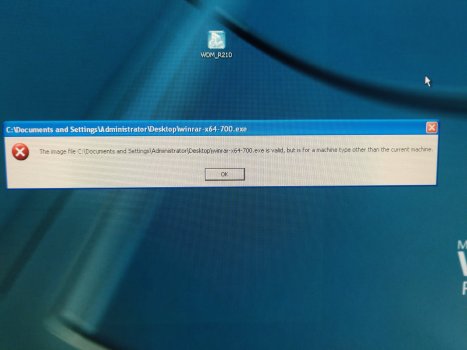
-90% programs won't launch, and they are all from the 2006 era. all x64 and most x86 programs throw up a nag saying
"......exe is valid, but is for a machine type other than the current machine"
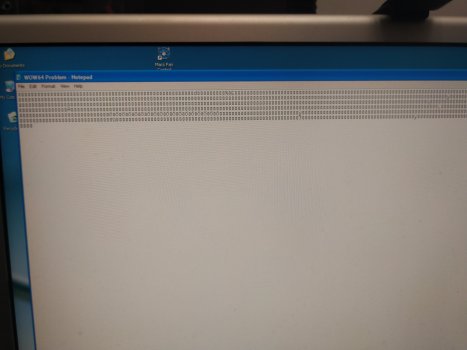
-Icons for most programs look like broken DOS prompt icons and of course refuse to start.
CAN SOMEBODY PLEASE SHOW ME STEP BY STEP HOW TO MAKE THIS SUPER SPECIAL COPY OF XP X64 FOR MY MAC PRO 1,1
OR IF THEY HAVE SOME TIME MAKE ME AN ISO OF WINDOWS XP X64 WITH WHATEVER DRIVERS IT NEEDS PLEASE!!!!!
I've looked everywhere for similar guides. Nothing. I've burned several custom copies of XP x64 with drivers I hoped matched what the original article called for. Nothing. I'm pulling out my hair here.
but the guide that was written back in 2006 (HERE at Mac Rumors) showing how to make the special ISO of XP x64 is full of dead links and broken defunct screenshots. The links for the drivers are DEAD and what I pieced together from shreds I got while using the Wayback Machine,
is full of blank boxes where screenshots used to be.
I downloaded some chipset drivers and baked it into a custom ISO like bits of the instructions told me, but whether I tried that custom ISO or a vanilla copy of XP x64, the result is the same.
-There are three yellow exclamation marks in Device Manager for chipset components
-90% programs won't launch, and they are all from the 2006 era. all x64 and most x86 programs throw up a nag saying
"......exe is valid, but is for a machine type other than the current machine"
-Icons for most programs look like broken DOS prompt icons and of course refuse to start.
CAN SOMEBODY PLEASE SHOW ME STEP BY STEP HOW TO MAKE THIS SUPER SPECIAL COPY OF XP X64 FOR MY MAC PRO 1,1
OR IF THEY HAVE SOME TIME MAKE ME AN ISO OF WINDOWS XP X64 WITH WHATEVER DRIVERS IT NEEDS PLEASE!!!!!
I've looked everywhere for similar guides. Nothing. I've burned several custom copies of XP x64 with drivers I hoped matched what the original article called for. Nothing. I'm pulling out my hair here.