

If you were a fan of Liquid Glass in macOS 26, you may have missed the more transparent design of titlebars in macOS Tahoe.
While the exact same design is no longer possible because macOS 27 removed the previous rendering pipeline, you can get pretty close.
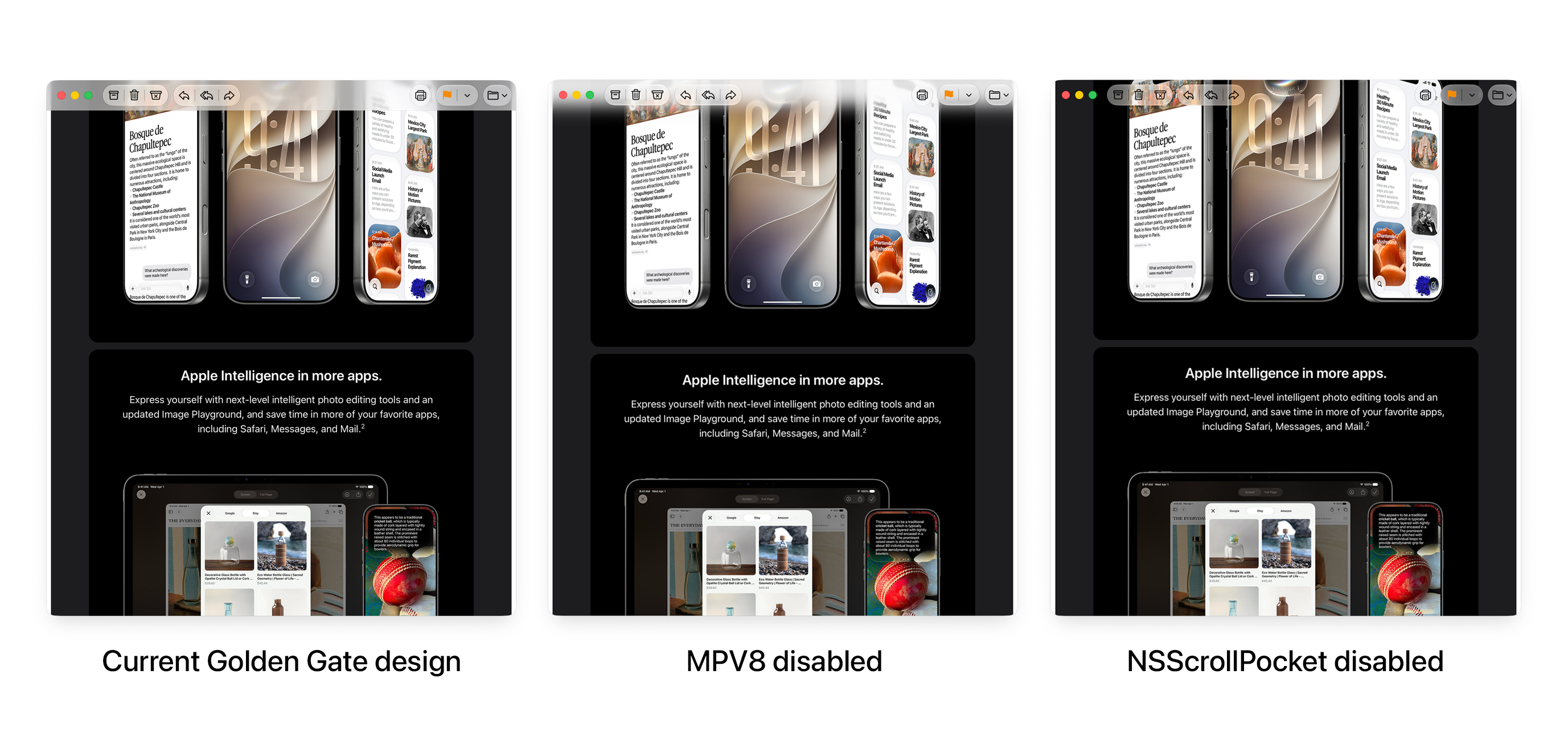
For a softer scroll edge effect background, run:
Now any app you open that adopts the default scroll edge design will respect your change. You'll need to restart apps to see the effect, or reboot your Mac.
Remove with:
For an even more transparent look, you can disable the scroll edge effect completely:
You'll need to restart apps to see the effect, or reboot your Mac.
Remove with:
If you don't want the same effect on every app, you can add local overrides:
And remove:
Enjoy!
While the exact same design is no longer possible because macOS 27 removed the previous rendering pipeline, you can get pretty close.
Softer scroll edge effect
For a softer scroll edge effect background, run:
Bash:
defaults write -g MPV8 -bool falseNow any app you open that adopts the default scroll edge design will respect your change. You'll need to restart apps to see the effect, or reboot your Mac.
Remove with:
Bash:
defaults delete -g MPV8Transparent look
For an even more transparent look, you can disable the scroll edge effect completely:
Bash:
defaults write -g NSScrollPocketEnabled -bool falseYou'll need to restart apps to see the effect, or reboot your Mac.
Remove with:
Bash:
defaults delete -g NSScrollPocketEnabledApp-specific overrides
If you don't want the same effect on every app, you can add local overrides:
Bash:
defaults write com.apple.mail NSScrollPocketEnabled -bool falseAnd remove:
Bash:
defaults delete com.apple.mail NSScrollPocketEnabledEnjoy!


