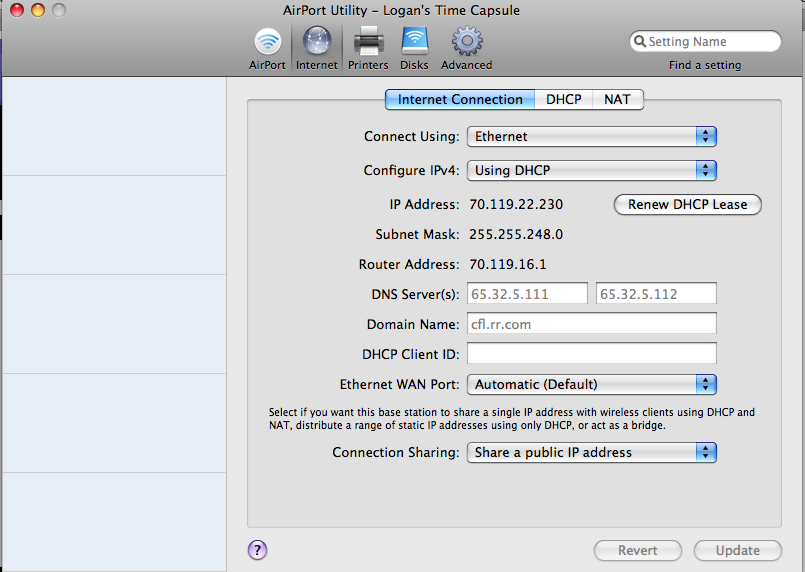
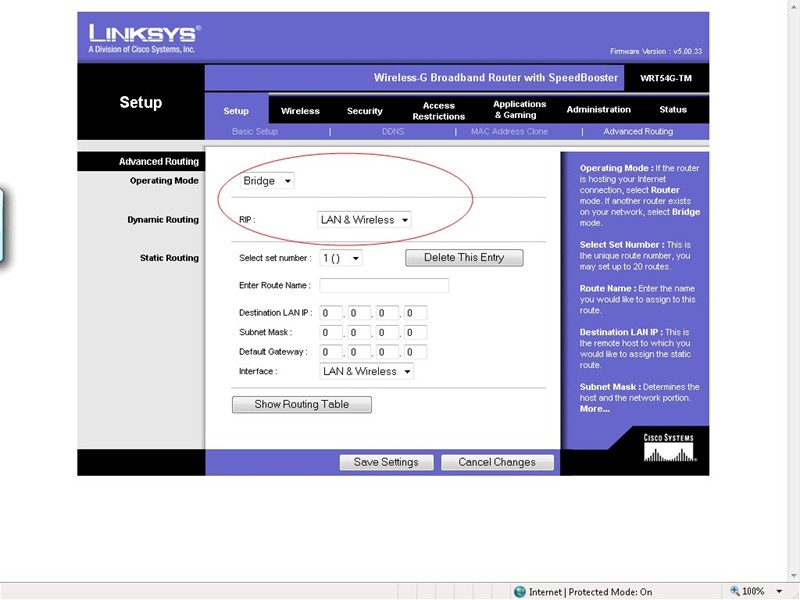
It really depends on how you have everything set up... so I'll make a couple assumptions and take a few guesses...
Assuming you have your TC handling the DHCP, you should connect to the Linksys router and configure it to disable the DHCP server, and give it a static IP consistent with that of the TC. (From what you've indicated, sounds like you've already done this stuff.)
Now, if you've set a specific SSID and WEP/WPA key for the linksys router, take note of these things. Check out the advanced portion of your friends wireless settings... there is typically a list of wireless networks that the computer has connected to, each representing specific settings for that wireless network/SSID. You might need to clear these and reconnect to your linksys router.
For example (I'm doing this all from memory, as I don't have a windows PC around at the moment... so some steps might be a little vague)
- Lets say your linksys router's SSID was "helloWorld" and your WPA key was "abcd1234"
- Before you got the TC, your friend once connected to "helloWorld" and typed in the key. These settings were saved on his computer.
- Now you've changed some settings, or even say changed the WPA key to "1234abcd"
- When you friend's computer sees "helloWorld" it will try to connect with the old key it had, and will fail or get "Limited or no Connectivity"
- In this case you want to view the list of available wireless networks, click the "Advanced Settings" on the left side of the window
- From here you will see a list of networks that the computer has connected to, and has saved settings for. From here you'll want to select "helloWorld" and click "Delete." This will remove the settings for "helloWorld" from your friends computer.
- Now that the old settings have been removed, reconnect to "helloWorld," enter the new WPA key (if necessary), and the new settings will be saved.
Now, the problem may or may not be some WPA / WEP key change, but could have something to do with the new IP range being handed out. Then again, it could also be that the Dell's wireless switch if in the OFF position.

Just a guess, hope it helps.