Become a MacRumors Supporter for $50/year with no ads, ability to filter front page stories, and private forums.

Heat_Fan89

macrumors 68040
Original poster
Feb 23, 2016
3,145
4,153
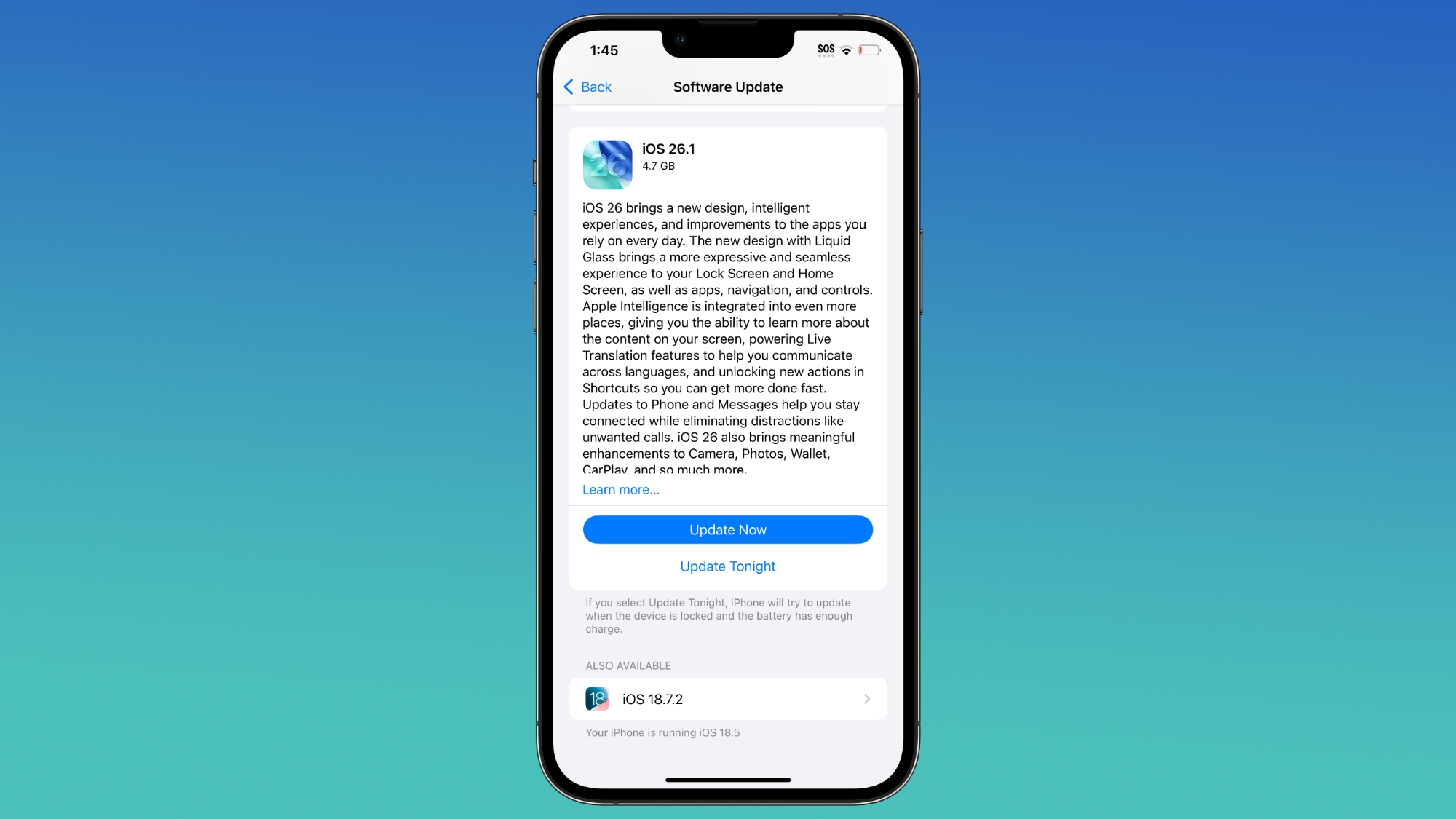
Wow, is Apple back to forcing iOS updates? I tried the beta and as we say in Miami, No Bueno !

I guessed it downloaded the image when I plugged in my iPhone and let it charge to 100%. It's asking me if I want to update now or tonight. I checked storage settings and could not find the image file. Is there a way to remove it permanently or do I need to reset my phone?
 
I think it's somewhere under Settings / General /iPhone Storage.
That's where I looked and there was no image to be found. Perhaps it was just a message to update to iOS 26 but that makes me a little nervous if I were to turn off the Phone and it began the update.
 
I'm pretty sure it would have been there if it was downloaded.

Just make sure "Automatically Install" is toggled off (Settings / General / SW Update) and also the auto download toggle too.
 
I'm pretty sure it would have been there if it was downloaded.

Just make sure "Automatically Install" is toggled off (Settings / General / SW Update) and also the auto download toggle too.
Make sure you have auto update turned off as well as update download.
TY to the both of you for the replies. I made sure to turn everything off prior to the prompt. I was concerned because I received the notification flag in the Settings app that wants me to upgrade either immediately or later.
 
  • Like
Reactions: adrianlondon
I guessed it downloaded the image when I plugged in my iPhone and let it charge to 100%. It's asking me if I want to update now or tonight. I checked storage settings and could not find the image file. Is there a way to remove it permanently or do I need to reset my phone?
Yes, I got this as well. And now the Settings app icon comes with a permanent notification, so I'll be moving it away from the home screen.

It may seem irrational, but I hate this kind of passive aggressive behaviour from vendors. It's completely unnecessary, as is all passive aggressive behaviour.
 
  • Like
Reactions: Ben Sparrow
Yes, I got this as well. And now the Settings app icon comes with a permanent notification, so I'll be moving it away from the home screen.

It may seem irrational, but I hate this kind of passive aggressive behaviour from vendors. It's completely unnecessary, as is all passive aggressive behaviour.
I don't mind the notification alert. I actually like the red flag on the gray settings app icon. It gives it a nice color contrast. I was just worried it had downloaded and was ready to install.
 
This really annoyed me also, but I'm happy to say the fix is simple.

Go to Settings, General, iPhone Storage. Scroll down the list and find the iOS 26 update (should be around 1.1 GB in size) select it and then choose delete.

The notification now goes from the Settings app.

Also turn off Automatic Updates under 'Software Update' to prevent it being downloaded again.

<Update> Damn! It's back again even though I've done the above........
 
Last edited:
This really annoyed me also, but I'm happy to say the fix is simple.

Go to Settings, General, iPhone Storage. Scroll down the list and find the iOS 26 update (should be around 1.1 GB in size) select it and then choose delete.

The notification now goes from the Settings app.

Also turn off Automatic Updates under 'Software Update' to prevent it being downloaded again.

<Update> Damn! It's back again even though I've done the above........
They want us to update to iOS 26. As long as it doesn't download and install I'm cool with the banner being displayed. That doesn't bother me at all but if I'm charging the phone I now make sure to put it in airplane mode so that way it doesn't automatically download and install.
 
Last edited:
Register on MacRumors! This sidebar will go away, and you'll see fewer ads.