How do you work your way through OS X? What helps your workflow best?
Spaces? Mission Control? Launchpad? Any tweaks? I know my question sounds broad but I think you know what I mean.
Here's what I do...
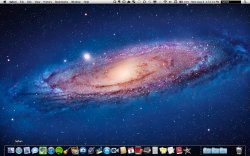
Dock: My dock is set to stay hidden until I move my mouse to the button of the screen. I used a terminal command to put an empty space after my last "pinned" (set to always be in my dock) app, that way I can always tell when I have extra junk open. I used TinkerTool to make my dock 2D (much prettier) and I have some extra folders to the right side of the dock. I also put an empty space separating the folders from the trash can. When I need to launch an app not in my dock, I use Spotlight.
Windows: I used BetterTouchTool to make some "gestures" for window managing. One being a three finger click, that maximizes my current window. Another being a four finger swipe down to close my current window. And lastly, a four-finger click brings up Mission Control (I only use it for Exposé though)
This works out great for me because my windows get as much space as possible, and I don't have to tediously click the "x" or use a keyboard shortcut to close any windows. It feels like a new experience.
So anyways, what do you guys do? I wanna hear new ideas, and see what cool things everyone else does.
Spaces? Mission Control? Launchpad? Any tweaks? I know my question sounds broad but I think you know what I mean.
Here's what I do...
Dock: My dock is set to stay hidden until I move my mouse to the button of the screen. I used a terminal command to put an empty space after my last "pinned" (set to always be in my dock) app, that way I can always tell when I have extra junk open. I used TinkerTool to make my dock 2D (much prettier) and I have some extra folders to the right side of the dock. I also put an empty space separating the folders from the trash can. When I need to launch an app not in my dock, I use Spotlight.
Windows: I used BetterTouchTool to make some "gestures" for window managing. One being a three finger click, that maximizes my current window. Another being a four finger swipe down to close my current window. And lastly, a four-finger click brings up Mission Control (I only use it for Exposé though)
This works out great for me because my windows get as much space as possible, and I don't have to tediously click the "x" or use a keyboard shortcut to close any windows. It feels like a new experience.
So anyways, what do you guys do? I wanna hear new ideas, and see what cool things everyone else does.