You are using an out of date browser. It may not display this or other websites correctly.
You should upgrade or use an
alternative browser.
macrumors newbie
Original poster
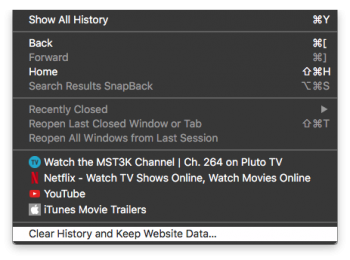
- In Safari go to 'History'.
- Then go all the way to the bottom and select 'Clear History...', if you want to keep website data, hold the [OPTION] key down while clicking.
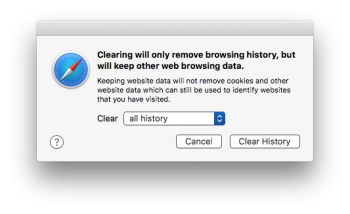
- Select an option from the drop down menu then press [Clear History].
- Wait about a minute for the Top Sites to repopulate.
-
Screen Shot 2017-01-31 at 1.14.24 PM.png
58.6 KB
· Views: 253
-
Screen Shot 2017-01-31 at 2.45.09 PM.png
54.5 KB
· Views: 183

