
Got a tip for us?
Let us know
Become a MacRumors Supporter for $50/year with no ads, ability to filter front page stories, and private forums.
How Organized Are Your Movies? - Screenshots!
- Thread starter billabong
- Start date
- Sort by reaction score
You are using an out of date browser. It may not display this or other websites correctly.
You should upgrade or use an alternative browser.
You should upgrade or use an alternative browser.

Having read through all 46 pages my head is spinning..... From different people i see you all use different software i'm currently using Visual Hub to convert but i'm sure out of date Can i just ask one question ?
Which is the best conversion software for .avi/ .mkv to mp4 ?
Which is the best software for tagging your converted files ?
Ok so thats two but it falls under one in my book, in terms of best im talking more about the one which most people seem to be using at this moment in time.
Any help is much appreciated
Thanks LC
Which is the best conversion software for .avi/ .mkv to mp4 ?
Which is the best software for tagging your converted files ?
Ok so thats two but it falls under one in my book, in terms of best im talking more about the one which most people seem to be using at this moment in time.
Any help is much appreciated
Thanks LC
Born Again
Suspended
Exactly - iTunes is the worst for movies
Born Again
Suspended
Having read through all 46 pages my head is spinning..... From different people i see you all use different software i'm currently using Visual Hub to convert but i'm sure out of date Can i just ask one question ?
Which is the best conversion software for .avi/ .mkv to mp4 ?
Which is the best software for tagging your converted files ?
Ok so thats two but it falls under one in my book, in terms of best im talking more about the one which most people seem to be using at this moment in time.
Any help is much appreciated
Thanks LC
It's not worth it. Too much time to do conversions etc
Just get air video and call it a day my friend
What do u guys think?

NUFC2025
macrumors 6502a
Having read through all 46 pages my head is spinning..... From different people i see you all use different software i'm currently using Visual Hub to convert but i'm sure out of date Can i just ask one question ?
Which is the best conversion software for .avi/ .mkv to mp4 ?
Which is the best software for tagging your converted files ?
Ok so thats two but it falls under one in my book, in terms of best im talking more about the one which most people seem to be using at this moment in time.
Any help is much appreciated
Thanks LC
I use Handbrake to convert all my video and dont have a problem.
MKV files i still use handbrake but i depends on the audio, if its dts then i run them through MKV Tools first which only takes minutes.
For tagging i use Metax but the windows version as it allows me to tag the video as HD.
There are probably better ways of doing it than my way but its just the way i have become used to and i know it works.
Hope that helps.

From A Buick 8
macrumors 68040
Having read through all 46 pages my head is spinning..... From different people i see you all use different software i'm currently using Visual Hub to convert but i'm sure out of date Can i just ask one question ?
Which is the best conversion software for .avi/ .mkv to mp4 ?
Which is the best software for tagging your converted files ?
Ok so thats two but it falls under one in my book, in terms of best im talking more about the one which most people seem to be using at this moment in time.
Any help is much appreciated
Thanks LC
Easy answer, use Handbrake for the conversion and then identify to tag and add to iTunes.
Once in iTunes use playlist folders and smart playlist to organize.
From A Buick 8
macrumors 68040
It's not worth it. Too much time to do conversions etc
Just get air video and call it a day my friend
What do u guys think?
I like air video but it is no substitute for properly converting tagging and adding to iTunes. That way you have direct access to this with all of your Apple TV's.
With Air Video you need to use an iOS device to send the video to the Apple TV.
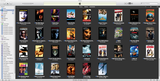
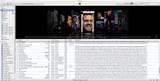
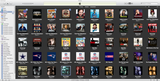
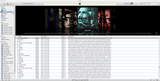
Still in the process. Use RipIt to Rip, Handbrake to Encode, then MetaX. Unfortunately, for some reason I want ALL my movies and TV Shows to look as if they were bought from iTunes, so when I use MetaX for the metadata, I manually type everything in from iTunes, and make sure I get the proper iTunes artwork. Don't ask me why I feel the need to do this.


jendrik
macrumors newbie
Having read through all 46 pages my head is spinning..... From different people i see you all use different software i'm currently using Visual Hub to convert but i'm sure out of date Can i just ask one question ?
Which is the best conversion software for .avi/ .mkv to mp4 ?
Which is the best software for tagging your converted files ?
Ok so thats two but it falls under one in my book, in terms of best im talking more about the one which most people seem to be using at this moment in time.
Any help is much appreciated
Thanks LC
You can try using the latest beta of iFlicks for adding mkv videos to iTunes (use the "iTunes compatible" preset). It is pretty fast and most files will play on the ATV2, iPad, IPhone without time consuming encoding.
To tag videos right from within iTunes you can use the iTunes Servies menu (also new to the iFlicks beta). This makes updating metadata a blast.
You can download the latest beta of iFlicks from http://www.iflicksapp.com/download/iFlicks-beta.dmg. I appreciate any feedback I can get.
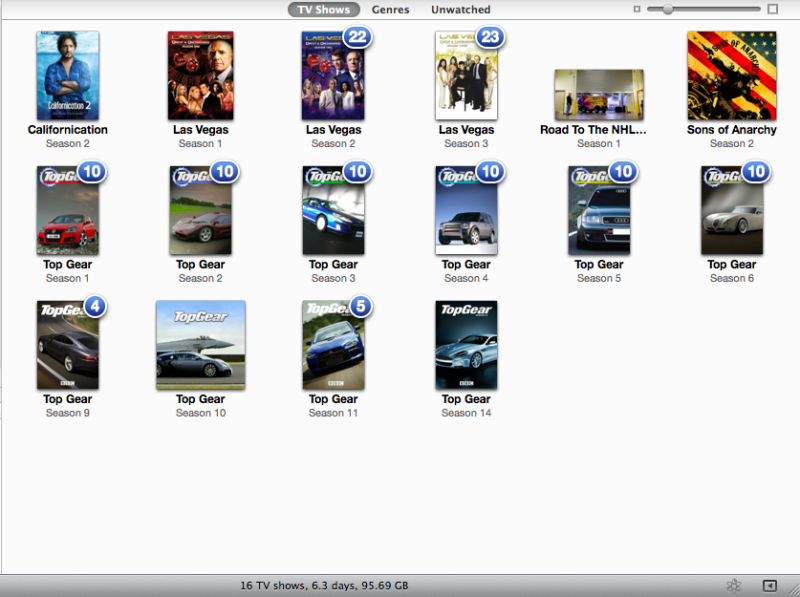
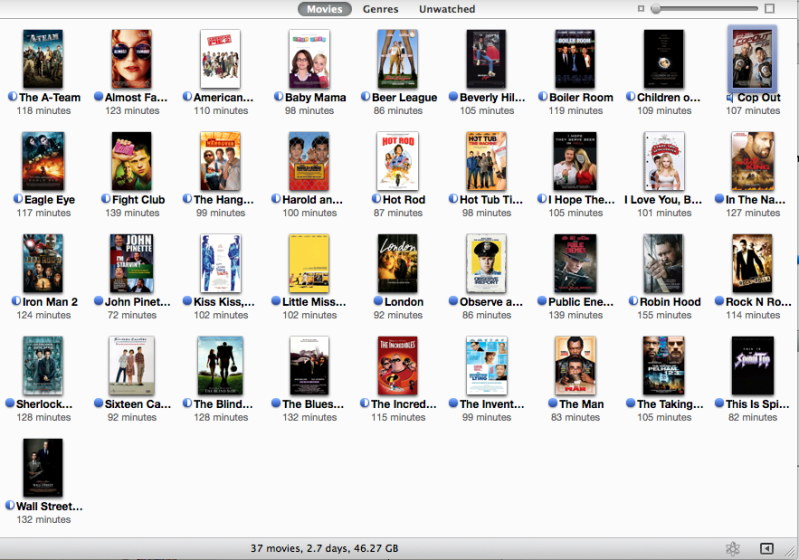
.Here are my TV shows so far. Only have 5 movies in iTunes right now but I have another 40 ripped, just need to move around stuff on the hard drives. Trying to finish getting Top Gear into iTunes by next week.
Image
.
Hello
I have a question:
How can we group many TV seasons of one show, into one single icon in that view (right above on the link I am quoting) ? For example "Las Vegas" would be one icon only. If you click on it you have all your seasons nested under that one icon.
Is this feasible?
Please advise, thank you.
François
.
.
Hello
I have a question:
How can we group many TV seasons of one show, into one single icon in that view (right above on the link I am quoting) ? For example "Las Vegas" would be one icon only. If you click on it you have all your seasons nested under that one icon.
Is this feasible?
Please advise, thank you.
François
Doesn't appear to be an option 🙁
.
.
Hello
I have a question:
How can we group many TV seasons of one show, into one single icon in that view (right above on the link I am quoting) ? For example "Las Vegas" would be one icon only. If you click on it you have all your seasons nested under that one icon.
Is this feasible?
Please advise, thank you.
François
I haven't tried it, but I imagine you could just put them all in the same grouping. Might need to change the episode ID's from episode 1 to 101 and season 2 episode 1 to 201.
.
.
Hello
I have a question:
How can we group many TV seasons of one show, into one single icon in that view (right above on the link I am quoting) ? For example "Las Vegas" would be one icon only. If you click on it you have all your seasons nested under that one icon.
With the ATV2 as it currently stands, no, not possible. The ATV1 does it well, but still waiting for them to 'fix' iOS for this.
Only option is to create playlists to do it, or alter all the episode numbers as mentioned. I don't suggest this as IF Apple ever does fix this issue, you'll have to go back and redo the episode numbers.

Why not just encode them all to .mv4 in the first place?Until iTunes (or a third-party plugin) allows iTunes to host any video file (avi, mkv, m2ts, mp4, iso, etc...) without converting, I'll just be using Finder. I've got some 500 movies on an external RAID drive and they will be staying there!

Chase R
macrumors 65816
Here is mine
All of the movies have descriptions, artists, producers, directors, etc
A majority of them are HD, the ones that ares are from my DVD collection. I have about another 30 DVD's to rip and about 15-20 more HD movies to convert to iTunes media. ;-)
Attachments

I'd post a screen shot of mine but I don't know how to capture it?
I'm new to the Apple Family, I have a iPhone, iPad, iMac and ATV2. The last 3 were all purchased with in the last 45 days. My database is housed on a Synology NAS DiskStation.
I use MakeMKV for my full DVD rips, those I store in a different partition of my NAS, (I haven't gotten to my 100+ BluRays yet but I'll use MakeMKV for those as well) and I use Handbrake so iTunes can use it, then MetaX to get my info and cover art.
I'm pretty finicky about how things are organized in my iTunes account so I make sure all movies are labeled with as much info as possible and I make sure they are "Sorted" properly. So if I have a trilogy or series of movies they come up in order of first to last.
I have about 200 DVD movies ripped so far (around 250gig's) with about 150 to go, then onto the BluRays.
Oh yeah...I've been lurking for a few months and this is my first post.
I'm new to the Apple Family, I have a iPhone, iPad, iMac and ATV2. The last 3 were all purchased with in the last 45 days. My database is housed on a Synology NAS DiskStation.
I use MakeMKV for my full DVD rips, those I store in a different partition of my NAS, (I haven't gotten to my 100+ BluRays yet but I'll use MakeMKV for those as well) and I use Handbrake so iTunes can use it, then MetaX to get my info and cover art.
I'm pretty finicky about how things are organized in my iTunes account so I make sure all movies are labeled with as much info as possible and I make sure they are "Sorted" properly. So if I have a trilogy or series of movies they come up in order of first to last.
I have about 200 DVD movies ripped so far (around 250gig's) with about 150 to go, then onto the BluRays.
Oh yeah...I've been lurking for a few months and this is my first post.
HateMondays
macrumors newbie
Still in the process. Use RipIt to Rip, Handbrake to Encode, then MetaX. Unfortunately, for some reason I want ALL my movies and TV Shows to look as if they were bought from iTunes, so when I use MetaX for the metadata, I manually type everything in from iTunes, and make sure I get the proper iTunes artwork. Don't ask me why I feel the need to do this.
I'm the same, apart from I use subler on my mac.
On that note does anyone have Avatar purchased from iTunes store?
I've only just ripped it but as it's no longer available I am failing to get the proper metadata.
Last edited:
InsightsIE
macrumors 6502a
All mine have the album cover art and the ID3 tag descriptions and everything although I mostly have TV Shows!
moneyman118
macrumors 6502
All mine have the album cover art and the ID3 tag descriptions and everything although I mostly have TV Shows!
Where do you get the tags?

djrod
macrumors 65816
You can try using the latest beta of iFlicks for adding mkv videos to iTunes (use the "iTunes compatible" preset). It is pretty fast and most files will play on the ATV2, iPad, IPhone without time consuming encoding.
To tag videos right from within iTunes you can use the iTunes Servies menu (also new to the iFlicks beta). This makes updating metadata a blast.
You can download the latest beta of iFlicks from http://www.iflicksapp.com/download/iFlicks-beta.dmg. I appreciate any feedback I can get.
For me, this is the best app to get tags for tvshows