Become a MacRumors Supporter for $50/year with no ads, ability to filter front page stories, and private forums.

EthosX

macrumors regular
Original poster
Guys was wondering how to change hdd icon on desktop to my desired picture?
I went through few sites but it does not work .. cannot find icons in system either.
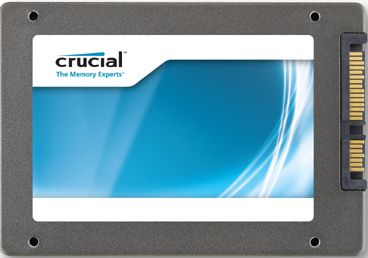
I wanna have it like this example below:

ssdz.jpg
 
Right click on the HDD and Click Get Info. Should just be a case of clicking on the top HDD icon and pressing CMD+V to paste the copied icon over the top of the standard one.

I just tried it with you JPG and it doesn't work...I think it may need to be a different file format.
 

Attachments

  • Screen Shot 2012-08-27 at 14.11.08.png
    Screen Shot 2012-08-27 at 14.11.08.png
    113.5 KB · Views: 221
Right click on the HDD and Click Get Info. Should just be a case of clicking on the top HDD icon and pressing CMD+V to paste the copied icon over the top of the standard one.

I just tried it with you JPG and it doesn't work...I think it may need to be a different file format.

Yeah I tried that and I ended up with ...


----------

[/COLOR]

Open the PNG file in Preview, click on it, press CMD+A, press CMD+C, go to the Get Info window of the file/folder/volume you want to change the icon of, click on the icon on the top left, thus it has a blue line around it, press CMD+V.

Success !! thnx man 😉
 
Register on MacRumors! This sidebar will go away, and you'll see fewer ads.