This is how you verify MD5 checksums on Windows
The Easy Way (digestIT with GUI)
digestIT is a graphical tool that should be easier to use for most Windows users.
Download digestIT.
Navigate in Windows Explorer to the directory where you saved/downloaded the OpenOffice.org archive.
Right click the OpenOffice.org archive file in and select digestIT -> Verify MD5 Hash (or Calculate MD5 Hash).
If you select "Verify MD5 Hash" then you will be able to copy and paste the MD5 from MD5Sum page (linked to on the latest download page). If the checksums match, you will see: "Digest matches. Verification succeeded."
If you select "Calculate MD5 Hash" then you will need to visually compare the calculated MD5 with the one listed on the MD5Sum page (linked to on the latest download page). man and van hire london http://www.ring4van.com
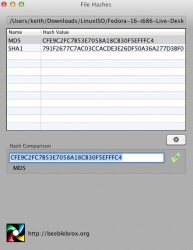
Is there a program for the MAC...since we are a Mac Forum here, that will check the MD5 checksum of a file. I need to check a file before I root my phone and I'm not a huge techie. Thanks! Happy New Year!