I'm new to Mac.
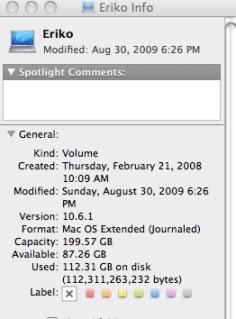
I copied some directories/files from my PC to a LaCie external drive. I then copied them from the drive to the iMac.
I tried to delete, e.g., drag to Trash, them from the external drive while connected to the iMac. It didn't work. I tried a mouse right click, but no delete on Menu. Is there a way to delete files on the iMac? I ended up connecting the drive to the PC, & deleting the files, but I'd like to be able to do the same from the iMac.
I copied some directories/files from my PC to a LaCie external drive. I then copied them from the drive to the iMac.
I tried to delete, e.g., drag to Trash, them from the external drive while connected to the iMac. It didn't work. I tried a mouse right click, but no delete on Menu. Is there a way to delete files on the iMac? I ended up connecting the drive to the PC, & deleting the files, but I'd like to be able to do the same from the iMac.