Hi guys,
I use Sequoia and wanted to run Tahoe in a virtual machine (UTM). To do this, I needed to install the developer tools, specifically Xcode. Since only version 26.4 is available in the App Store—which can no longer be installed on Sequoia—I had to download Xcode from the Apple Developer website.
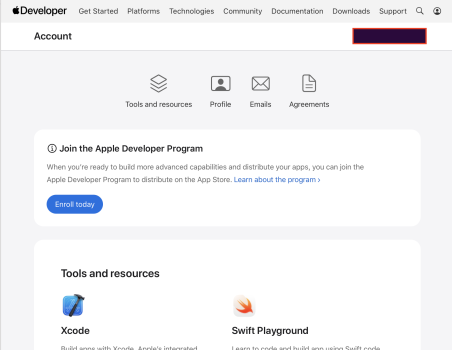
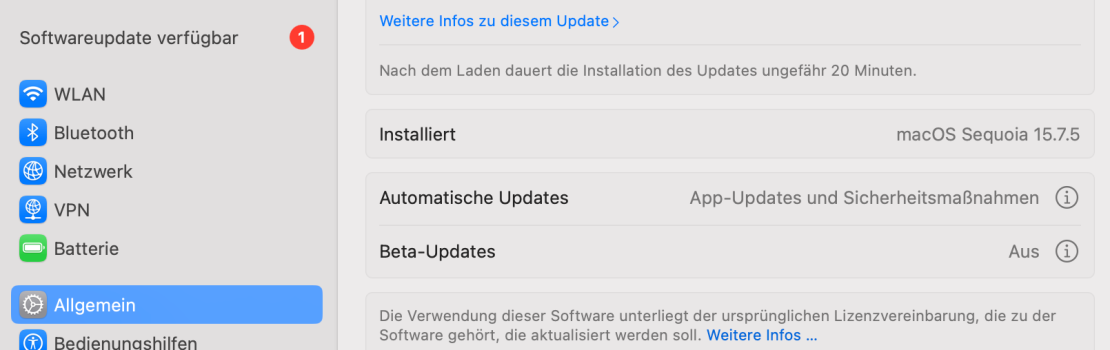
To download it, I had to accept the developer agreements with my account. Now I have Xcode installed and everything works, but in system preferences under “Software Update,” there is now a beta profile (also on iPhone under same account), even though I am not registered with the Beta/Developer Beta program.
How can I log out of the Apple Developer website https://developer.apple.com/account? I can’t find an option for that there?
I use Sequoia and wanted to run Tahoe in a virtual machine (UTM). To do this, I needed to install the developer tools, specifically Xcode. Since only version 26.4 is available in the App Store—which can no longer be installed on Sequoia—I had to download Xcode from the Apple Developer website.
To download it, I had to accept the developer agreements with my account. Now I have Xcode installed and everything works, but in system preferences under “Software Update,” there is now a beta profile (also on iPhone under same account), even though I am not registered with the Beta/Developer Beta program.
How can I log out of the Apple Developer website https://developer.apple.com/account? I can’t find an option for that there?