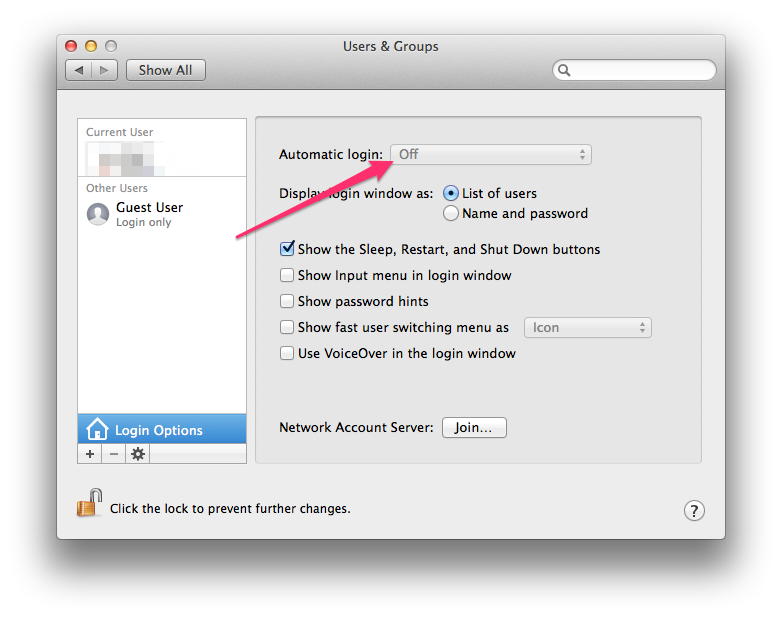
I don't have the same screen as you do in Users & Groups.
So I don't have that option either to change that setting. Can't find it anywhere. Under guest user, all I have is:
Allow guests to log in to this computer
Allow guests to connect to shared folders
Both of these are unchecked.
Thank you so much for being patient with me. That worked!
However......
I also get another window that says:
com.apple.icloudhelper.xpc wants to use the "login"keychain
I didn't mention it before because I thought the other fix would fix this too.
How do I get rid of it????
~/Library/Keychains
Darn! That didn't work. I had 4 folders in there and they are
applepushserviced.keychain
apsd.keychain
system.keychain
System.keychainorig
I tried them all and it didn't fix the problem.
Any other suggestions?
Darn! That didn't work. I had 4 folders in there and they are
applepushserviced.keychain
apsd.keychain
system.keychain
System.keychainorig
I tried them all and it didn't fix the problem.
Any other suggestions?
I also get another window that says:
com.apple.icloudhelper.xpc wants to use the "login"keychain
I didn't mention it before because I thought the other fix would fix this too.
How do I get rid of it????