Originally the drive looked like this (using diskutil list):
/dev/disk4 (external, physical):
#: TYPE NAME SIZE IDENTIFIER
0: FDisk_partition_scheme *8.1 GB disk4
1: DOS_FAT_32 PRUSA_MINI 8.1 GB disk4s1
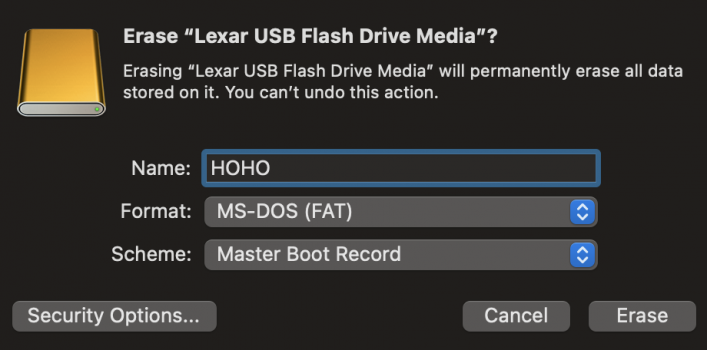
I have erased it using:
diskutil eraseDisk "MS-DOS FAT32" PRUSA_MINI /dev/disk4
and now it looks like this:
/dev/disk4 (external, physical):
#: TYPE NAME SIZE IDENTIFIER
0: GUID_partition_scheme *8.1 GB disk4
1: EFI EFI 209.7 MB disk4s1
2: Microsoft Basic Data PRUSA_MINI 7.8 GB disk4s2
How to format it as it was originally? This has to be read by a 3D printer which doesn't know a lot of filesystems.
/dev/disk4 (external, physical):
#: TYPE NAME SIZE IDENTIFIER
0: FDisk_partition_scheme *8.1 GB disk4
1: DOS_FAT_32 PRUSA_MINI 8.1 GB disk4s1
I have erased it using:
diskutil eraseDisk "MS-DOS FAT32" PRUSA_MINI /dev/disk4
and now it looks like this:
/dev/disk4 (external, physical):
#: TYPE NAME SIZE IDENTIFIER
0: GUID_partition_scheme *8.1 GB disk4
1: EFI EFI 209.7 MB disk4s1
2: Microsoft Basic Data PRUSA_MINI 7.8 GB disk4s2
How to format it as it was originally? This has to be read by a 3D printer which doesn't know a lot of filesystems.