
Become a MacRumors Supporter for $50/year with no ads, ability to filter front page stories, and private forums.

Fate

macrumors newbie
Original poster
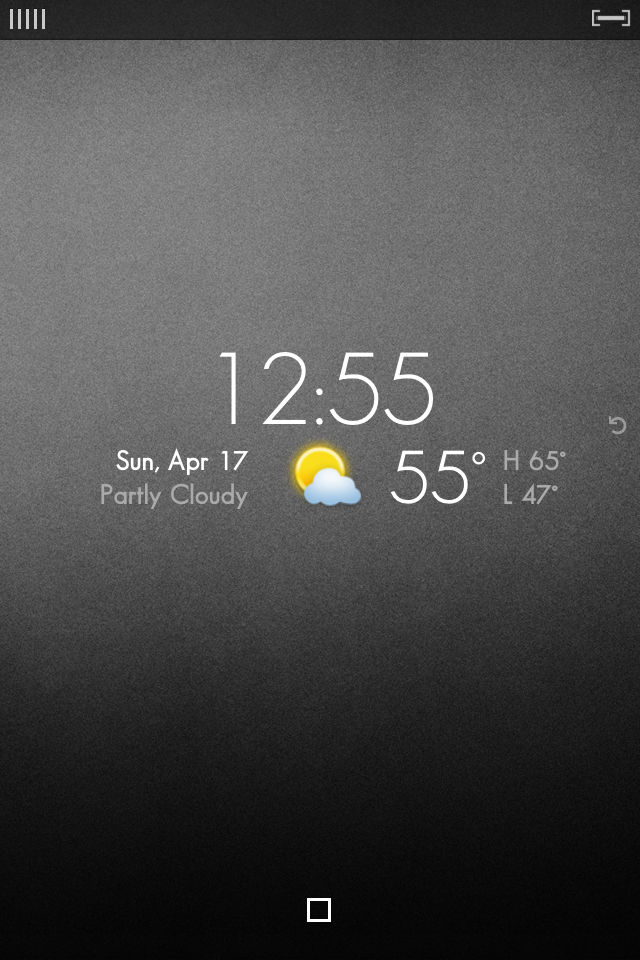
Hello, I'm new to this jail-breaking biz. I own an iPod Touch 2nd Gen and just jailbroke it today with Greenpois0n. It worked. Before all this, I was looking for some inspiration for the look of my iPod theme. I decided on, simple.

I found my inspiration.
IMG_0476.png


IMG_0477.png


I already got Prestige SD for my icons and Iconoclasm to form them.

However, now I'm looking for:

-The lockscreen and how to modify it to Vancouver settings.
-How to hide labels on Apps
-Font
-Background
-The signal bar and battery life bar
-How to hide "Enter passcode" letters

Thanks for reading, and I would truly appreciate if you could help me find the answers to the questions above.
 
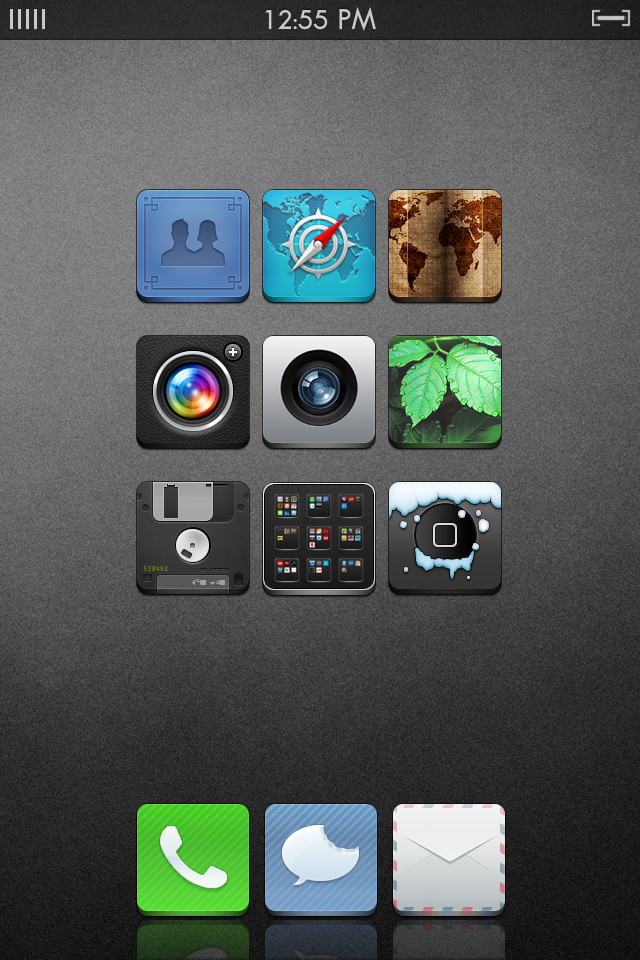
Hello, I'm new to this jail-breaking biz. I own an iPod Touch 2nd Gen and just jailbroke it today with Greenpois0n. It worked. Before all this, I was looking for some inspiration for the look of my iPod theme. I decided on, simple.

I found my inspiration.
Image

Image

I already got Prestige SD for my icons and Iconoclasm to form them.

However, now I'm looking for:

-The lockscreen and how to modify it to Vancouver settings.
-How to hide labels on Apps
-Font
-Background
-The signal bar and battery life bar
-How to hide "Enter passcode" letters

Thanks for reading, and I would truly appreciate if you could help me find the answers to the questions above.

You can hide the icon labels through Winterboard, which I am assuming you have. I think you can also choose to hide the unlock letters in WB as well.

I would also like to know the lockscreen theme.
 

Attachments

  • photo.JPG
    photo.JPG
    214.7 KB · Views: 100
Thanks Anthony for the background, I appreciate it! 😀

After re-springing, I discovered the the labels and dock were hidden lol. The font is Geo Sans Light if anyone is interested.

However, I would still like to know how he got the other things that I listed to work. So consider this a bump. Please and thank you! 🙂
 
Lock Screen looks like LockInfo with the LockWeather plugin centered on the screen with everything else turned off.
 
Register on MacRumors! This sidebar will go away, and you'll see fewer ads.