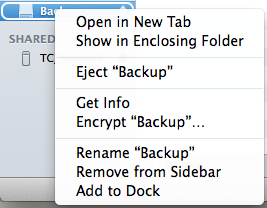
Reinitialize the drive using Disk Utility.
- On left, select the drive to be encrypted
- Choose "erase" panel
- From the popup, choose "Mac OS Extended (Journaled, Encrypted)"
- Enter password when prompted
- Then, erase.
I believe the password you enter gets stored in your keychain.
When you mount the drive on YOUR Mac, it will mount automatically, because the password is already entered and stored.
BUT -- if you (or anyone else) attempts to mount the drive on a different Mac, it will throw up the password request and won't mount unless the correct password is entered.
If I'm wrong, others please jump in and provide correction.