If you're using an iMac or a fusion drive, then you can't use APFSIt wouldn’t let me format to APFS. Required Mac OS extended. Is there a trick to using APFS ?
If you're using an iMac or a fusion drive, then you can't use APFS
Not yet.I thought that this OS would allow APFS with Fusion Drives/iMacs.
I'm hoping that Mojave will be the Snow Leopard of macOS. High Sierra was a dud and Sierra was fair so I'll stay on El Capitan until something more stable and compatible comes along.
Mojave will probably be my last macOS after they migrate from x86 to AxFuzion MBPs.
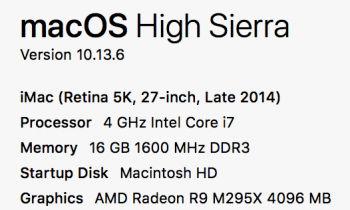
So are you saying Fusion drive is now APFS?Im on an iMac Running High Sierra 10.13.6 and my main drive is APFS. IIRC it was only fusion drives that couldn't utilize APFS. However that is supposed to be rectified Mojave.
View attachment 780094
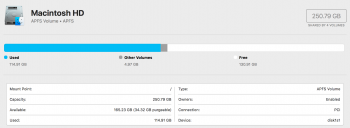
View attachment 780095
Won't ⌘⌥R do the same? Just launch disk utility in Recovery mode to erase the drive, then let it install.
I think this process erases your user data, which is the meaning of "clean install" of course. But could you please edit this (otherwise great) article for the sake of any novice who might think that this process is equivalent to a regular upgrade (by misunderstanding "rather than upgrading your Mac using Apple's standard installation package"). The words "be sure to perform a full backup of your Mac beforehand using Time Machine. That way you can restore your system from the Recovery partition if something goes wrong" [my bold] could also lead a novice to think that the backup is just in case something goes wrong, when in fact it will needed if you want to restore your user data. Or did I get something wrong, and this process actually does not erase user data?
That was a publicized feature of Mojave and has been functional in the betas for a few months.So are you saying Fusion drive is now APFS?
I was unaware of this - thanks for the confirmation. I'm running HS, so its not something I was keenly paying attention too.That was a publicized feature of Mojave and has been functional in the betas for a few months.