Hello-
I’m doing a research project and my associate needs me to save some (actually, a LOT of) webpages as HTML files because those are the format he needs to analyze them.
Command-Shift-S in Safari on iPad Pro unfortunately will not yield an HTML file.
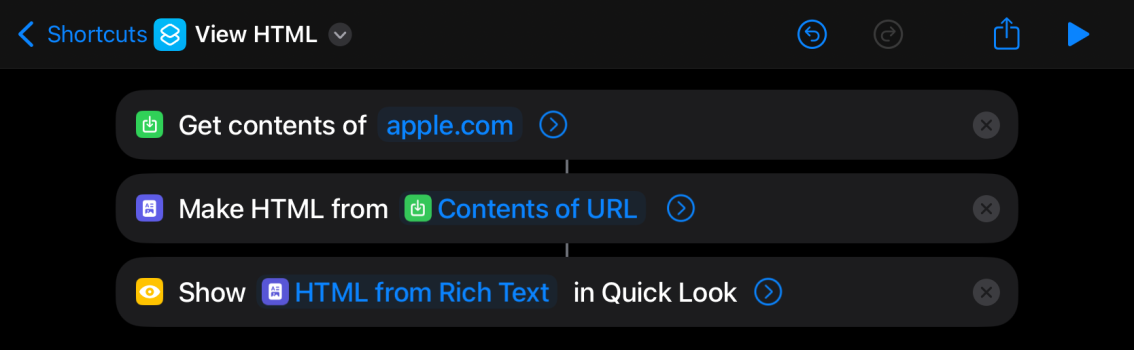
Is there any way to efficiently save webpages as HTML files on iPad Pro?
I will use any browser, and extensions, if that’s possible on iPad Pro. (m2 11”). Ideally, after it is set up, I would like to be able to do this quickly as I may need to save close to 100 or more pages.
I’m doing a research project and my associate needs me to save some (actually, a LOT of) webpages as HTML files because those are the format he needs to analyze them.
Command-Shift-S in Safari on iPad Pro unfortunately will not yield an HTML file.
Is there any way to efficiently save webpages as HTML files on iPad Pro?
I will use any browser, and extensions, if that’s possible on iPad Pro. (m2 11”). Ideally, after it is set up, I would like to be able to do this quickly as I may need to save close to 100 or more pages.