iPhone 16 Pro Max running iOS 18.2.1
As the thread title asks - how do I enable notifications for the Apple Store app (NOT the APP Store, the APPLE Store). I have a courier delivery arriving soon and noticed I hadn't got any notifications from the app to let me know the driver was en route. So I opened the Apple Store app to discover it is indeed "out for delivery" yet I was not notified.
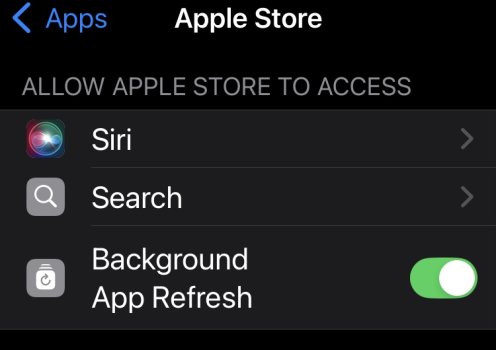
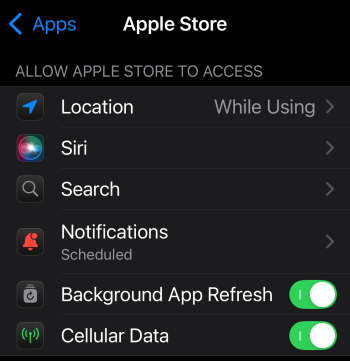
Under Settings > Notifications, the Apple Store does not appear.
What gives?

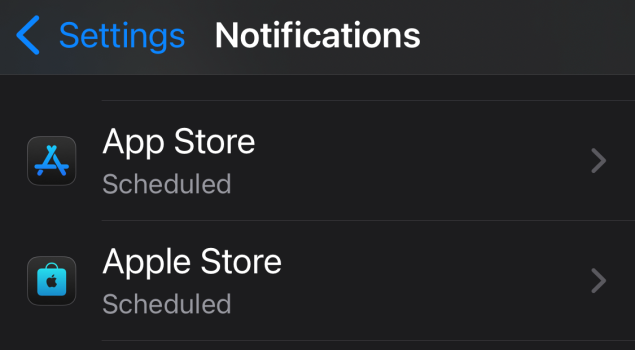
"Apple Store" should appear between these two apps, but it's not there
As the thread title asks - how do I enable notifications for the Apple Store app (NOT the APP Store, the APPLE Store). I have a courier delivery arriving soon and noticed I hadn't got any notifications from the app to let me know the driver was en route. So I opened the Apple Store app to discover it is indeed "out for delivery" yet I was not notified.
Under Settings > Notifications, the Apple Store does not appear.
What gives?
"Apple Store" should appear between these two apps, but it's not there