
Become a MacRumors Supporter for $50/year with no ads, ability to filter front page stories, and private forums.

DramaLLama

macrumors 6502
Original poster
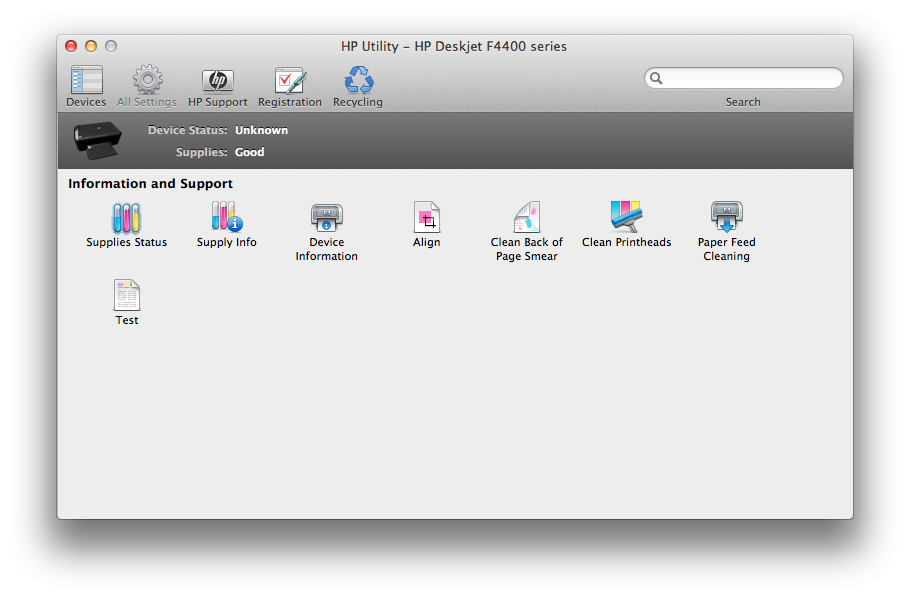
HP printer gives me zero customizable options:
fYc2O.png


Any option I click on there are no other options.. no "always print in black & white"

Is this a printer thing or a OS X thing?


edit: Also before submitting the print job via "cmd P".. I don't have any customizable options in that window either.. it tells me what all the presets are and there seems to be no way to change them.. wtf
 
I do believe that HP designed it to be this way. Sells more ink.

I could be incorrect in saying so, however I bailed on HP colors a couple of years ago because it was a fortune to run up to target every time a damn ink cartridge is empty or expired.
 
See if this works for you.

From this page, HP Customer Care : HP Deskjet F4435 All-in-One Printer: Troubleshooting Print-Quality Issues:

  1. Open a document, click File , and then Print.
  2. Select the Paper Type/Quality menu.
  3. Click the Color Options pop-up or tab if it displays. If you want color printouts, make sure that Grayscale is not selected. If the option does not display, it is not available for the printer.
NOTE: To save these settings for future print jobs, choose Save in the Presets menu, and then name the new preset. If multiple printers are installed, open System Preferences , and then click Print & Fax or Print & Scan (depending on your Mac OS X version). Set the Default Printer to Last Printer Used.​
 
Register on MacRumors! This sidebar will go away, and you'll see fewer ads.