Become a MacRumors Supporter for $50/year with no ads, ability to filter front page stories, and private forums.

PeteAlive

macrumors newbie
Original poster
When i try to input my password, i try to type the letter 'n' and for some reason my macbook pro chimes. I have no idea how to remedy this problem. Any advice would be greatly appreciated. Thanks in advance.
 
What MacBook Pro, what Mac OS X version, still warranty, do you have another account, have you tried to reset the password, ...?
 
Its a mid 2009 macbook pro, i don't really know the system details. I have no idea how to change the password. And now when i start up im getting a picture of the macintosh hd with an arrow pointing at it
 
option-boot.jpg


This is the Boot Selector or Selection Manager and shows all bootable devices currently connected to your Mac.

Choose the one with the name of the HDD where Mac OS X resides and press ENTER (in the above image it's the HDD named Macintosh HD, the name all Macs' HDDs have upon delivery).

Have you seen this

1.
200x113.jpg


or that

2.
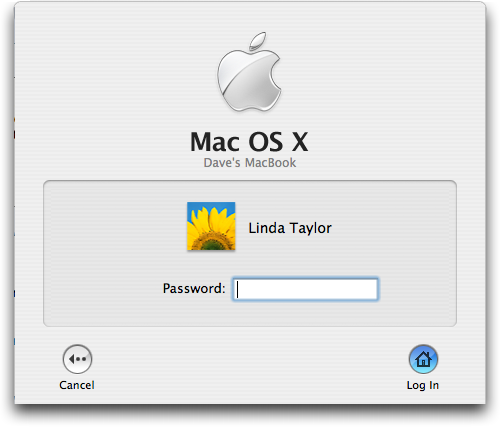
mac-fast-user-switching-window.png


login window?

To reset the admin or any other account password (2.): http://support.apple.com/kb/ht1274

To reset the firmware password (1.): https://forums.macrumors.com/threads/541907/

To search these forums: http://mroogle.*************/
 
Took it to the apple store, got the keyboard replaced and it's working fine! The alt key was suck somehow?!
 
Register on MacRumors! This sidebar will go away, and you'll see fewer ads.