

Is there a way to turn off iCloud storage for the "Reminders" app but without being forced to have all its reminders deleted locally on the phone as well? This is what happens:
First I go to the "Settings" app and click on my name at the very top, which brings me to my Apple account.
I then select "iCloud"-"Saved to iCloud"-"See all" and scroll down to "Reminders" which is currently turned on:
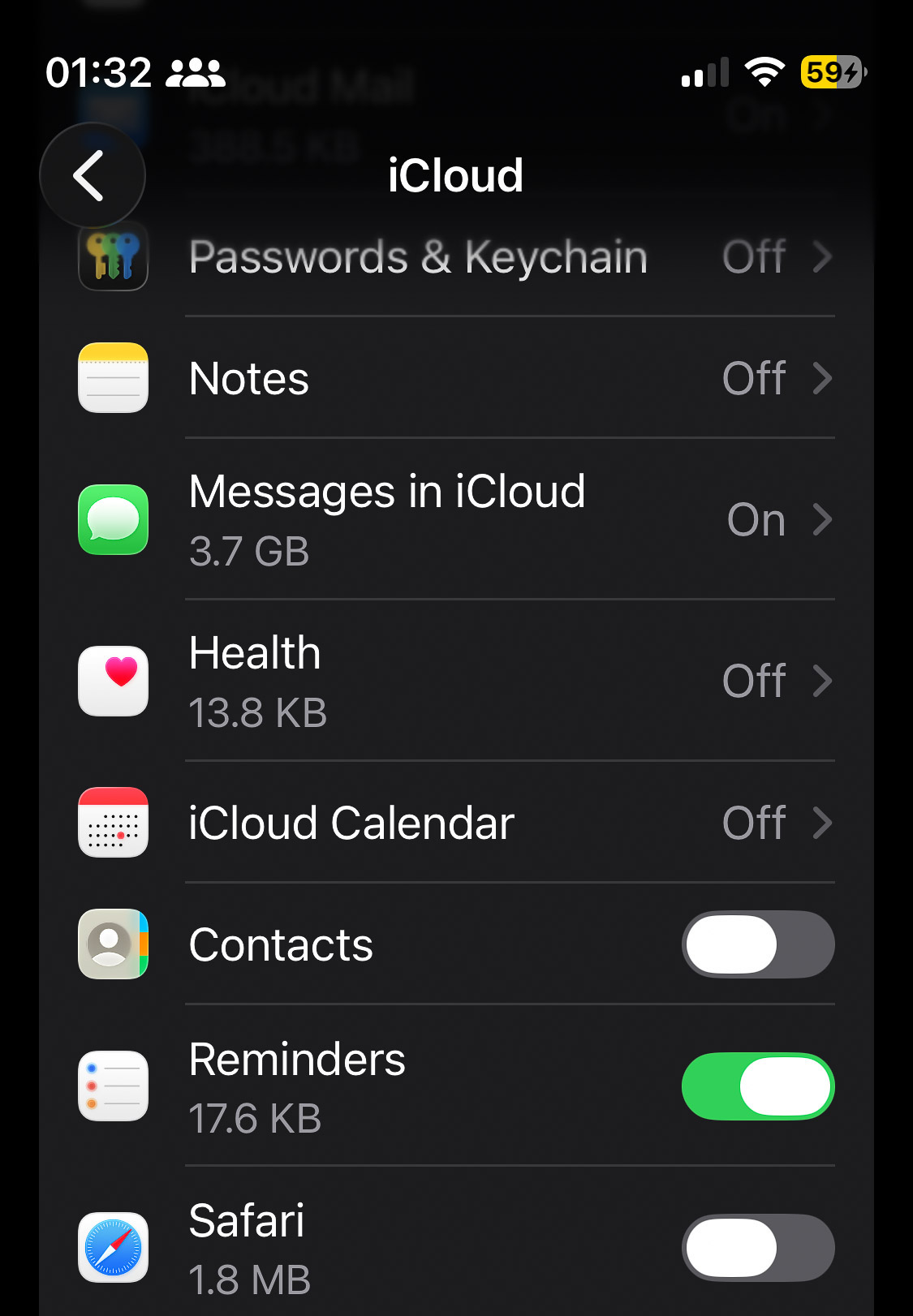
So I drag its slider to the "off" position only to receive the following warning:
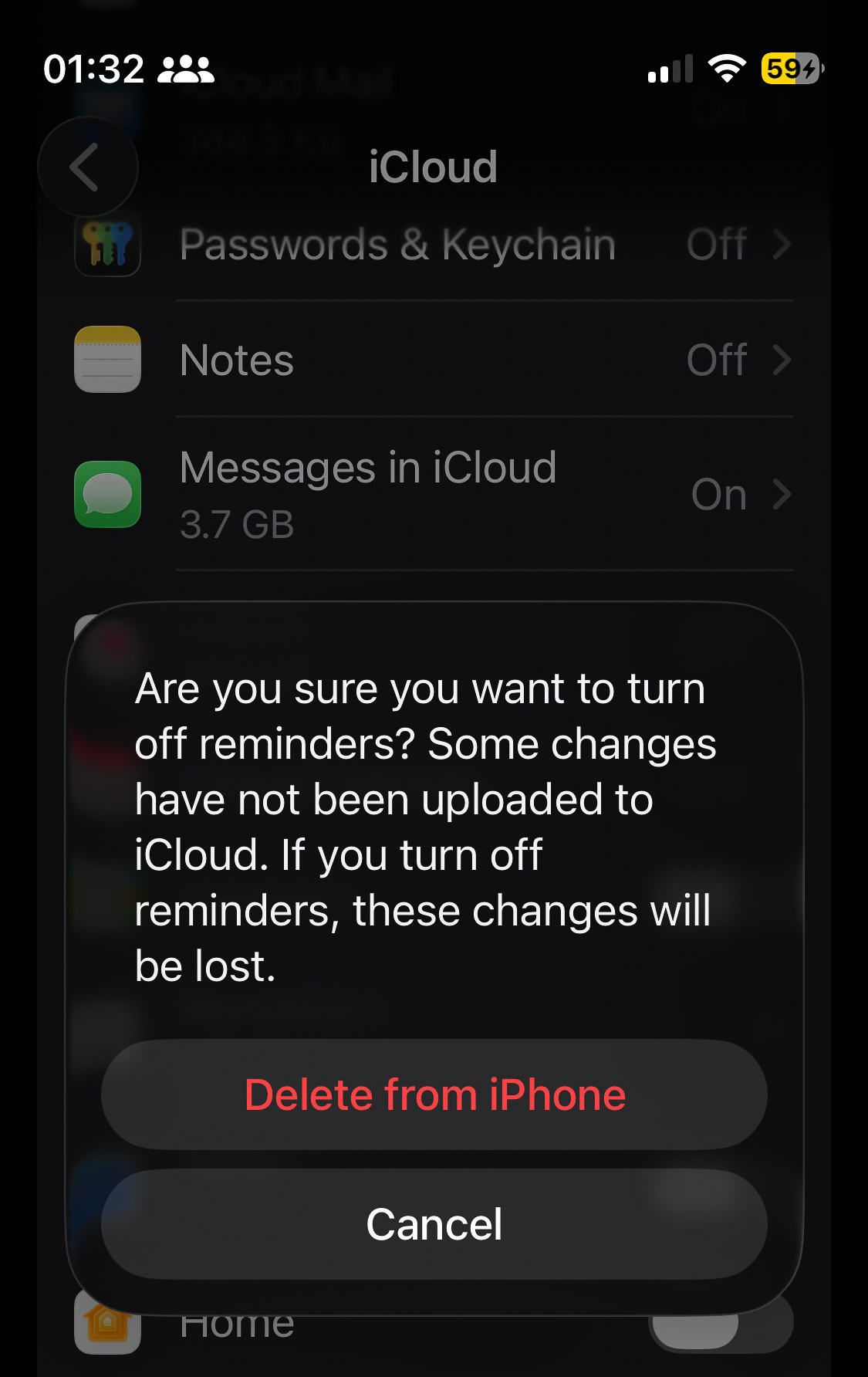
I don't know how this happened, but I think it was when some other settings related to my Apple ID didn't seem to work properly, so I followed some instructions I found online suggesting that I sign out of my Apple account on my phone, then sign in again. I did that, and apparently Apple "assumes" by default that everybody wants to store everything in their iCloud, so my Reminders are now in the cloud (I don't want that, but keep all my reminders stored only locally on my phone).
Apple doesn't seem to give me the choice to keep a copy on my phone if I disable iCloud for Reminders. Is there a workaround?
I'm on iOS 26.5.2.
First I go to the "Settings" app and click on my name at the very top, which brings me to my Apple account.
I then select "iCloud"-"Saved to iCloud"-"See all" and scroll down to "Reminders" which is currently turned on:
So I drag its slider to the "off" position only to receive the following warning:
I don't know how this happened, but I think it was when some other settings related to my Apple ID didn't seem to work properly, so I followed some instructions I found online suggesting that I sign out of my Apple account on my phone, then sign in again. I did that, and apparently Apple "assumes" by default that everybody wants to store everything in their iCloud, so my Reminders are now in the cloud (I don't want that, but keep all my reminders stored only locally on my phone).
Apple doesn't seem to give me the choice to keep a copy on my phone if I disable iCloud for Reminders. Is there a workaround?
I'm on iOS 26.5.2.


