I’ve been debating between 2 iCloud photo setups for so long now and would appreciate your thoughts and also how you guys sort your photos out:
1. The *normal* iCloud photo library.
- i.e. save all the photos into the camera roll (all photos)/main album and sort these into albums. These then sync across devices via iCloud library.
2. Using iCloud photo streams only.
- In this set up, any photos that come into my camera roll/main album are sorted into albums and *out* of my camera roll into shared photo streams that act like separate albums/folders.
iCloud Photo Library
I know the way you’re *supposed* to do it is number 1 above, but it leads to the following problems:
- It’s *super* slow, at least for me. With this set up, I regularly get the warning message ‘iCloud photo library has not been updated in the last X days’ or photos get jammed in the upload process, stuck uploading and downloading.
- In terms of workflow, it’s more cumbersome. For example, my main album/camera roll will have the screenshots, shots I don’t want to keep, etc as well as important family photos that I don’t ever want to lose. Instead of disappearing after I’ve put a screenshot or non-important pic away into an album, it remains there and makes it much harder to sort through the important ones. If I delete it, it disappears from the screenshots album too, so I have to keep it.
iCloud shared photostreams
I have therefore been using the second option above; iCloud shared photo streams, even if I don’t share to anyone but me, turning it into essentially a private photo album in the cloud.
- To process the non-important pics, I send them off into their photo streams and then delete them from the main album/camera roll. They are still safe in the photo stream.
- I am now able to easily filter through the remaining photos, sending them off into shared photo streams as I wish until there is nothing left in my camera roll/main album. In this way, the main all photos album is like an inbox for me. I can easily tell what needs processing and anything I delete from it still resides safely in its photo stream.
- This method is super fast. What I put into a photo stream on my iPhone very quickly appears on my Mac on the shared photo stream, even videos.
- This method has the added benefit of of course being shareable. So if I ever wanted anyone to see the album I’ve been building, all I have to do is add recipients so and then remove if they want.
An example:
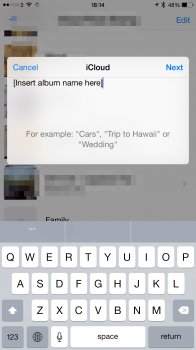
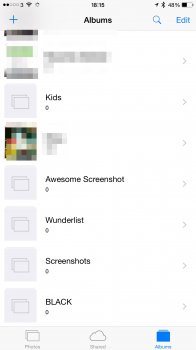
Let me give an example of why the photo streams option is better. As I was writing this on my Mac, I decided to take some screenshots on my iPhone (the ones included above). But then I realise that it would take too long to sync across to my Mac with iCloud photo library given the queue/backlog/jam. In the end, it was easier to simply send the screenshots to my 'Hold' shared photo stream and it appeared much sooner on my Mac.
Does anyone organise their photos this way? If you do it the official iCloud Photos Library way, how do you find syncing and workflow?
1. The *normal* iCloud photo library.
- i.e. save all the photos into the camera roll (all photos)/main album and sort these into albums. These then sync across devices via iCloud library.
2. Using iCloud photo streams only.
- In this set up, any photos that come into my camera roll/main album are sorted into albums and *out* of my camera roll into shared photo streams that act like separate albums/folders.
iCloud Photo Library
I know the way you’re *supposed* to do it is number 1 above, but it leads to the following problems:
- It’s *super* slow, at least for me. With this set up, I regularly get the warning message ‘iCloud photo library has not been updated in the last X days’ or photos get jammed in the upload process, stuck uploading and downloading.
- In terms of workflow, it’s more cumbersome. For example, my main album/camera roll will have the screenshots, shots I don’t want to keep, etc as well as important family photos that I don’t ever want to lose. Instead of disappearing after I’ve put a screenshot or non-important pic away into an album, it remains there and makes it much harder to sort through the important ones. If I delete it, it disappears from the screenshots album too, so I have to keep it.
iCloud shared photostreams
I have therefore been using the second option above; iCloud shared photo streams, even if I don’t share to anyone but me, turning it into essentially a private photo album in the cloud.
- To process the non-important pics, I send them off into their photo streams and then delete them from the main album/camera roll. They are still safe in the photo stream.
- I am now able to easily filter through the remaining photos, sending them off into shared photo streams as I wish until there is nothing left in my camera roll/main album. In this way, the main all photos album is like an inbox for me. I can easily tell what needs processing and anything I delete from it still resides safely in its photo stream.
- This method is super fast. What I put into a photo stream on my iPhone very quickly appears on my Mac on the shared photo stream, even videos.
- This method has the added benefit of of course being shareable. So if I ever wanted anyone to see the album I’ve been building, all I have to do is add recipients so and then remove if they want.
An example:
Let me give an example of why the photo streams option is better. As I was writing this on my Mac, I decided to take some screenshots on my iPhone (the ones included above). But then I realise that it would take too long to sync across to my Mac with iCloud photo library given the queue/backlog/jam. In the end, it was easier to simply send the screenshots to my 'Hold' shared photo stream and it appeared much sooner on my Mac.
Does anyone organise their photos this way? If you do it the official iCloud Photos Library way, how do you find syncing and workflow?