Become a MacRumors Supporter for $50/year with no ads, ability to filter front page stories, and private forums.

jdidgi

macrumors newbie
Original poster
Hi,

I am trying to install Windows 7 or XP on MacBook Pro and I formated it hard disk. All bootable DVDs and CDs I have are not working. I just see gray screen and then black one (just _ is blinking). Please help me, how can I install windows on it? I have tried to press "C" on start up still, it cannot boot.


Thanks a lot.
 
Last edited:
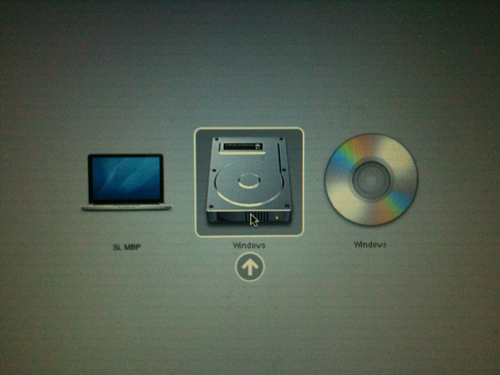
When you're on the boot manager screen do you see a CD icon? There should be no reason it can't see the installation CD/DVD if it's in the drive (you may have to start over). The only time I know of when a bootable CD/DVD doesn't show up in the boot manager is when either the optical drive is bad or the hard drive is.
 
when I hold on option, I can only see hard disk icon .... I can't see any cd/dvd icon.
 
when I hold on option, I can only see hard disk icon .... I can't see any cd/dvd icon.
I assume the installation disk is good since it sounds like you've already run it.

It should look like this (from Tuaw):

windows7wtnumber11.jpg
 
Another option, install from USB flash drive. The only caveat is that it seems you have to create it in Bootcamp which requires you to install OS X first. It's a round-a-bout way since you'll just nuke the hard drive from the Windows Installer but at least it would get you up and running.
 
Register on MacRumors! This sidebar will go away, and you'll see fewer ads.